5 Operation
900-351_IFU_V2.0.0_20221-S0-20150520-EN Operating Manual ARC 350 59
Delete Program
1. Tap "Delete program" to enter the program list
The system displays a red highlighted list of stored programs.
The currently loaded program is visualized by the orange arrow.
4. Select the program to be deleted with the arrow keys.
5. Confirm the selection with the "OK" button.
The main screen is displayed.
- or-
To return to the main screen without changing the selection, select "Back" or
tap any button outside the selection menu.
Sort program
1. Tap “Sort program“ to sort the programs alphabetically, by favourites or by
storage date.
2. Select the required order by tapping on the desired parameter.
The “Program“ dialog is displayed.
Save program
1. Tap "Save program" to save the current setting under the same or another
program name.
2. Choose "Save" to maintain the same program name for the current setting.
- or-
Select "Save As" to place a new program name for the current setting.
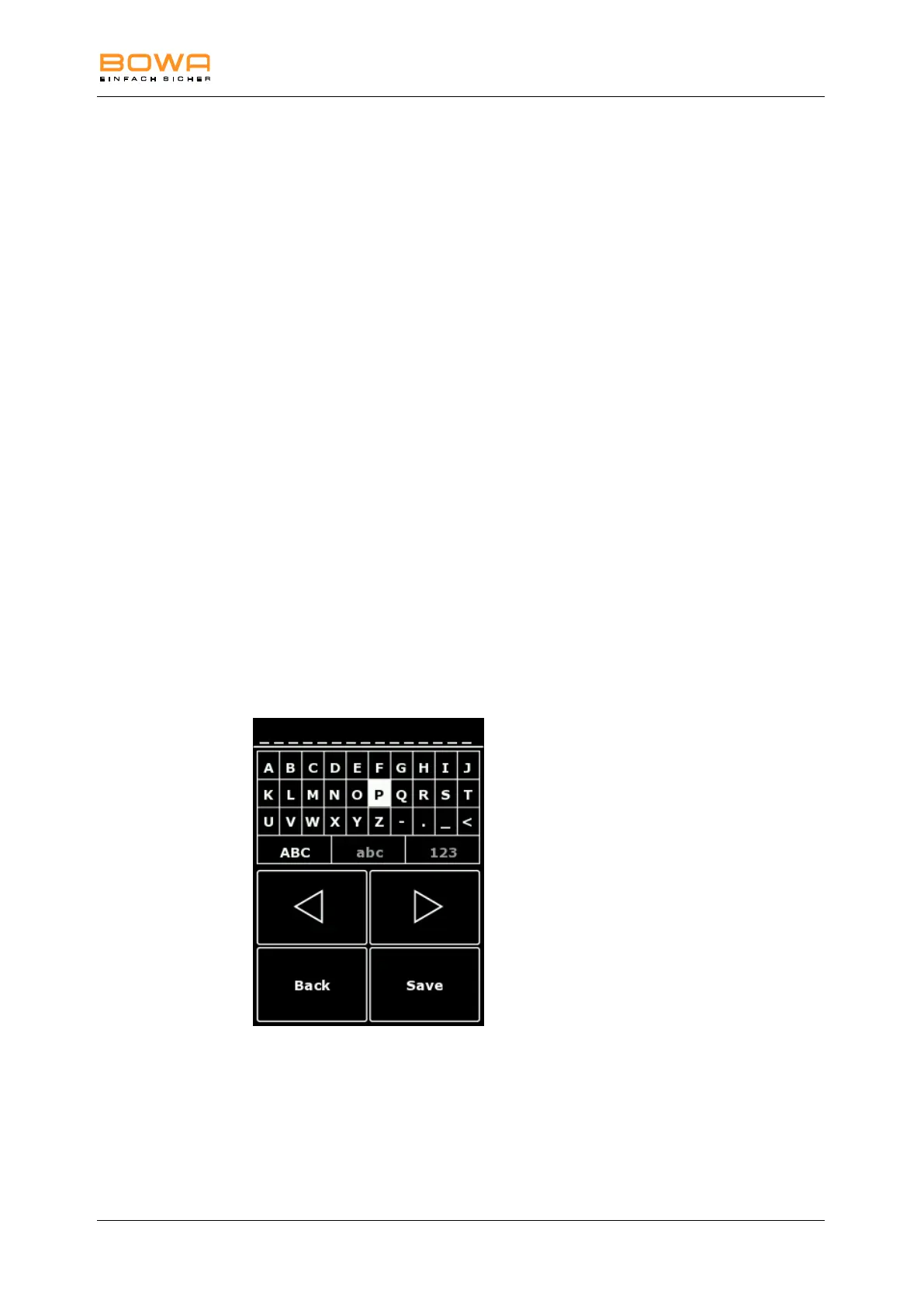
Figure 5-17: "Save program" dialog
In this menu, program names can be created. Several symbols, capital or small
letters or numbers are selection options.
The navigation is possible using the arrow keys.
Select the letter with "OK".
The selection is confirmed using "Save".
Use the ”Back” button to return to the main screen



 To Next Page