5 Operation
900-351_IFU_V2.0.0_20221-S0-20150520-EN Operating Manual ARC 350 63
5.10.9. "Argon" dialog
In case of the selection of an argon mode and a successful connection to ARC
PLUS, the main screen displays an argon dialog with currently stored flow rates for
cutting and coagulation.
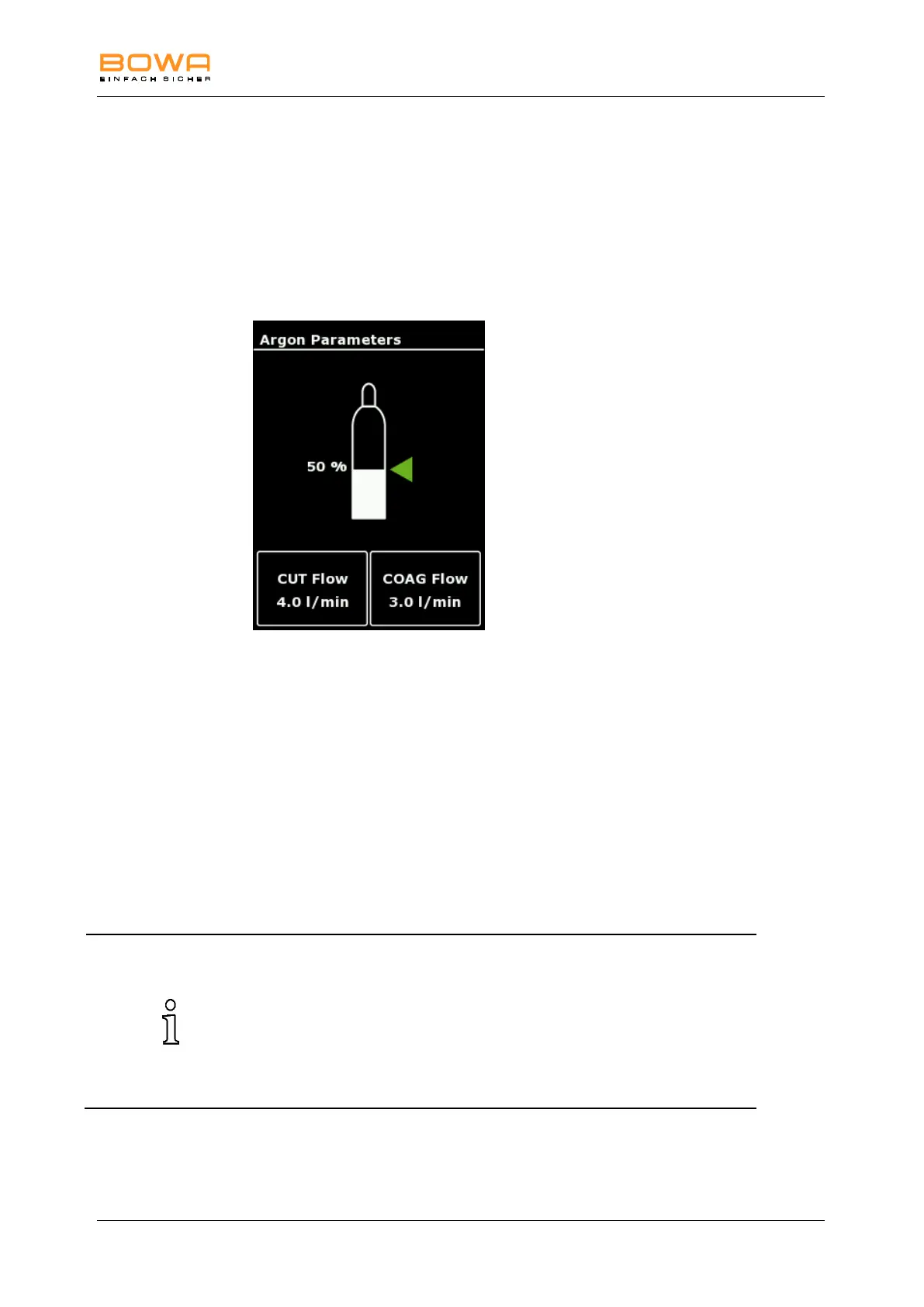
The "Argon" dialog enables the selection of argon flow rates for cutting and
coagulation, as well as the selection of argon bottles and the display of filling
levels.
Figure 5-21: "Argon" dialog
1. Select the “Argon” menu by tapping the display of the flow rates.
The current filling level of the argon gas bottle is displayed when using a
pressure reducer with electronic pressure sensor.
2. Select the variable flow rate for cutting (CUT flow) or coagulation
(COAG flow).
3. Set the argon flow rate by using the arrow keys.
4. Confirm your selection by pressing the "OK" button.
- or -
Press the "Back" button to return to the main screen without changing the
selection.
Default settings for argon flow rates according to the different modes are
selected automatically:
Argon open:
CUT flow rate: 4.0 l/min
COAG flow rate: 3.0 l/min
Argon flexible:
COAG flow rate: 0.4 l/min



 To Next Page