Setting Up the Printer
BBP
®
35/37 User’s Manual 10 Rev A
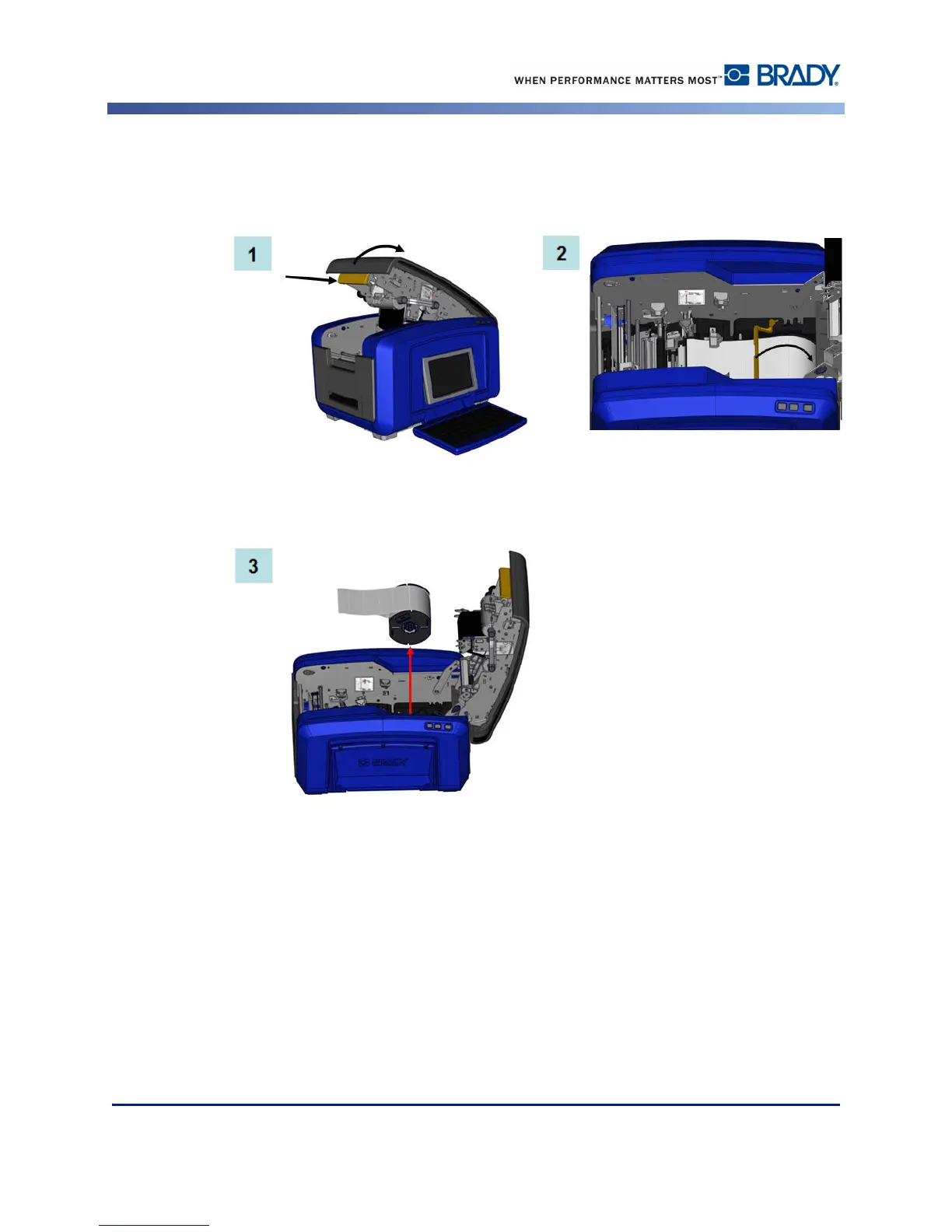
Remove Label Media (Tape)
1. Open the cover by pulling up on the bottom of the yellow latch.
2. If removing continuous media, lift the media wiper bar up off of the tape.
3. Grasp the tape roll and pull up, sliding the media out from under the guides.



 To Next Page