Application Label Types
Rev A 131 BBP
®
35/37 User’s Manual
Right-To-Know
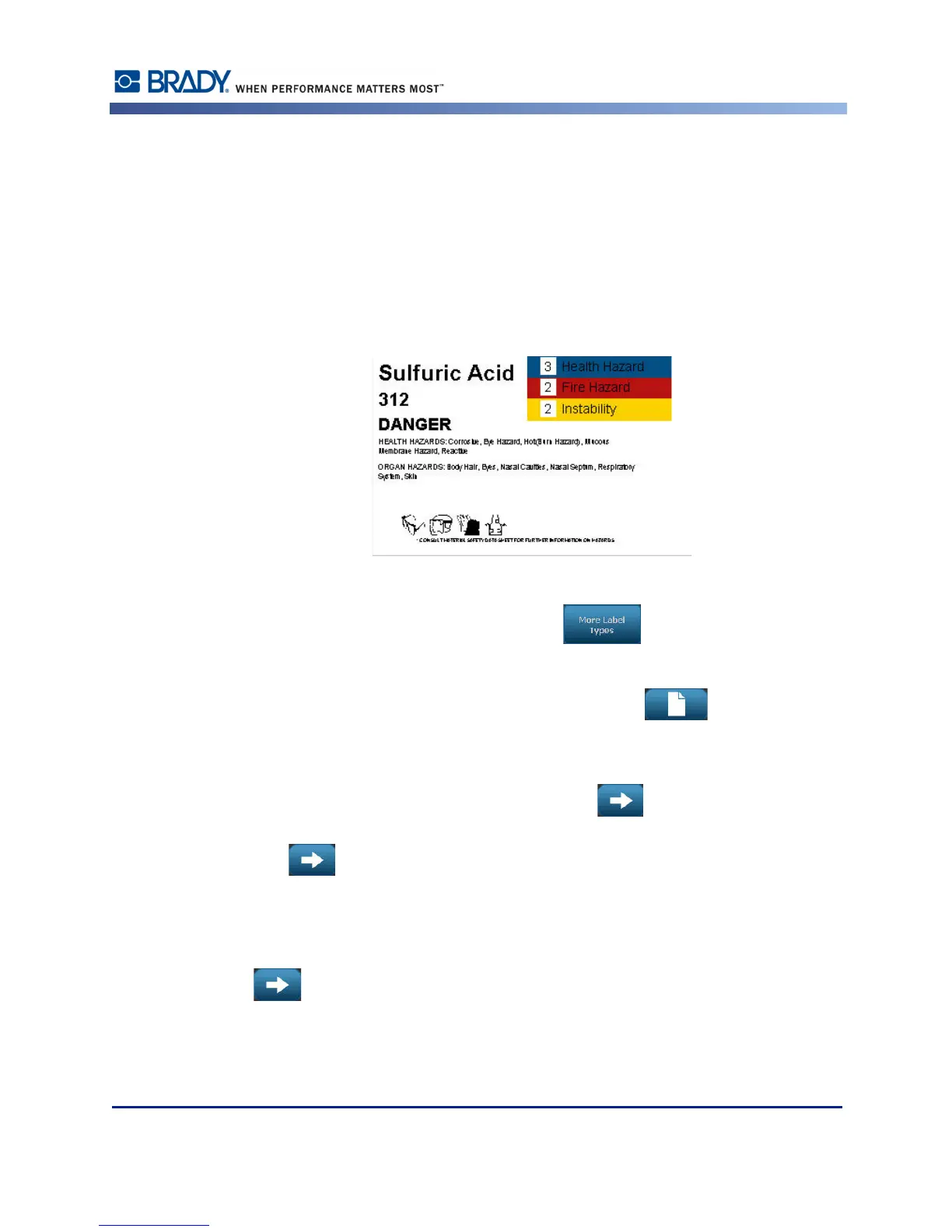
Right-to-Know (RTK) labels inform individuals of chemical hazards, as required by OSHA's
Federal Hazard Communication Standard 29 CFR 1910.1200. The most popular RTK labels
use a number rating and color coding system in conjunction with written text to identify the
chemical and its physical and health hazards. Right-to-Know labels should also include the
appropriate hazard warnings and target organ warnings, as well as the name and address of the
chemical manufacturer. Some options also include recommended personal protective
equipment (PPE).
To create a Right-to-Know label:
1. From the Home page, touch More Label Types .
2. On the Label Types screen, touch Right-to-Know .
3. In the Right-to-Know control panel, touch Create New File .
4. On the Right-to-Know Format screen, use the up/down arrows in the scroll bar to view
more format options.
5. In the list, touch the desired format, then touch Next .
6. On the Label Size screen, in the list presented, touch the desired label size, then touch
Next .
7. On the Chemical Name screen, in the Name: data field, enter the name of the chemical
that the Right-to-Know label addresses.
8. In the Cas#/Title: data field, enter the case number and or title of the label, then touch Next
.
9. On the Signal Word screen, in the list presented, touch the Signal Word to use on the label.
(Selecting No Signal Word will leave this space blank on the label.)



 To Next Page