Formatting a Label
Rev A 41 BBP
®
35/37 User’s Manual
Behavior Common to All Object Elements
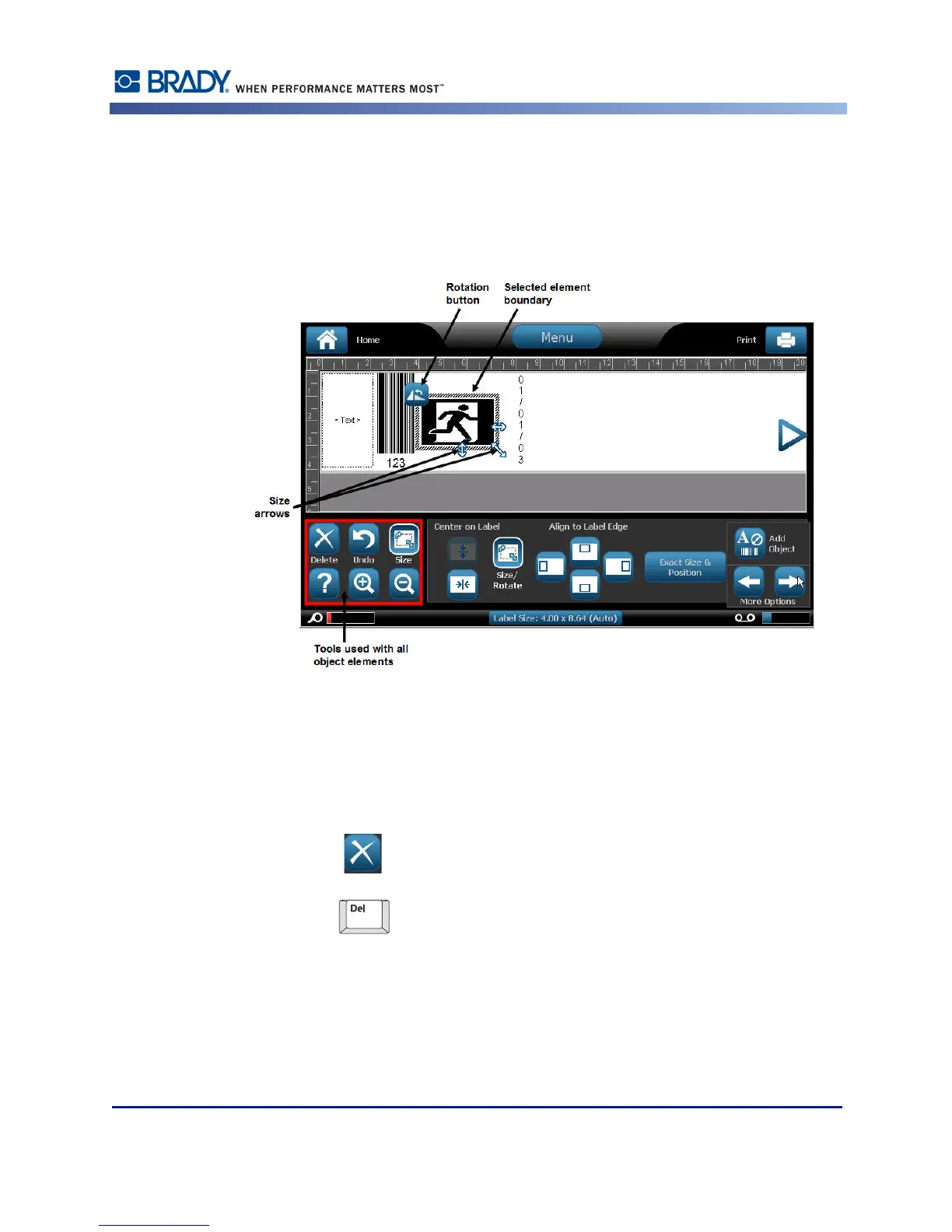
The options displayed in the Control Panel depend on which object element is selected.
However, there are some options that are common to all object elements. These options are
displayed in the following graphic and discussed below.
Delete an Element
To delete an object element from your label:
1. Touch the element to be removed.
2. Touch Delete .
OR
Press Delete on the keyboard.



 To Next Page