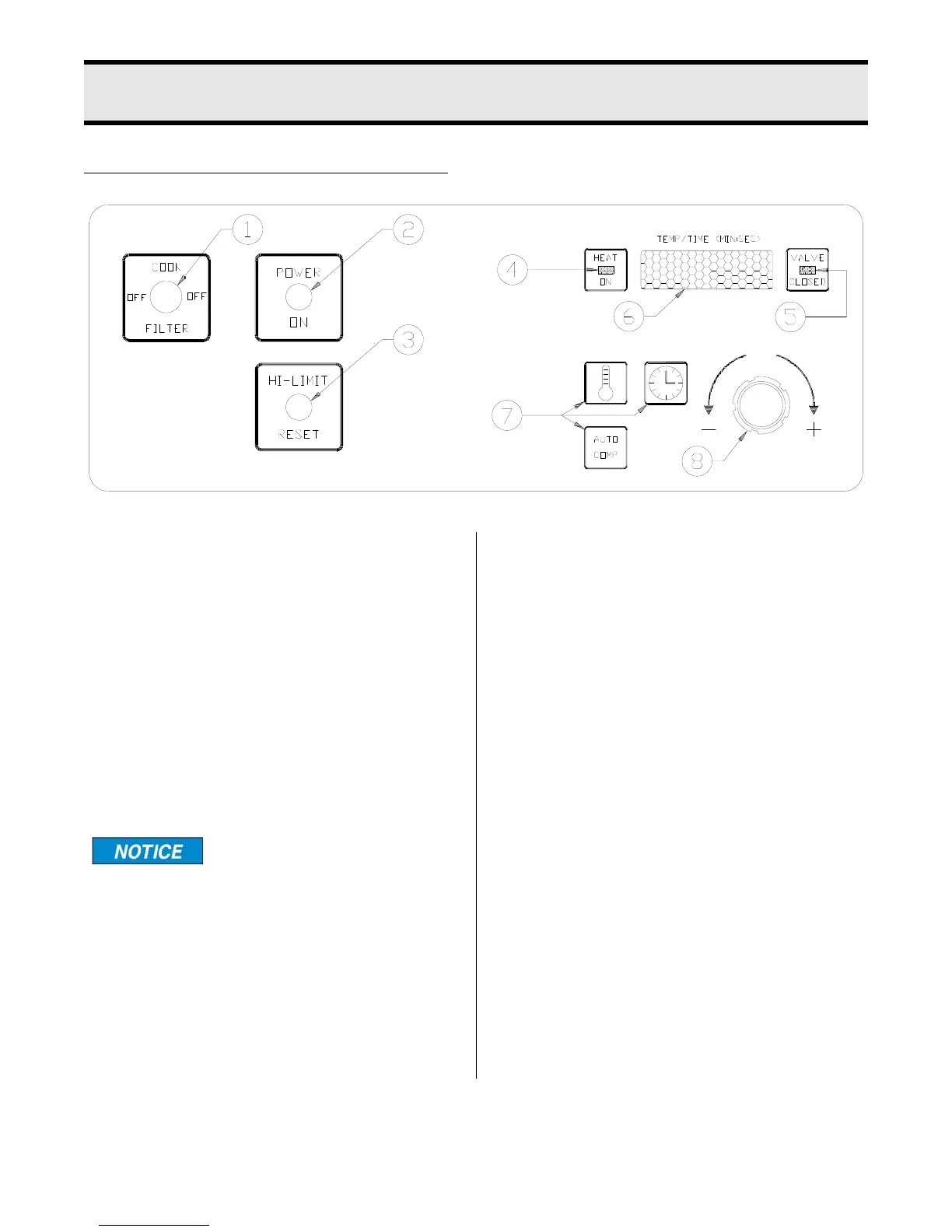
4 - SOLID STATE CONTROL PANEL
4-1
1. Cook/Filter Switch: Has three posi-
tions: COOK, OFF and FILTER.
2. Power On Indicator Light: Illumi-
nates when cook/filter switch is in
COOK position.
3. Hi-Limit Control: Prevents oil tem-
perature from exceeding 475
° F. Tu r n
unit OFF and DO NOT attempt to
operate until it has been serviced by
an authorized Broaster Company rep-
resentative.
It is possible for this con-
trol to trip during ship-
ment. If it does, fully depress red reset
button. If control “clicks” it was tripped.
If not, it is correctly reset.
4. Heat On Indicator Light: Illuminates
when oil is being heated.
5. Valve Closed Indicator Light: Illumi-
nates when pressure regulating valve
is CLOSED.
6. Display: Shows time countdown dur-
ing a cook cycle, program values dur-
ing programming and programmed
time and temperature during idle
period.
7. Program Buttons: Displays program
values, initiates programming, stores
desired program values and exits pro-
gramming mode.
Cook Temperature Button
Cook Time Button
AUTO COMP (Automatic Time Com-
pensation Button: Indicates timing
method. When OFF, controller oper-
ates as a regular timer. When ON,
controller monitors oil temperature and
adjusts time down rate to compensate
for fluctuations in the oil temperature.
8. Rotary Knob: Changes program val-
ues.
ROTARY DIAL FAMILIARIZATION
broaster.com Manual #14680 3/99 Rev 5/14



 To Next Page