4-5
PRESET PROGRAMMING
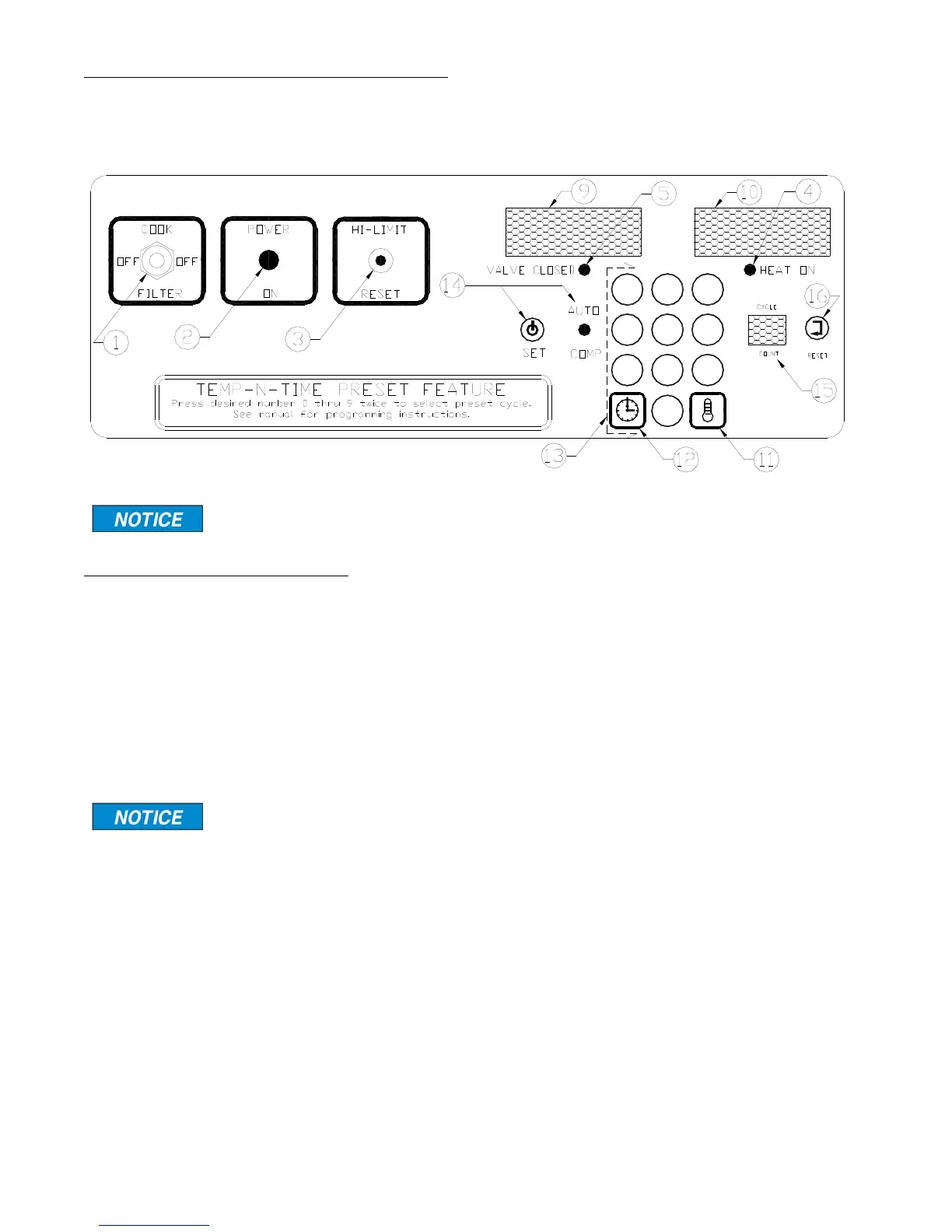
Choose Preset Cook Cycle:
Action: Press a button, 0 thru 9, cor-
responding to the desired preset.
Response: The TIME display will
show “P__X”, where X is the preset
selected.
If a button is not pressed
in ten seconds, the dis-
play will revert to the previous display.
Action: Press the same button again,
Response: The TIME display will
show the preset time, the AUTO
COMP LED will turn on if enabled, the
TEMP display will show the preset set-
point, and the temperature will now
regulate to the new setpoint.
PROGRAMMING PROCEDURE (PRESET
MODE)
Action: Press and hold the TIME and
TEMP buttons simultaneously for three
seconds.
Response: The TIME display and
TEMP display will begin flashing. The
CYCLE COUNT display will show “-0”
indicating that the preset #0 values are
displayed. The preset values for the
TIME, TEMP, and AUTO COMP will be
shown on the display.
Change Cook Time:
Action: Press the TIME button once.
Response: The TEMP display will
turn off and only the TIME display will
flash.
Action: Key in the desired cook time
and press the TIME button to save the
new setting.
CHECK OIL LEVEL BEFORE OPERATINGCAUTION!
7
0
8 9
1
4
2 3
5 6
For single product programming see page 4-2b.
TEMP-N-TIME FAMILIARIZATION
Same as on page 4-2a
broaster.com Manual #14680 3/99 Rev 5/14



 To Next Page