6-3
ADJUSTMENTS
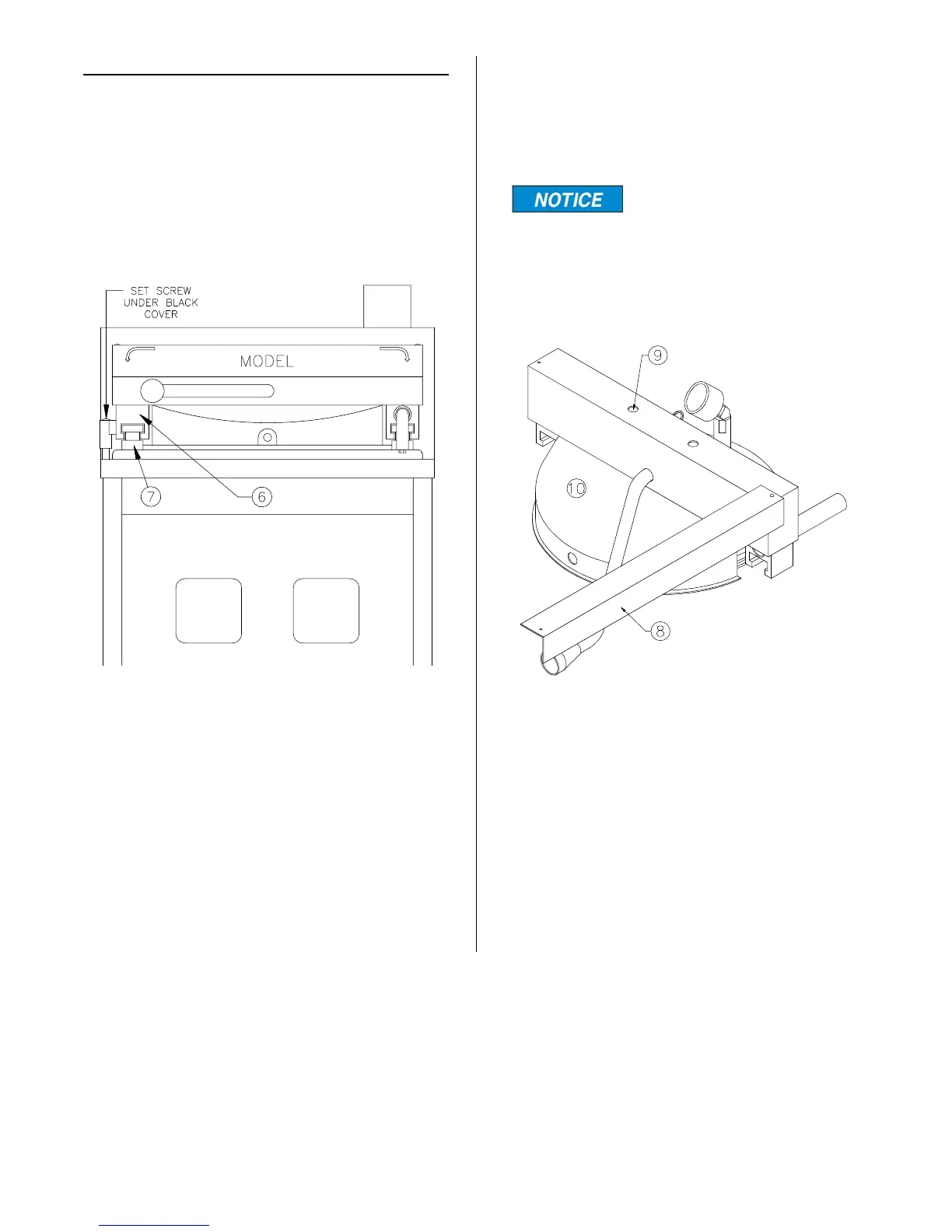
Height Adjustment:
Proper alignment of the left side yoke latch
(6) and latch column (7) is essential.
Remove black cover and turn set screw in
or out to raise or lower the yoke latch.
Centering Cover:
This is important for prevention of steam
leaks and keeping O-ring wear to a mini-
mum.
It is important warning
sign (8) be placed back
into its original position and screw
replaced after making this adjustment. If
this sign becomes worn or illegible, it
must be replaced immediately.
1. Remove screw from left side of warn-
ing sign (8) and swing out toward the
right.
2. Loosen but do not remove two cover
bolts (9) in top of splash shield (10).
3. Open and close cover several times in
cooking well to let cover seek its own
center. With cover in CLOSED posi-
tion, tighten each cover bolt a little at a
time while alternating between the
two.
broaster.com Manual #14680 3/99 Rev. 5/14



 To Next Page