5-11
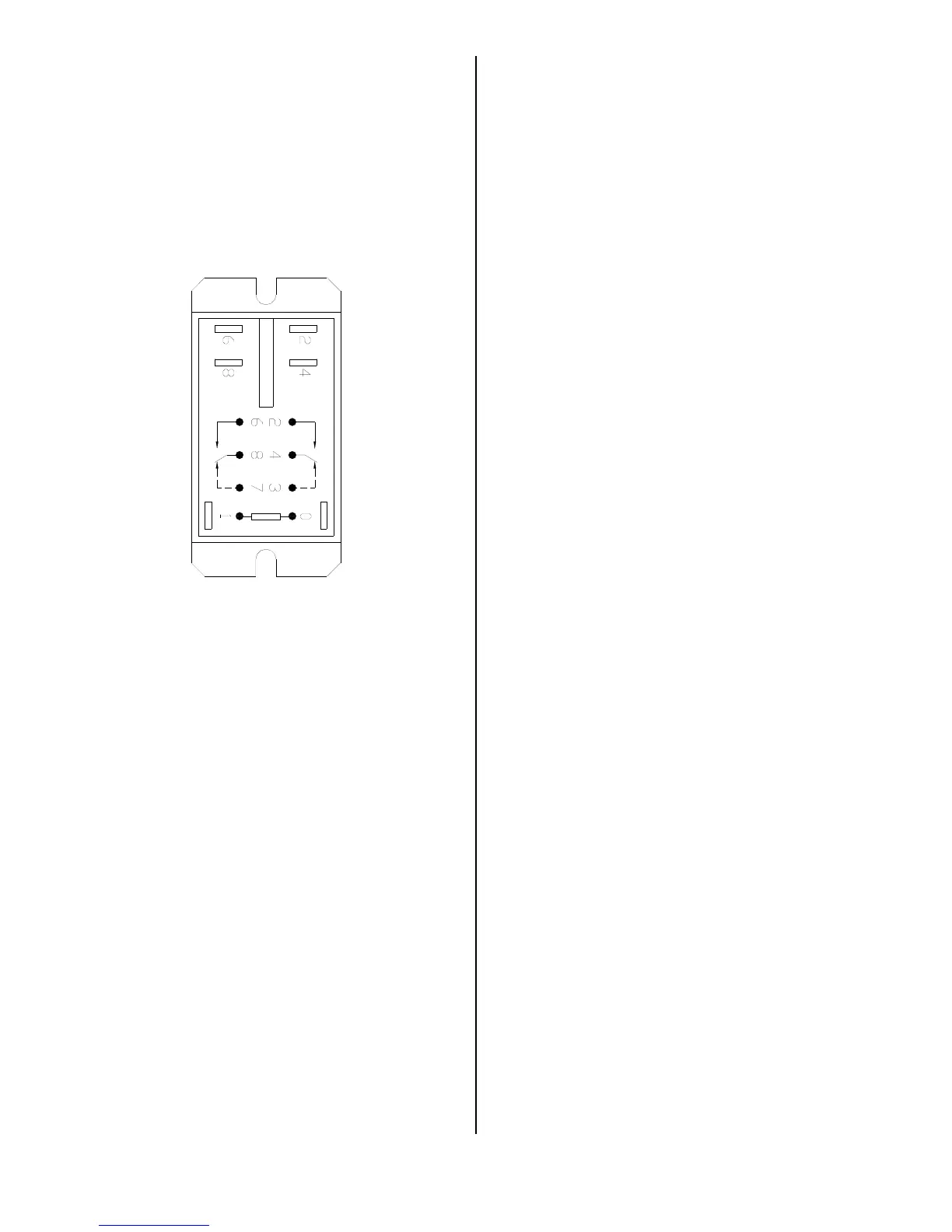
6. Turn cook/filter switch to COOK to
check relay (23). You should hear a faint
audible snap when HEAT ON light illumi-
nates. Turn switch to FILTER to check
relay (22). Check across terminals 2 & 6
and 4 & 8 using a voltmeter. Meter should
indicate applied voltage. If not, check for
loose connections, or relay is faulty.
Replacement:
1. See ACCESS FOR SERVICE.
2. Remove all wires from relay.
3. Remove two mounting screws from
relay.
4. Install new relay in reverse order. Be
sure all wire connections are secure and
in their original location. See wiring dia-
grams.
broaster.com Manual #14680 3/99 Rev 5/14



 To Next Page