©2013 Brooks Automation Inc. Pub. No. 8040444, Rev. AA 01/14/2013 ECO No. 63723 3-9
Document Title
.
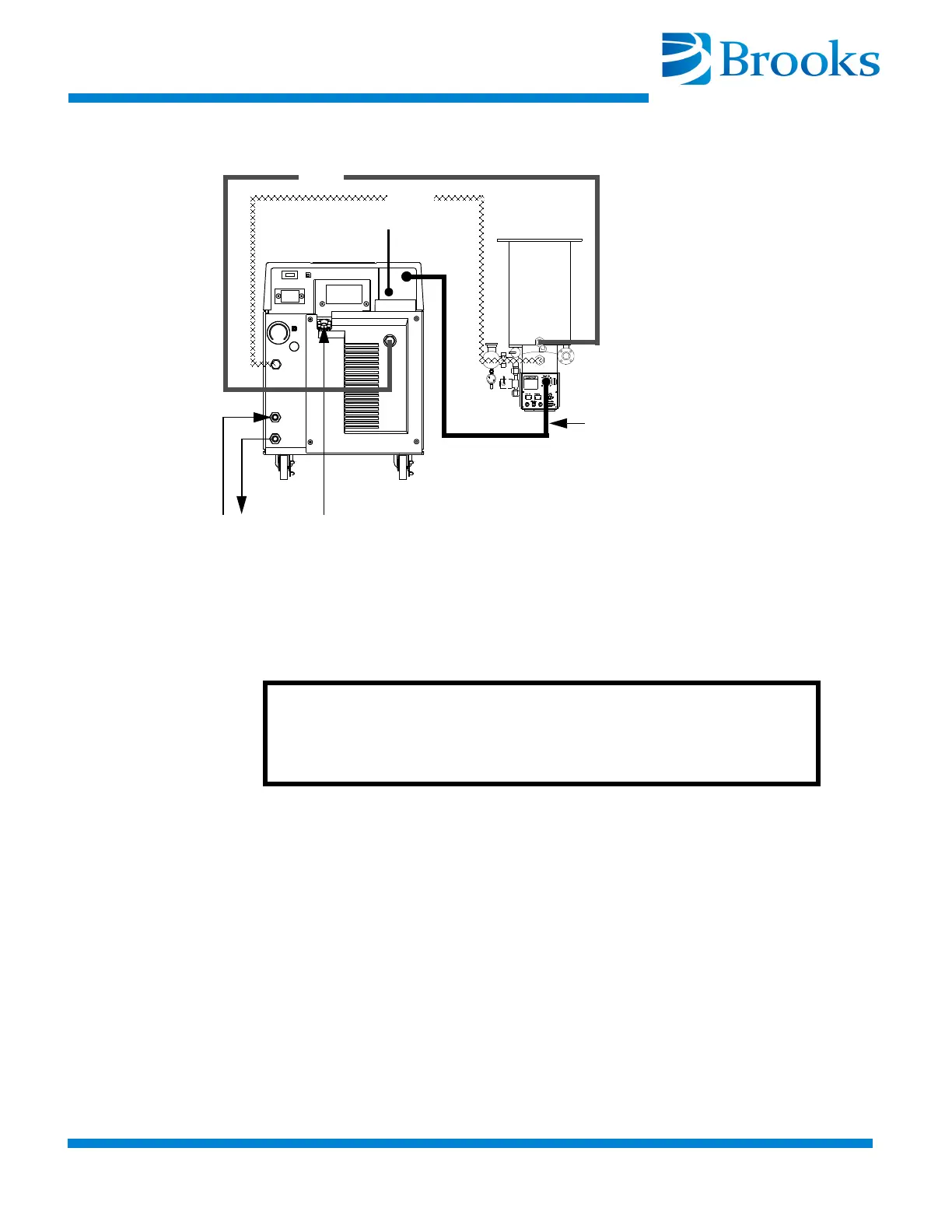
Figure 3-4: Single On-Board Cryopump Connections
Single Cryo-Torr Cryopump Connections
1. Connect the Supply and Return lines to the 9600 Compressor as
described in
“Connecting/Disconnecting Helium Flex Lines” in
this section.
2. Connect one end of the Cryopump cold head cable to the
CRYOPUMP ELECTRICAL OUTLET on the rear panel of the
Compressor as shown in
Figure 3-5. Connect the opposite end of
the cold head cable to the cryopump cold head cable connector as
shown in
Figure 3-5.
On-Board Cryopump
Power Cable
WATER
POWER
REMOTE
SUPPLY
RETURN
CAUTION
Make sure the Compressor power is OFF before making any
connections to the rear panel.


 To Next Page