Polycold Cryochiller Installation
Installation and Operation Manual Remove the Compressor Hold-Down Nuts
Brooks Automation
214072 Revision B 4-9
Remove the Compressor Hold-Down Nuts
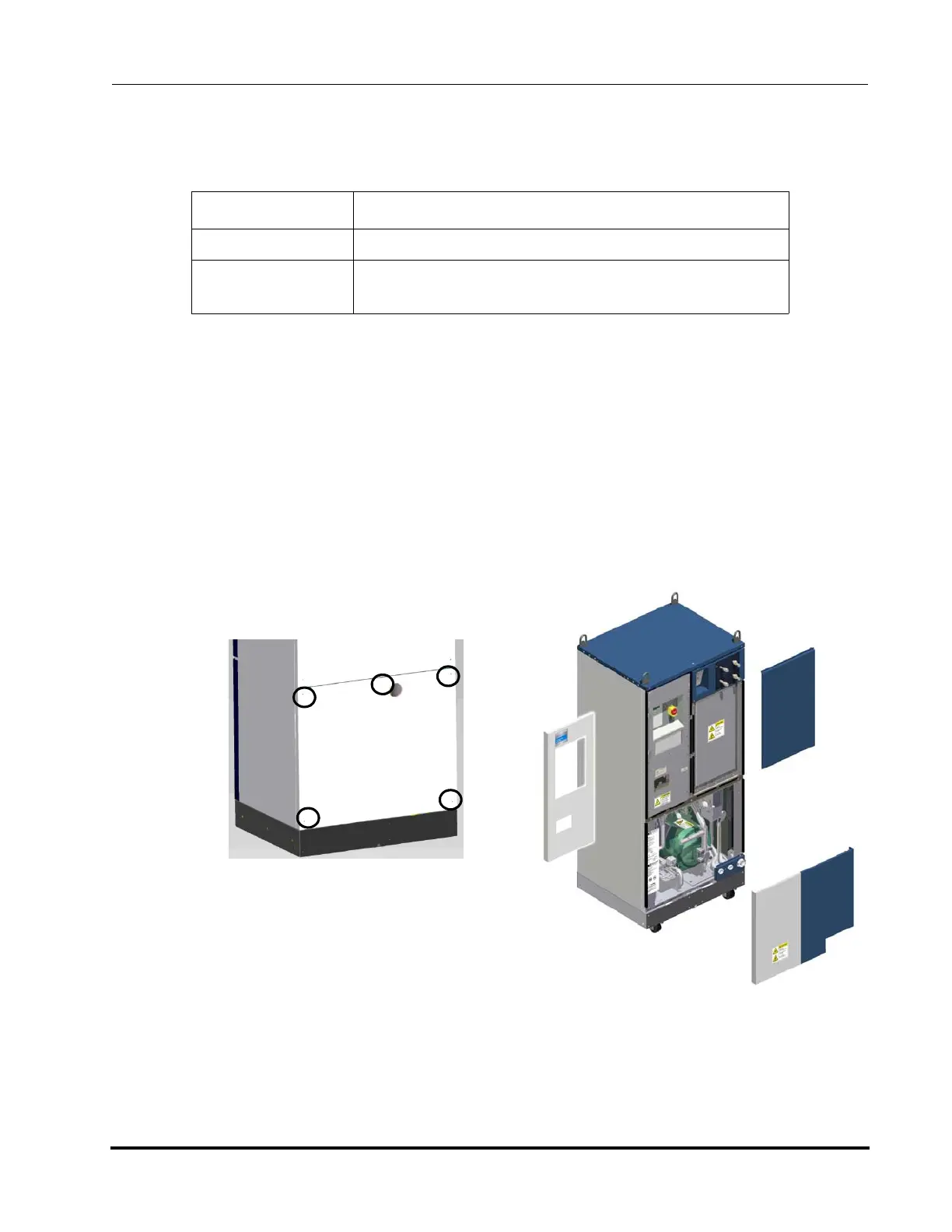
1. Use a Phillips-head screwdriver to remove the (4) screws that attach the front lower
panel on the system and remove the panel.
2. Use a Phillips head screw driver to remove the (5) screws that attach the rear lower panel on the
system and remove the panels.
See Figure 4-4.
3. If an optional spare parts kit was ordered, it will be behind the lower front panel of the unit.
Remove the spare parts kit and verify that all of the parts were shipped with the unit.
4. Locate the compressor in the bottom of the refrigeration unit. See Figure 4-3 and Figure 4-5.
Item Description
Electrical Category Type 1 – Equipment is fully de-energized
Tools # 2 Phillips screwdriver
(2) 9/16-inch wrenches
Figure 4-3: Polycold Cryochiller with panels
removed showing compressor location
Figure 4-4: Rear Lower Panel Access Screws



 To Next Page