Installation Polycold Cryochiller
Connect the Cooling Water Installation and Operation Manual
Brooks Automation
4-10 214072 Revision B
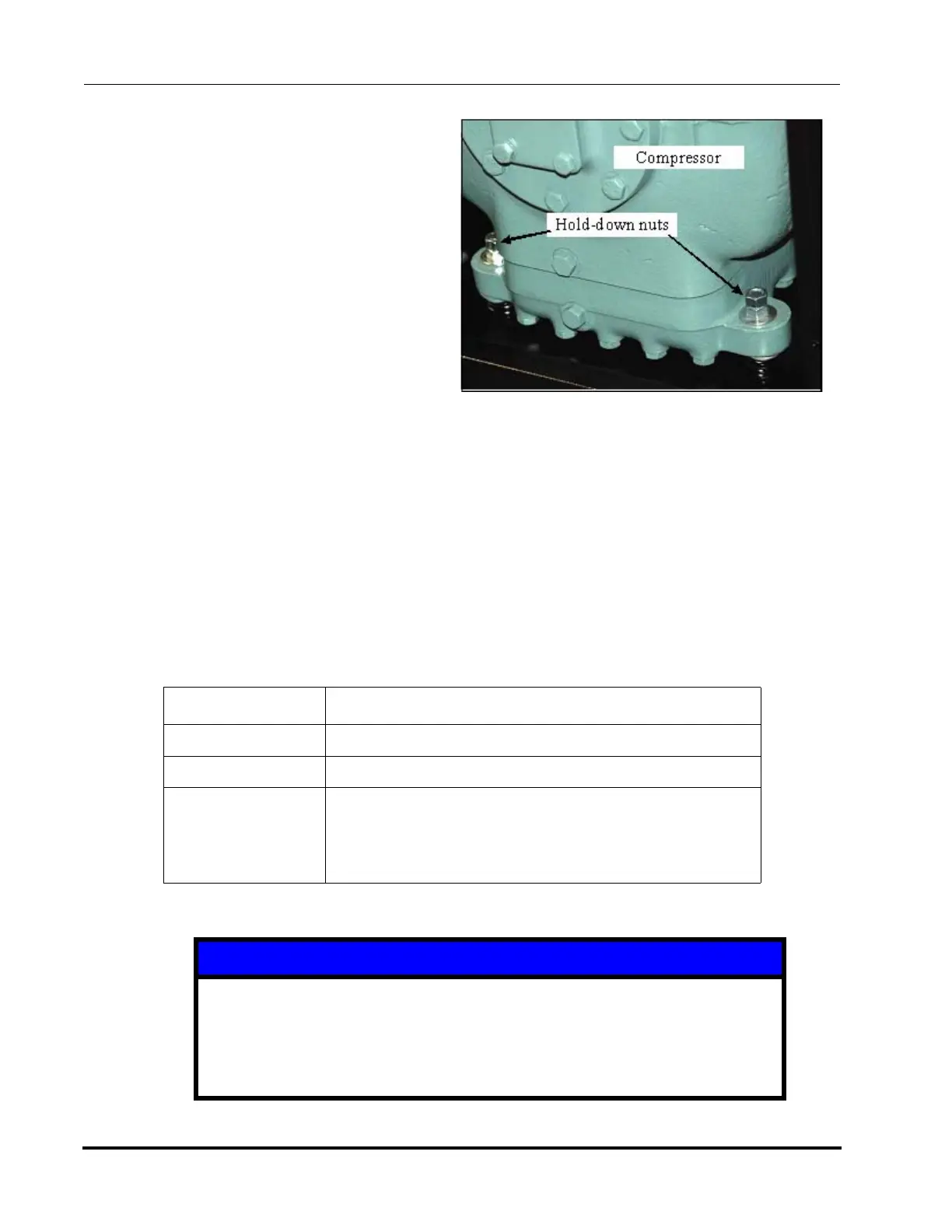
5. Locate the four hold-down nut locations
on the compressor. See Figure 4-5.
6. Use two 9/16-inch wrenches to remove
the two hold down nuts on each corner
of the compressor.
• Place one wrench on the lower nut
and the other wrench on the upper
nut.
• Hold the lower nut and loosen and
remove the upper nut from the bolt.
• Loosen and remove the lower nut.
7. Repeat the procedure to remove the
remaining three sets of hold-down nuts.
8. Save the hold-down nuts for future use
when moving or shipping the refrigera-
tion unit.
Recommended: Place nuts on cable tie and secure to compressor.
9. Go to the Installation Checklist Table 4-1. Initial and date this task. Go to the next task on the check-
list.
Connect the Cooling Water
Item Description
Electrical Category Type 1 – Equipment is fully de-energized
Tools Pipe wrenches
Materials Fabricated water lines from 3/4-inch (20 mm) standard pipe
or equivalent with compatible fittings.
3/4-inch female NPT fittings.
Thread sealant such as Teflon tape
NOTICE
Water should be filtered for contaminants and copper reducing microbes.
Brooks recommends filtration to 100 microns and microbiological controls be put
in place in order to supply clean and safe cooling water to your Polycold product.
Failure to provide water of proper specification may void the system warranty.
Figure 4-5: Hold-down Nuts
(2 of 4 shown)



 To Next Page