CHAPTER 3 PERIODIC MAINTENANCE
Confidential
3-14
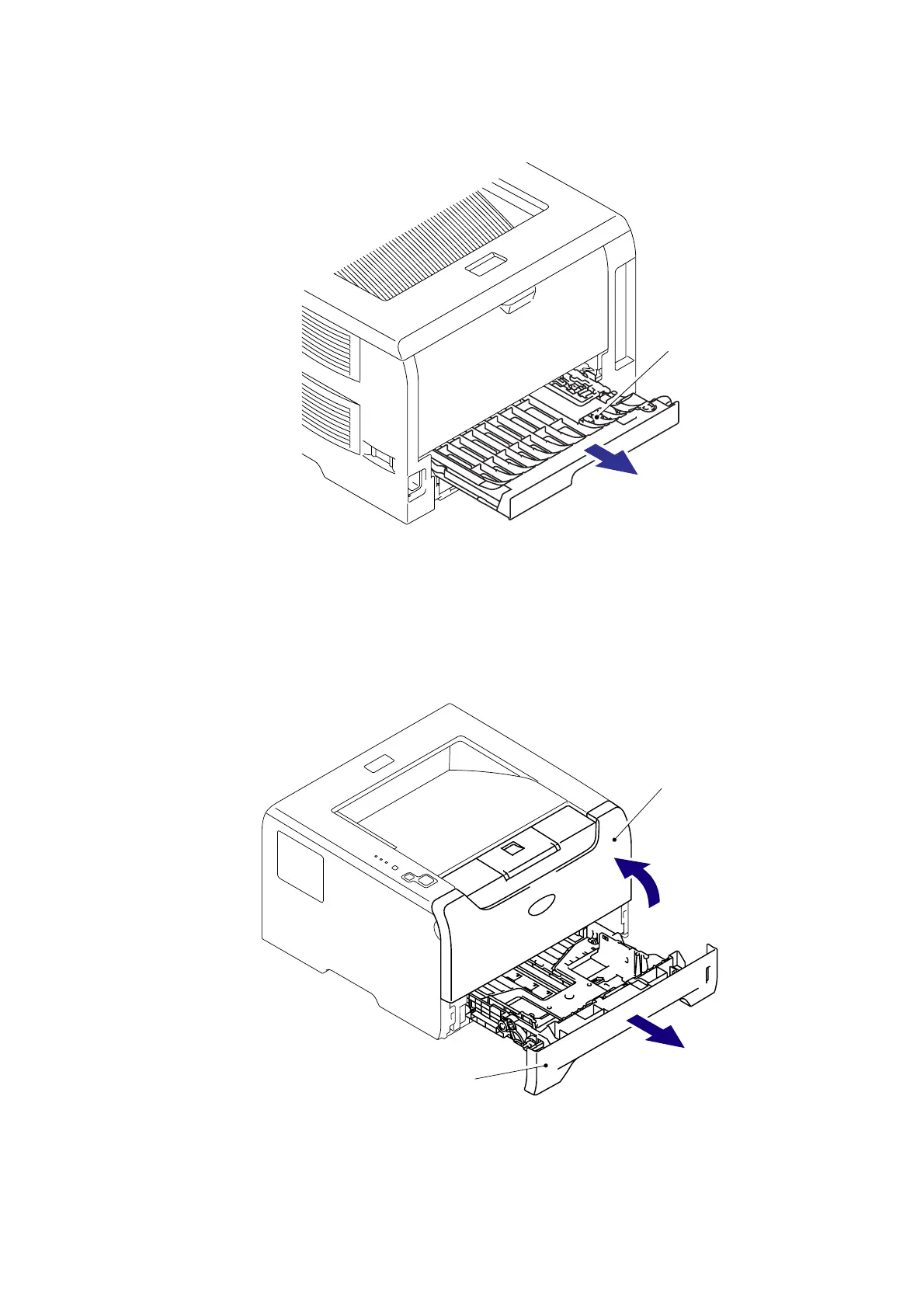
(5) Remove the DX feed ASSY or DX blank cover.
Fig. 3-21
(6) Close the Front cover.
(7) Pull out the Paper tray.
(8) Remove the paper if it is remained in the Paper tray.
Fig. 3-22
DX feed ASSY/ DX blank cover
Front cover
Paper tray
6
7
<Back side>
<Front side>


 To Next Page
 Loading...