EasyManua.ls Logo

Brother MFC-9010CN - User Manual

Brother MFC-9010CN
203 pages
Print Icon
To Next Page IconTo Next Page
Loading...
NETWORK
USER’S GUIDE
Multi-Protocol On-board Ethernet Multi-function Print Server and
Wireless (IEEE 802.11b/g) Ethernet Multi-function Print Server
DCP-9010CN
MFC-9010CN
MFC-9120CN
MFC-9320CW
Not all models are available in all countries.
Please read this manual thoroughly before using this machine on
your network. You can view this manual in the CD-ROM at any
time, please keep the CD-ROM in a convenient place for quick
and easy reference at all times. You can also download the
manual in PDF format from the Brother Solutions Center.
(http://solutions.brother.com/)
The Brother Solutions Center (http://solutions.brother.com/) is
your one stop resource for all your printing needs. Download the
latest drivers and utilities for your machine, read FAQs and
troubleshooting tips or learn about special printing solutions.
Version A
ENG

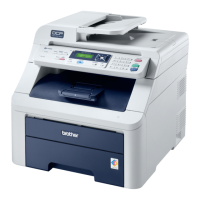
Table of Contents

Other manuals for Brother MFC-9010CN

Questions and Answers

  • J
    Jeanne MooreSep 15, 2025
    Why are there one color spots or dirt on prints from my Brother All in One Printer?
    • D
      Diana FletcherSep 15, 2025
      If you notice one color spots or dirt appearing on prints from your Brother All in One Printer, it could be due to fuser unit failure or toner/new sensor PCB failure. Consider replacing the fuser unit or the toner/new sensor PCB ASSY.
  • K
    Kerry ScottAug 25, 2025
    What to do if network scanning feature does not work in Windows for Brother Print Server?
    • J
      Jamie JohnsonAug 25, 2025
      If the network scanning or PC Fax feature isn't working in Windows with your Brother print server, it's possible that your PC's firewall settings are blocking the necessary network connection. Try disabling the firewall to resolve this issue.
  • K
    karina26Aug 26, 2025
    What to do if there is an error during printing with Brother Print Server?
    • G
      Garrett GoldenAug 26, 2025
      If you are experiencing errors during printing with your Brother print server, it could be because the printer is busy processing large print jobs from other users. Please try to execute your print job again after the other jobs are completed.
  • B
    Bianca PorterAug 26, 2025
    How to solve Brother Print Server not found during network print software setup?
    • S
      Susan WatsonAug 27, 2025
      If the Brother print server is not found during the network print software setup or printer driver installation in Windows, ensure that you have configured the IP address settings of the Brother print server. Refer to Chapter 2 of the User's Guide for instructions before proceeding with the installation.
  • J
    Jason LeeSep 16, 2025
    What causes color misregistration on my Brother MFC-9010CN?
    • M
      Matthew GonzalezSep 16, 2025
      If you're experiencing color misregistration issues with your Brother All in One Printer, it could be due to an engine PCB failure or a Registration mark L PCB ASSY failure. You may need to replace the engine PCB ASSY or the registration sensor holder ASSY to correct this.
  • J
    Joseph PerezSep 23, 2025
    What to do if CD-ROM does not start automatically for Brother Print Server?
    • K
      Kelly WhiteSep 23, 2025
      If the CD-ROM with the Brother print server software doesn't start automatically, execute Start.exe in the root directory of the CD-ROM or reset the print server back to its factory default settings.
  • T
    Tony SmithSep 7, 2025
    Why are there vertical streaks in a light background on prints from my Brother All in One Printer?
    • G
      George KingSep 8, 2025
      If you're seeing vertical streaks in a light background on your Brother All in One Printer prints, it is likely due to a LED ASSY failure. The suggested solution is to replace the LED ASSY.
  • S
    Samuel MaySep 8, 2025
    What causes downward fogging of solid colors on my Brother MFC-9010CN?
    • G
      Gregory GonzalesSep 8, 2025
      If the solid colors on your Brother All in One Printer prints are fogging downward, it could be due to HVPS control PCB failure, high-voltage power supply PCB failure, engine PCB failure, or main PCB failure. To resolve this, replace the HVPS control PCB ASSY, the high-voltage power supply PCB ASSY, the engine PCB ASSY, or the main PCB ASSY.
  • T
    Tammie BrooksSep 2, 2025
    What causes horizontal stripes on Brother MFC-9010CN output?
    • B
      Brenda WilkinsSep 2, 2025
      If you're seeing horizontal stripes on your Brother All in One Printer prints, it could be caused by dirt on the charged electrode, a bend of the tray ground spring, toner attached on the develop roller, a scratch on the heat roller, or HVPS control PCB failure. You can try cleaning both electrodes. If the issue continues, replace the paper tray or the fuser unit. This problem might disappear by printing approximately 10 pages; if it does not, replace the toner cartridge. If the problem still occurs, replace the HVPS control PCB ASSY.
  • M
    Mathew ReedAug 31, 2025
    Why does my Brother All in One Printer have vertical streaks on printouts?
    • E
      Edward GuerreroAug 31, 2025
      If you're experiencing vertical streaks on your printouts from your Brother All in One Printer, it could be due to dirt in the paper feed system, a dirty exposure drum, a bend in the tray ground spring, a scratch on the heat roller, or a LED ASSY failure. Try wiping off any dirt from the paper feed system and cleaning the drum unit. If the issue continues, you may need to replace the paper tray, the fuser unit, or the LED ASSY.

Brother MFC-9010CN Specifications

General IconGeneral
FunctionsPrint, Copy, Scan, Fax
Max. Color Print Speed25 ppm
Scan Resolution1200 x 2400 dpi
Fax Transmission Speed33.6 kbps
Standard Paper Capacity250 sheets
PC ConnectivityUSB 2.0, Ethernet
DisplayLCD
Print TechnologyLaser
Media SizeA4, Letter, Legal
Media TypePlain paper, Envelopes, Transparencies

Related product manuals