Home > Introduction to Your Brother Machine > Settings Screen Overview
Settings Screen Overview
Related Models: MFC-J680DW/MFC-J880DW/MFC-J885DW
MFC-J680DW
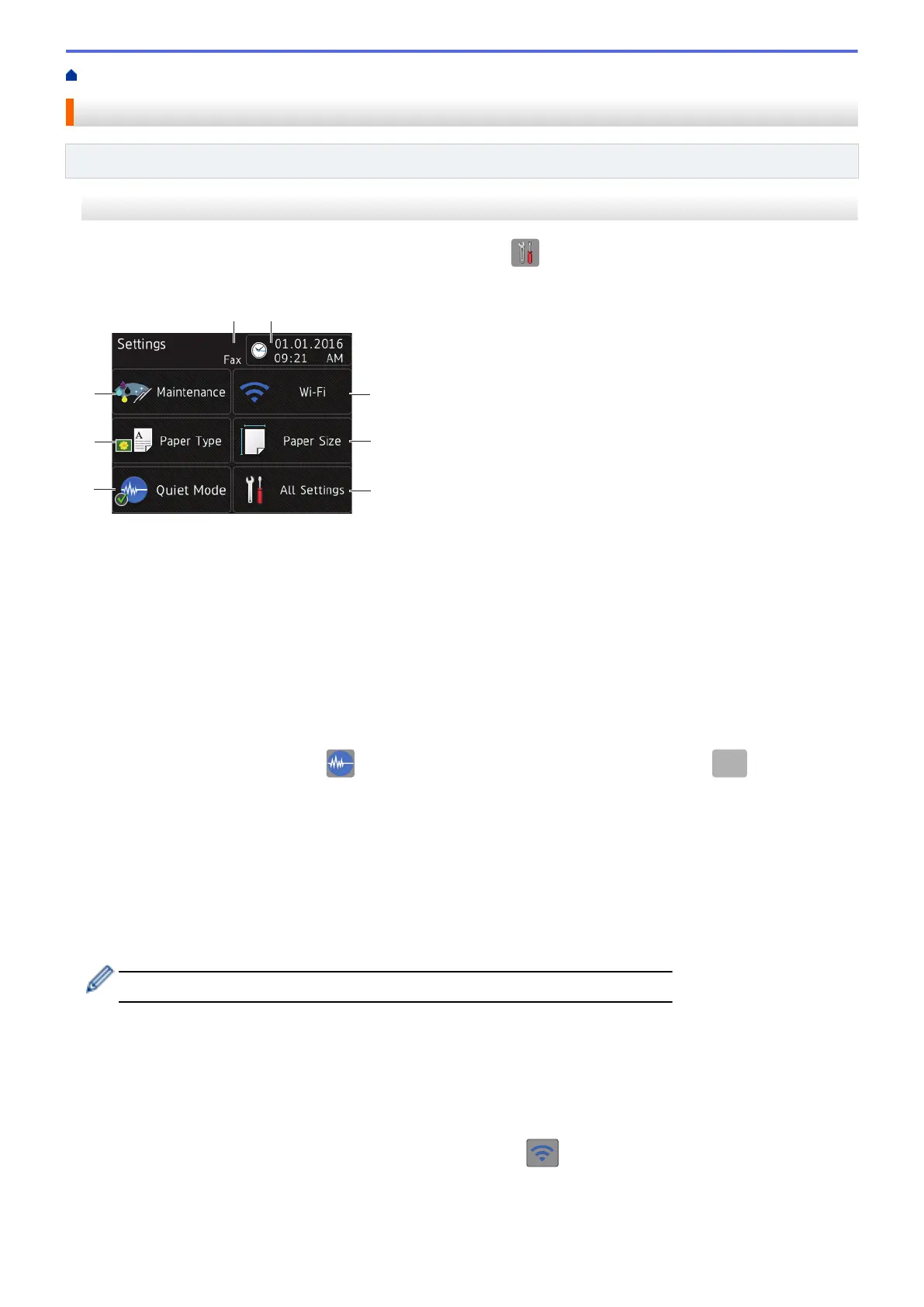
The Touchscreen shows the machine's status when you press [Settings].
Use the Settings menu to access all of your Brother machine's settings.
1. [Maintenance]
Press to access the [Maintenance] menu.
Use options in the Maintenance menu to check and improve print quality, clean the print head and check the
ink volume.
2. [Paper Type]
Press to access the [Paper Type] menu.
3. [Quiet Mode]
Displays the Quiet Mode setting.
Press to access the [Quiet Mode] menu.
When this menu is set to [On],
is displayed on the Home screen. (USA only: when
is not
displayed.)
4. Receive Mode
Displays the current Receive Mode.
• [Fax] (Fax Only)
• [Fax/Tel]
• [External TAD]
• [Manual]
When the Distinctive Ring feature is turned on, the Touchscreen displays [D/R].
5. [Date & Time]
Displays the date and time.
Press to access the [Date & Time] menu.
6. [Wi-Fi]
Press to set up a wireless network connection.
If you are using a wireless connection, a three-level indicator on the screen displays the current wireless
signal strength.
7. [Paper Size]
Press to access the [Paper Size] menu.
20



 To Next Page
 Loading...