SELECTING/EDITING/SAVING PATTERNS
127
5
• If the wrong pattern was selected or you wish to select
a different pattern, touch the desired pattern.
d
Touch .
This confirms the pattern selection.
The pattern editing screen appears.
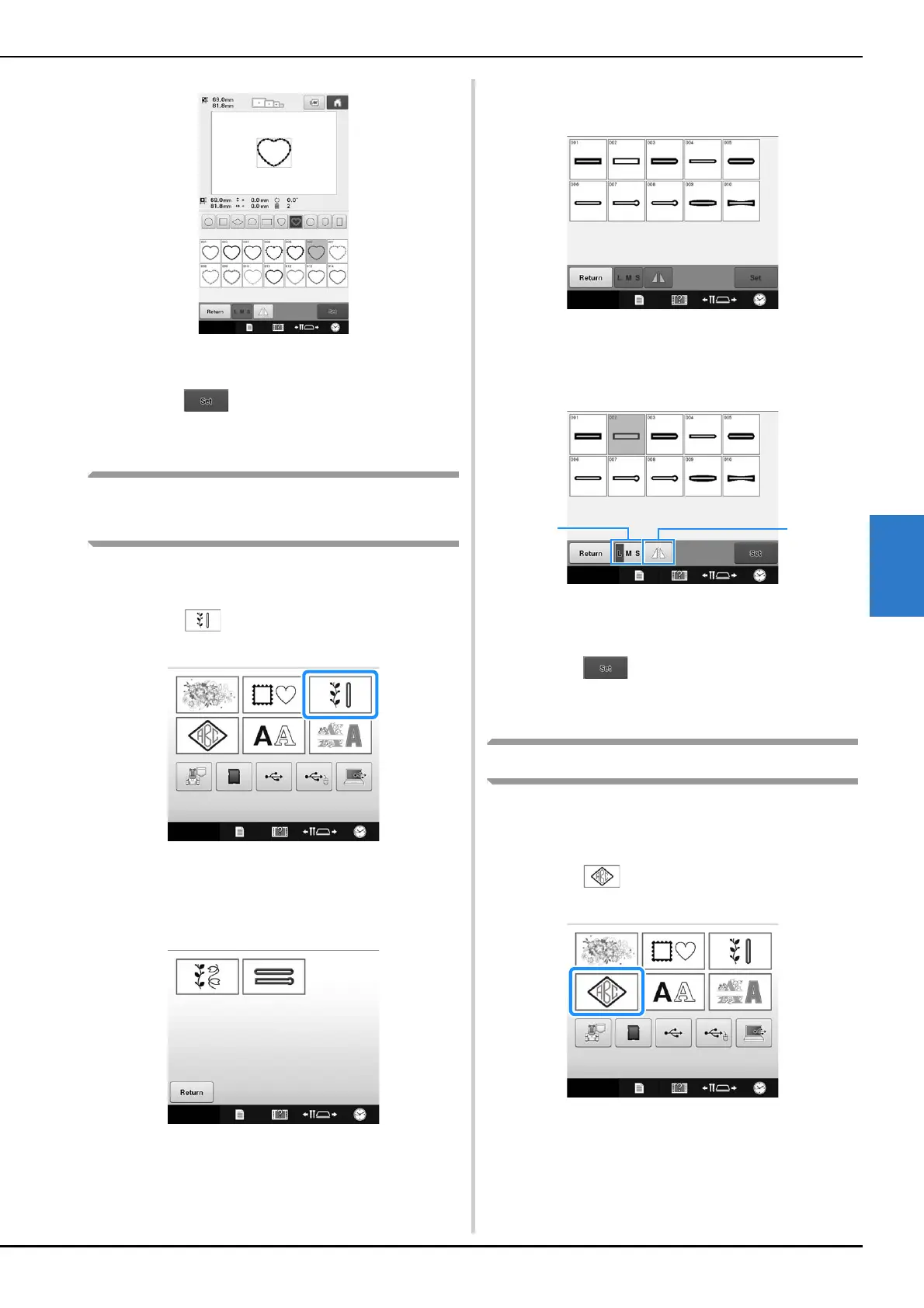
Utility embroidery patterns/
Large buttonhole patterns
Utility embroidery patterns and large buttonhole
patterns can be selected.
a
Touch .
The pattern categories appears.
b
Select a pattern category.
Touch the desired pattern category.
The list of patterns of the selected category appears.
c
Select a pattern.
Touch the desired pattern.
The selected pattern appears in the pattern display
area.
d
If necessary, edit the pattern.
1 Large buttonhole patterns can be selected from
small, medium and large sizes.
2 Touch this key to mirror the pattern.
e
Touch .
This confirms the pattern selection.
The pattern editing screen appears.
Monogram and frame designs
Monogram designs can be created by combining
two or three letters. Frame patterns are also
available for these types of designs.
a
Touch .
The design selection screen appears.















 To Next Page