34
b
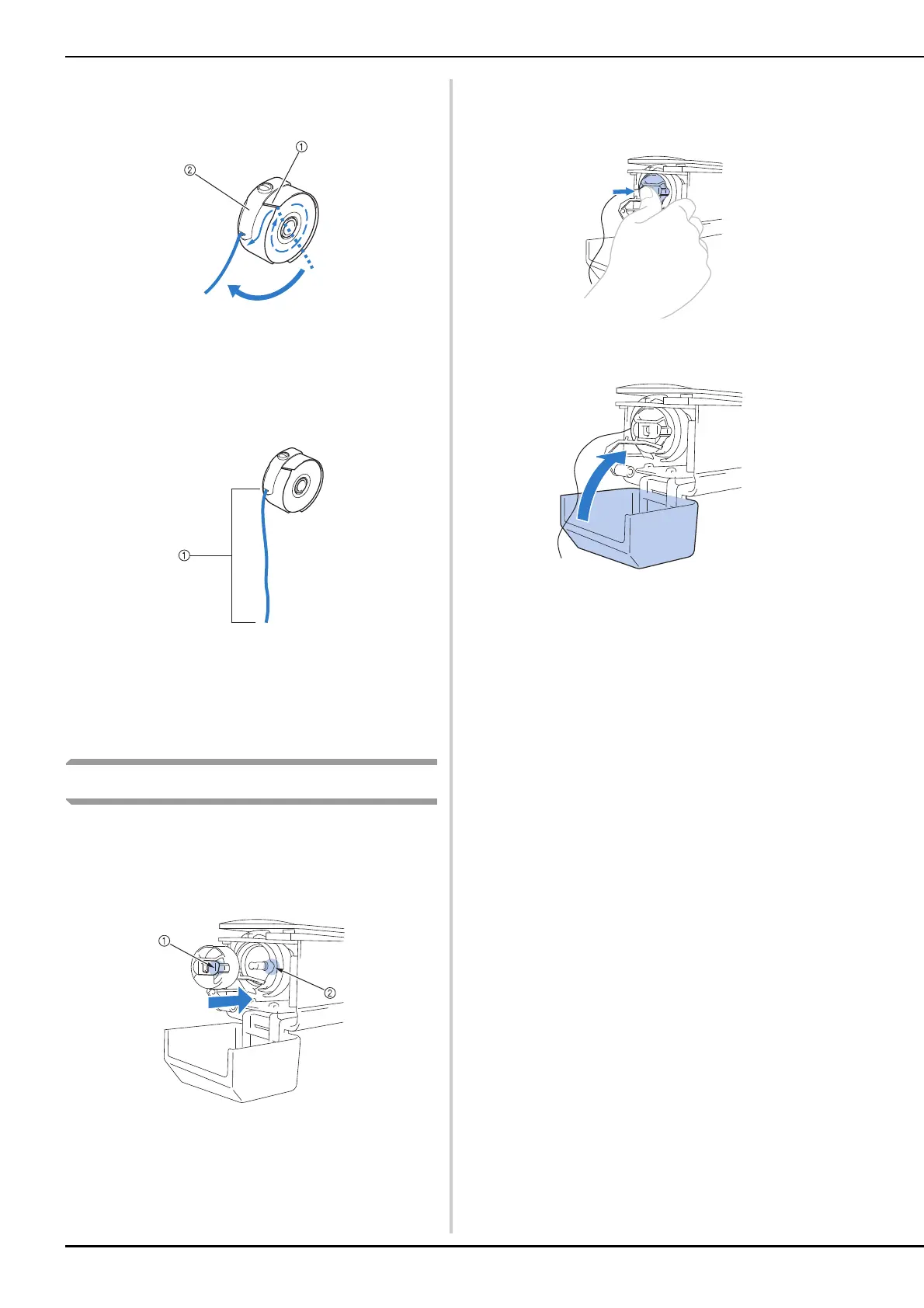
Pass the thread through the thread slit and
under the tension-adjusting spring.
1 Thread slit
2 Tension-adjusting spring
c
Pull the thread about 50 mm (2 inches)
through the opening in the tension-
adjusting spring.
1 About 50 mm (2 inches).
For adjusting the tension of the bobbin thread, refer
to “Adjusting the tension of the bobbin thread” on
page 102.
Installing the bobbin case
a
Insert the bobbin case into the hook.
Insert the bobbin case while aligning the tab on the
bobbin case with the notch in the hook, as shown in
the illustration.
1 Tab
2 Notch
b
Fully insert the bobbin case until it snaps
into place.
c
Close the hook cover.















 To Next Page