38
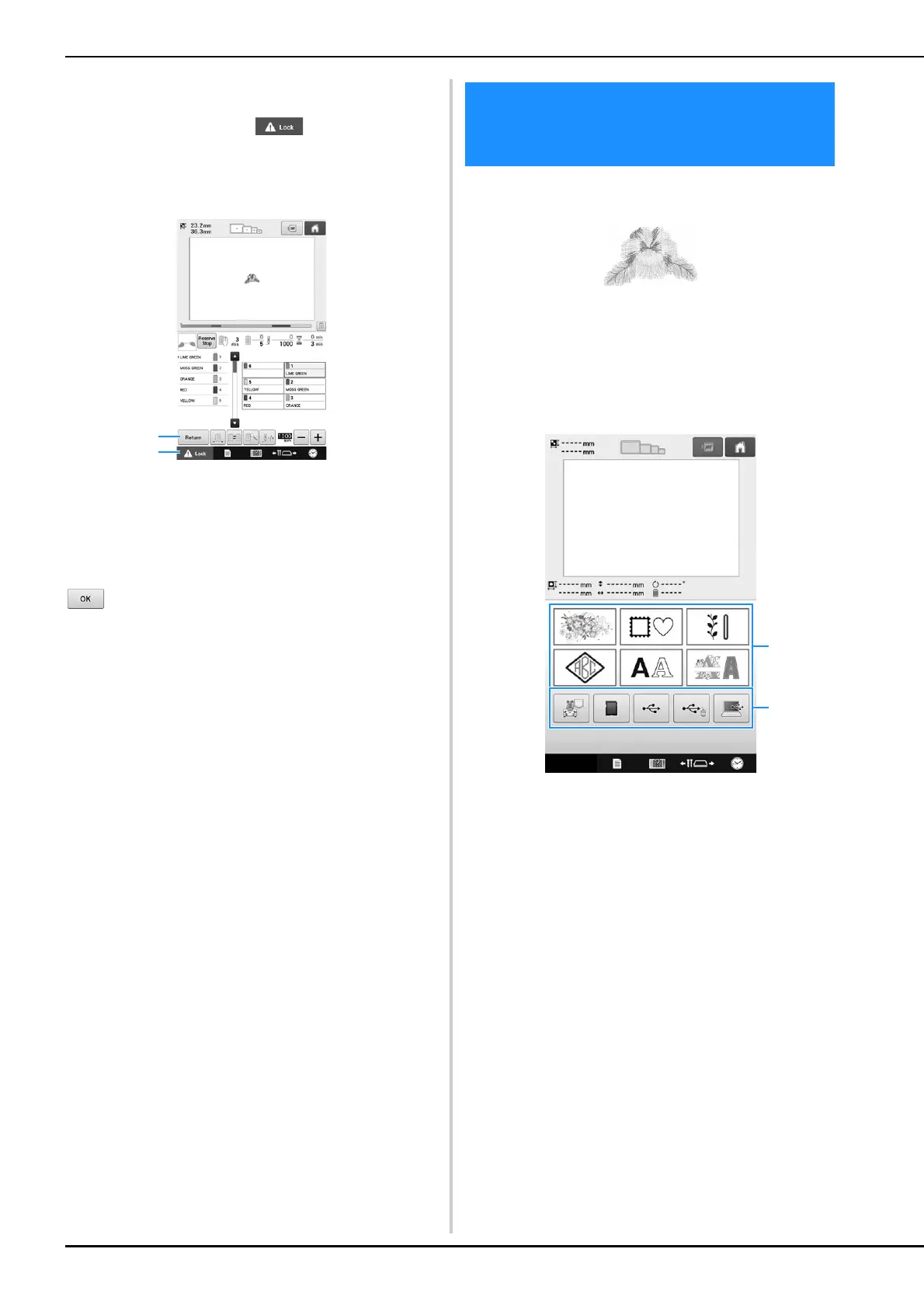
In the embroidering screen, check the thread
colors assigned to the needle bars, and then install
the upper threads. Touch to unlock the
machine so that the start/stop button starts flashing
in green. The embroidery machine is now ready to
begin sewing.
1 Touch this key to return to the embroidering
settings screen.
2 Unlock key
After the embroidery pattern is sewn, a “Finished
embroidering” message screen appears. Touch
to return to the embroidering settings
screen. (Refer to page 46, 68)
As an example, we will select the pattern shown
below.
In the pattern type selection screen, select a
pattern category (type).
Pattern type selection screen (For details on the
keys and other information on the screen, refer to
page 64.)
1 Pattern type keys
2 Touch to retrieve the saved patterns.
3. Selecting an
Embroidery Pattern















 To Next Page