154
b
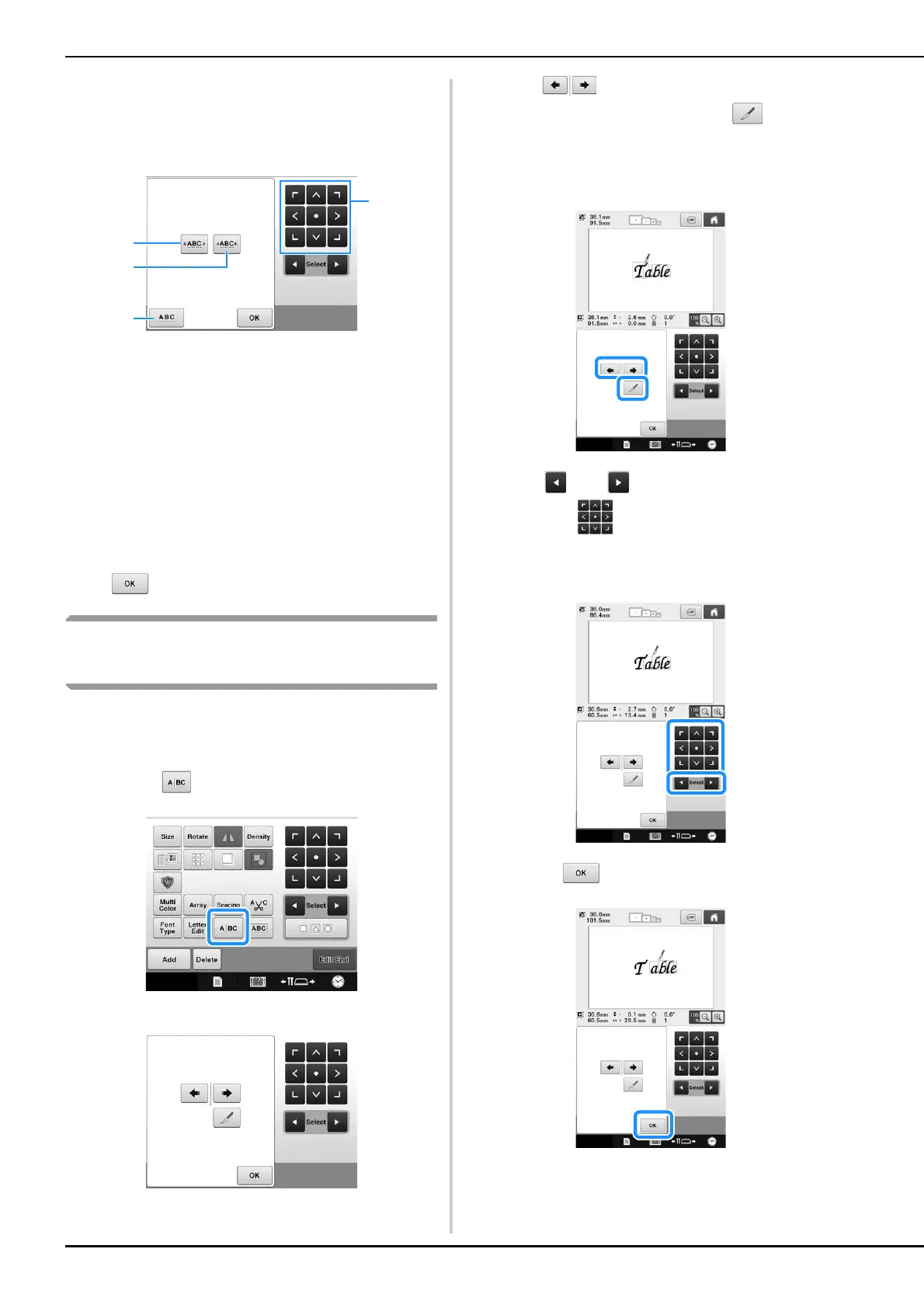
Touch the keys to adjust the characters to
the desired spacing.
Each touch of a key slightly increases or decreases the
character spacing.
1 Increases the space between characters equally.
2 Decreases the space between characters equally.
3 Selects the standard character spacing (original
character spacing).
4 Moves the pattern in the direction of the arrow on
the key.
c
If necessary, touch the arrow keys to adjust
the position of the pattern.
(For more details, refer to page 148.)
d
After making the desired changes, touch
.
Separating combined character
patterns
Combined character patterns can be separated to
adjust the character spacing or to separately edit
the patterns after all character have been entered.
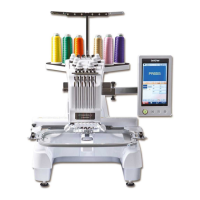
a
Touch .
The following screen is displayed.
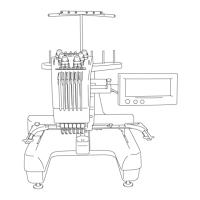
b
Use to select where the pattern is to
be separated, and then touch to
separate it. For this example, the pattern
will be separated between “T” and “a”.
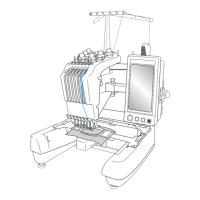
c
Use and to select a pattern, and
then use to adjust the character
spacing.
d
Touch .




 To Next Page