OTHER BASIC PROCEDURES
81
3
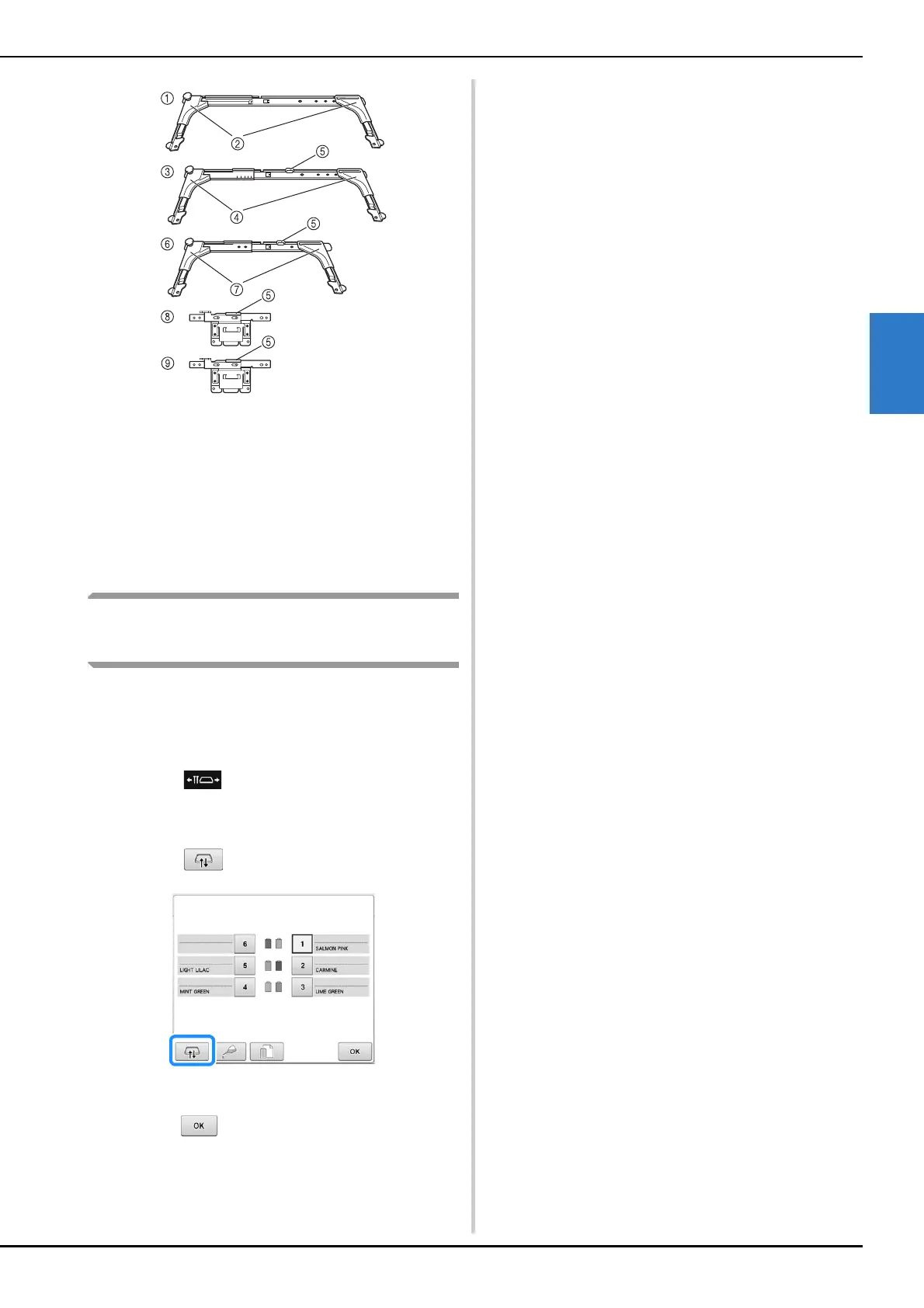
1 Embroidery frame holder A
2 White corner covers
3 Embroidery frame holder B
4 Light gray corner covers
5 Magnet
6 Embroidery frame holder C (optional)
7 Dark gray corner covers
8 Embroidery frame holder D (optional)
9 Embroidery frame holder E (optional)
When difficult to replace the
embroidery frame
Depending on the position of the needle bars, it
may be difficult to replace the embroidery frame.
In that case, follow the procedure described below
to move the embroidery frame.
a
Touch .
The needle bar move screen appears.
b
Touch .
The carriage automatically moves to a position
where the embroidery frame can easily be replaced.
• Touch to close the needle bar move screen
and to move the carriage to the previous position.















 To Next Page