SELECTING/EDITING/SAVING PATTERNS
141
5
Saving embroidery patterns from
any memory source to another
memory
Embroidery patterns saved in the machine’s
memory, USB memory, SD card, or PC can be
transferred to each other.
a
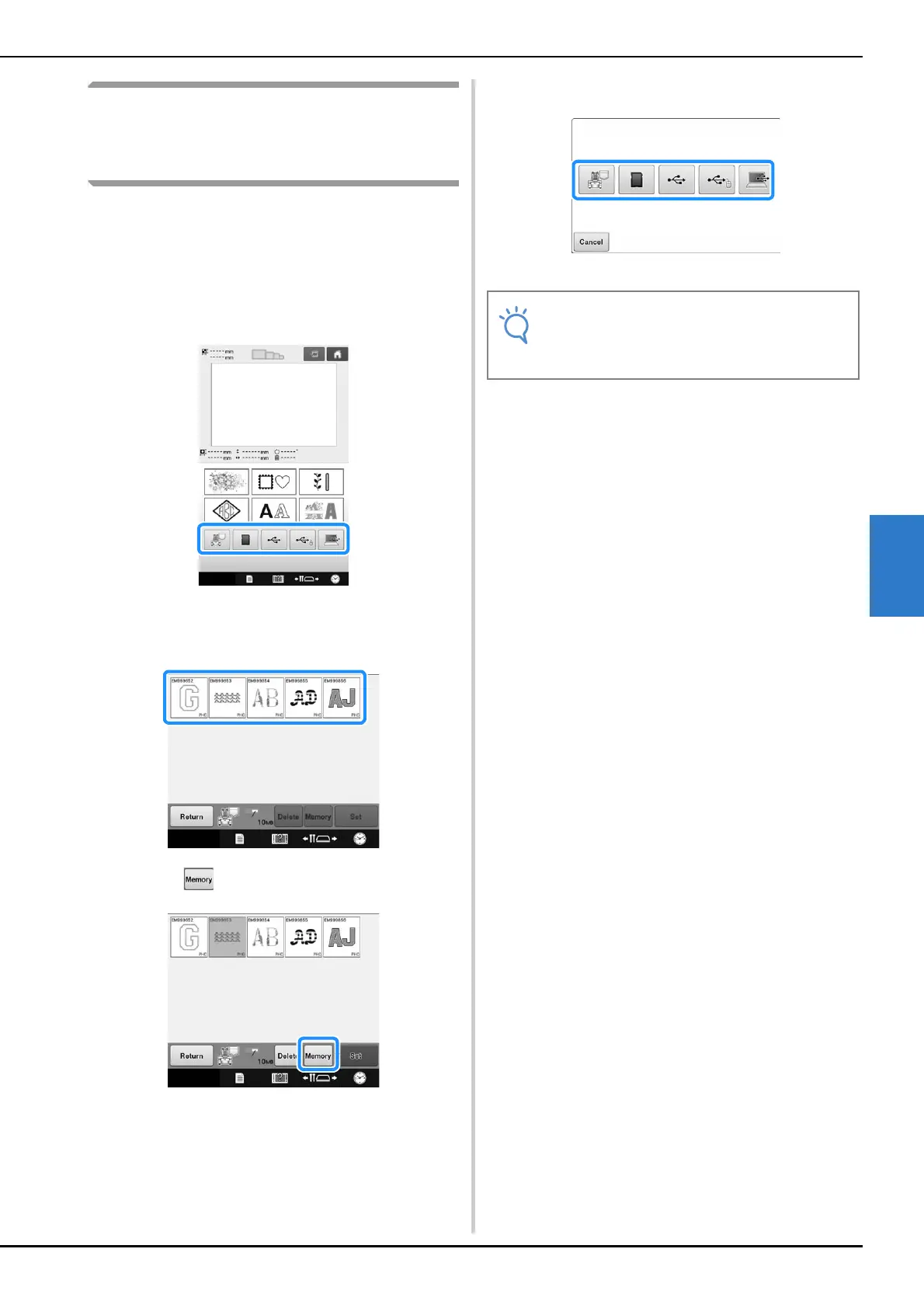
On the home screen, press the key you
want to retrieve/recall from.
b
Touch the key of the pattern you want to
save.
c
Touch .
d
Choose the memory you want to save.
Embroidery pattern is saved.
• When saving the embroidery pattern to USB
media/SD card, the pattern is saved in the
“bPocket” folder.















 To Next Page