EMBROIDERING TUTORIAL
77
2
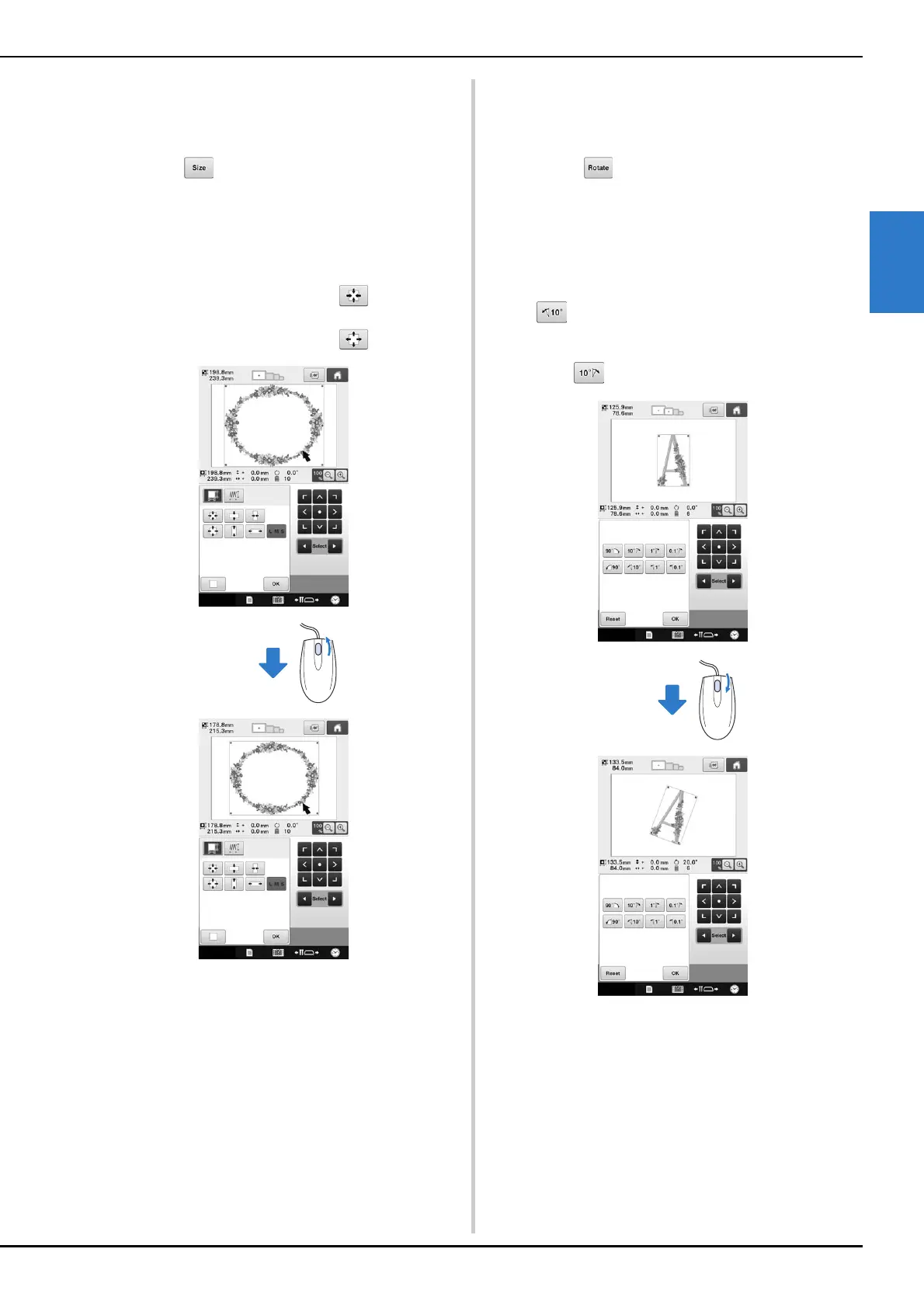
■ Changing the size
Refer to “Changing the size of a pattern (Normal
resizing mode)” on page 150.
a
Touch .
b
Change the size of the pattern.
• Rotate the mouse wheel away from you to shrink the
pattern in the same way as when is touched.
• Rotate the mouse wheel toward you to enlarge the
pattern in the same way as when is touched.
■ Rotating the pattern
Refer to “Adjusting the angle” on page 91 and
“Rotating a pattern” on page 152.
a
Touch .
b
Rotate the pattern.
• Rotate the mouse wheel away from you to rotate the
pattern 10 degrees to the left in the same way as when
is touched.
• Rotate the mouse wheel toward you to rotate the
pattern 10 degrees to the right in the same way as
when is touched.















 To Next Page