92
b
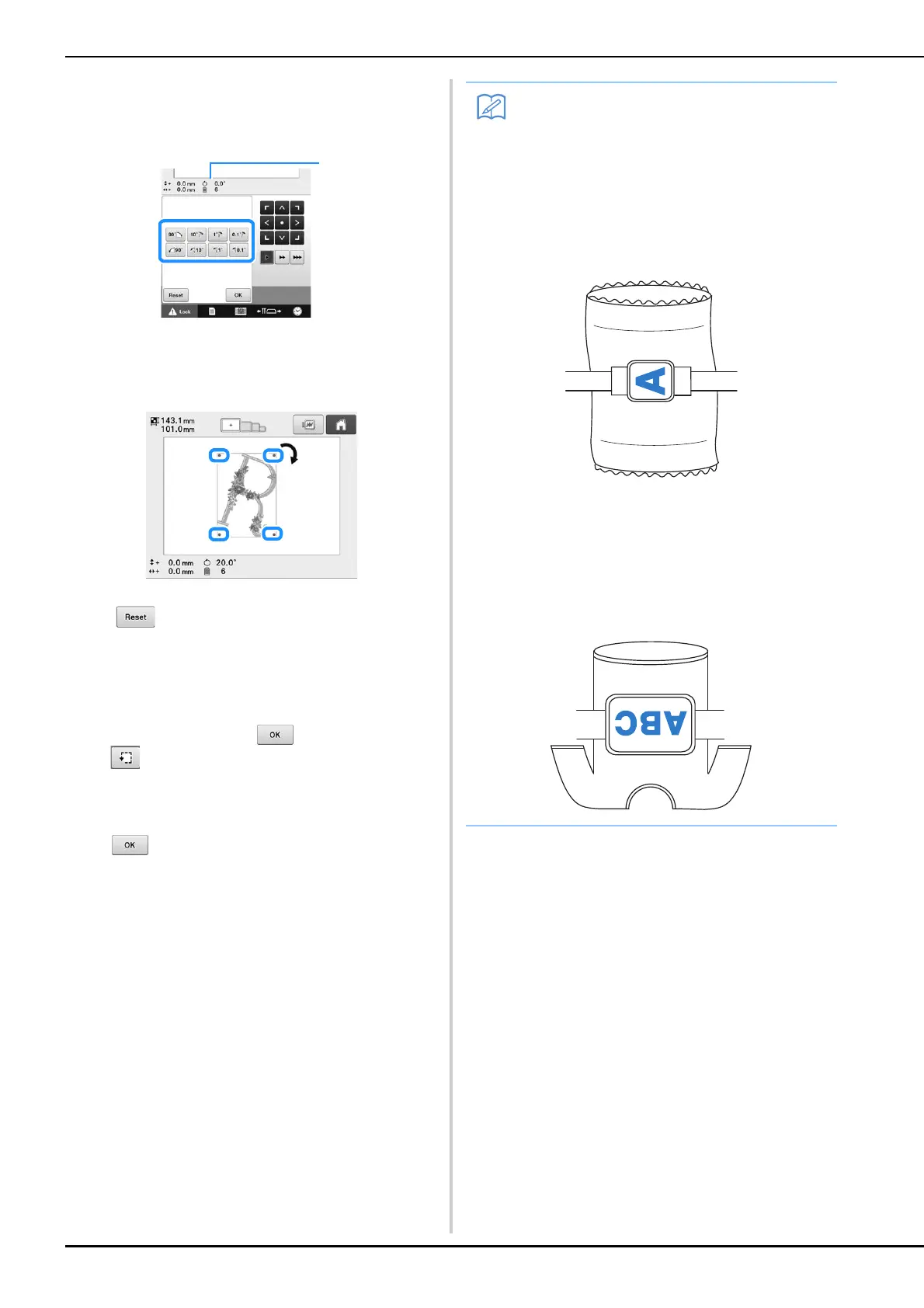
Touch the keys to adjust the pattern to the
desired angle.
Each touch of a key rotates the pattern.
1 Shows the angle of the pattern after a key is
touched to change it.
The pattern can also be rotated by holding down and
dragging a red point around the pattern.
• To return the pattern to its original angle, touch
.
c
If necessary, touch the arrow keys to adjust
the position of the pattern.
For more details, refer to page 89.
d
If necessary, touch and then touch
to check the embroidering area.
For more details, refer to page 47.
e
After making the desired changes, touch
.
The embroidering settings screen appears again.
• With this operation, fine adjustments can be
made to the angle; also, this operation is
particularly useful when embroidering items,
such as bags and tubular items, that have
limitations to being hooped in the
embroidery frame.
Example: When embroidering a pillowcase
Rotate the pattern 90 degrees to the left
before embroidering.
Example: When embroidering a T-shirt
Rotate the pattern 180 degrees. Pass the
machine bed through from the waist of the
T-shirt, not from the neck, and attach the
embroidery frame to the machine. This will
prevent the neck of the shirt from being
stretched when the embroidery frame is
moving.















 To Next Page