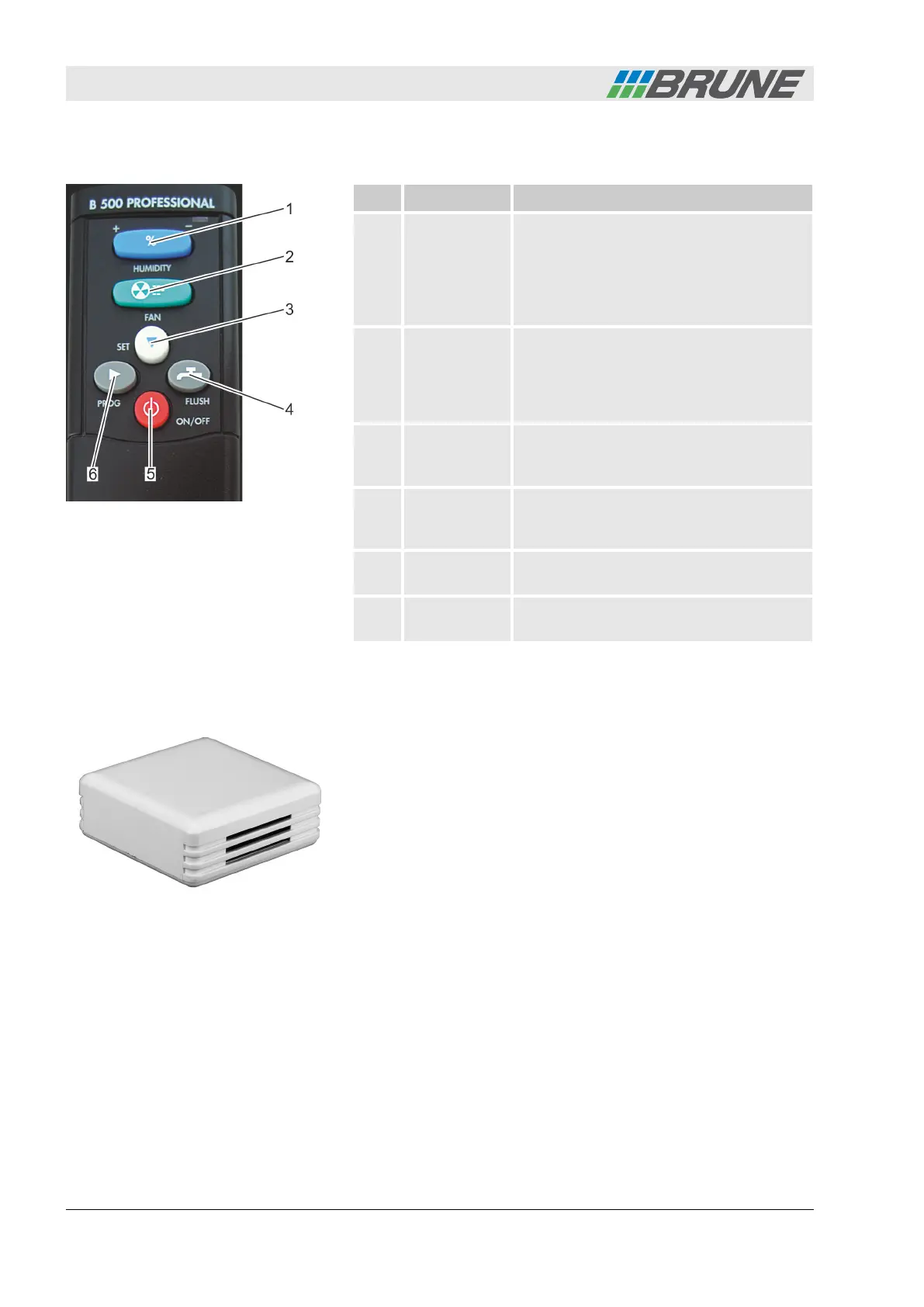
1.2 Remote control
Item Name Function
1 [Humidity]
rocker switch
The target value for the air humidity can
be set using the [Humidity] rocker switch.
By pressing the "+" or "-" area several
times or continuously, the desired
humidity value can be increased or
decreased.
2 [Fan] rocker
switch
By pressing the "+" or "-" area of the [Fan]
rocker switch, the fan speed can be
increased or decreased. In addition to the
automatic level, four other fan speed
levels are available.
3 [Set] button Using the [Set] button, individual sub-
menus can be selected in programming
mode.
4 [Flush] button By pressing the [Flush] button, the
flushing device is started (optional acces-
sory).
5 [ON/OFF]
button
By pressing the [ON/OFF] button, the
humidifier is switched on or off.
6 [Prog] button By pressing the [Prog] button, the pro-
gramming mode of the humidifier opens.
1.3 Wireless sensor system
The wireless sensor system controls the humidifier automatically. It
measures the current air humidity and, in intervals of three minutes
or in the event of a humidity change of more than 3%, sends the
value to the humidifier. The speed of the fan is then automatically
adjusted according to the set humidity target value.
Fig. 3: Remote control
Fig. 4: Wireless sensor system
The Evaporation Humidifier B500 Professional
Evaporation Humidifier B500 Professional8



 To Next Page