6. Then, use the [Fan] rocker switch to regulate the strength of
the fan (
Ä
Chapter 5.5 “Regulating the fan” on page 34).
7. Wait for 10 seconds until the saving process is completed.
ð
The display read-out jumps back to the actual air
humidity value. The humidifier is now operational.
The fan of the humidifier starts if the set target value is
above the actual value.
4.4 Coding the wireless sensor system
DANGER!
Danger to life from electrical current!
Risk of immediate fatal injury from electric shock fol-
lowing contact with live parts.
– Disconnect the power plug before opening the
device.
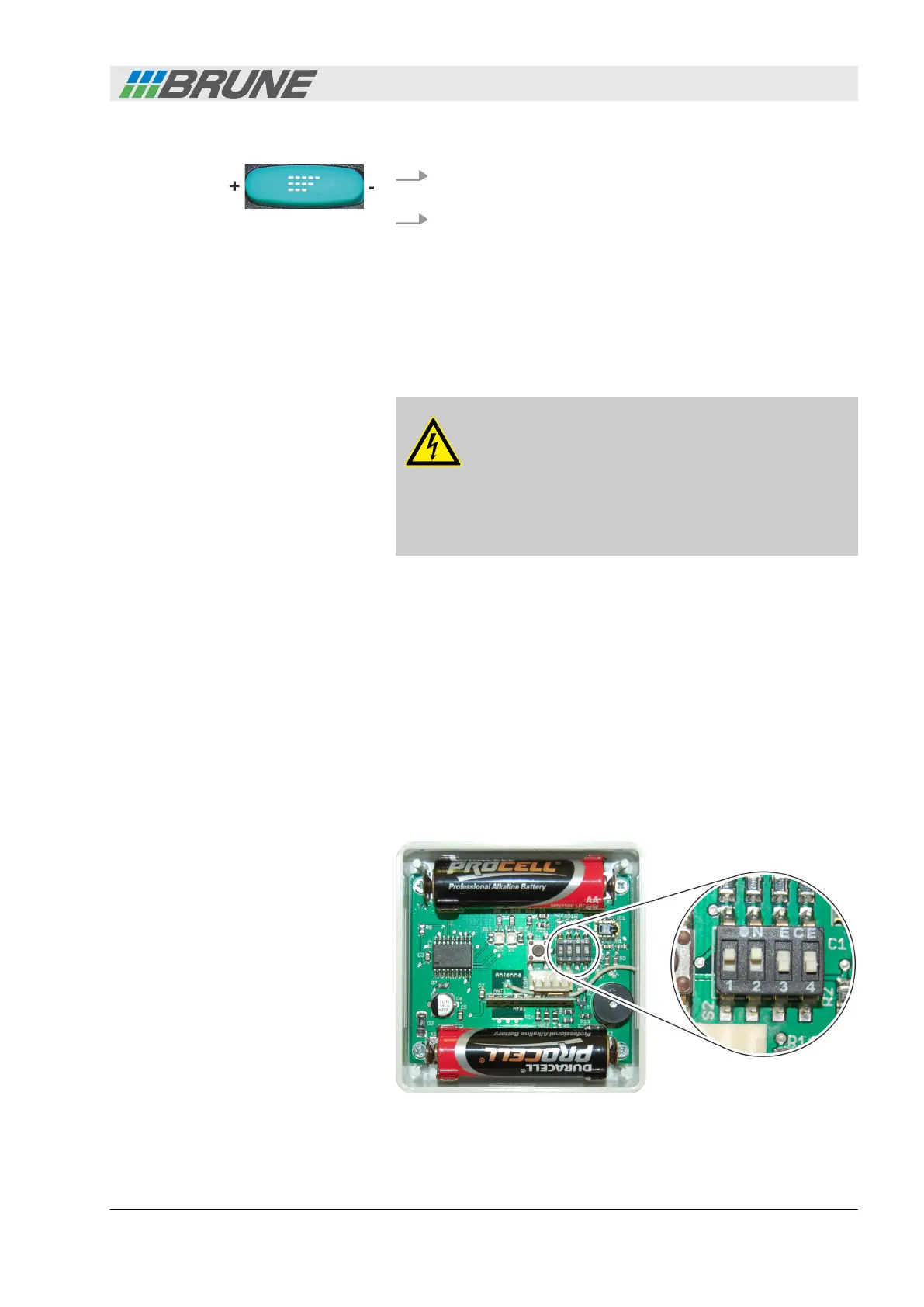
The humidifier and the wireless sensor system are dedicated to
each other via coding. The devices are shipped from the factory
already encoded. When two or more devices that are in close prox-
imity to one another (0-30 meters, 0-98 feet), a different coding
may be necessary.
When several devices are operated in one room, the following
options are available:
n Several devices are operated via one sensor. For this, all
devices should have the same coding.
n Each device is controlled via a separate sensor. For this, all
devices have to be coded differently.
Fig. 15: Slide controls for coding
Start-up
Evaporation Humidifier B500 Professional 27



 To Next Page