DAC Configuration and Numbering
SMART MATRIX MTC 2 - 12
DAC devices Configuration and
Numbering (option)
This function allows you to univocally identify each DAC (Digital Analog Converter) device connected to the
machine inverter. Their function is to modulate the cylinder speed in order to obtain an uniform yarn
distribution.
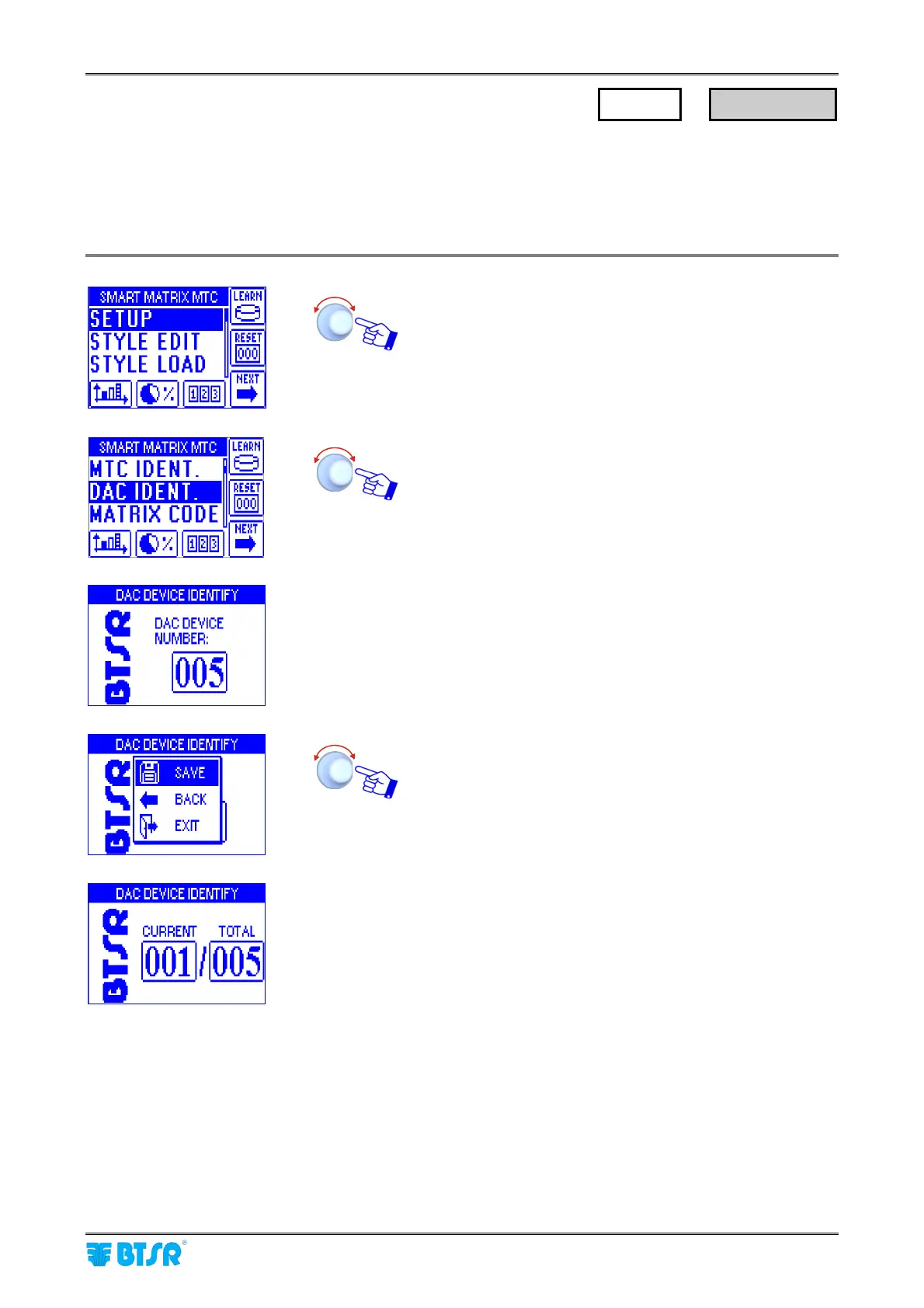
Enter the SETUP menu.
Select DAC IDENT.
• Set the number of DAC devices connected to the
machine (e.g. 5) and confirm. (OFF if no DAC is
connected)
SAVE to save the settings and startup the numbering
procedure.
• The example shown indicates that the numbering
(identification) procedure of the 5 DACs is going to
begin.
• The green led will flash on all DACs .
• Shim the touch light of the DAC corresponding to
CURRENT 001.
The sensor’s led changes from flashing green to red.
• On SMART MATRIX display, the CURRENT field will
automatically increase to select one-by-one the DACs to
be numbered.
• Shim the touch light of the relevant DAC and continue
with the numbering of all DACs.
At the end of the numbering operation, the configuration
menu will re-appear.
SETUP
→
DAC IDENT.












 To Next Page