Speed Setting
SMART MATRIX MTC 2 - 16
Speed Setting (option)
This function allows you to chose the maximum rotation speed of the machine cylinder. The 2 channels
CHANNEL 1 and CHANNEL 2 correspond to 2 different square wave forms supplied by DAC devices.
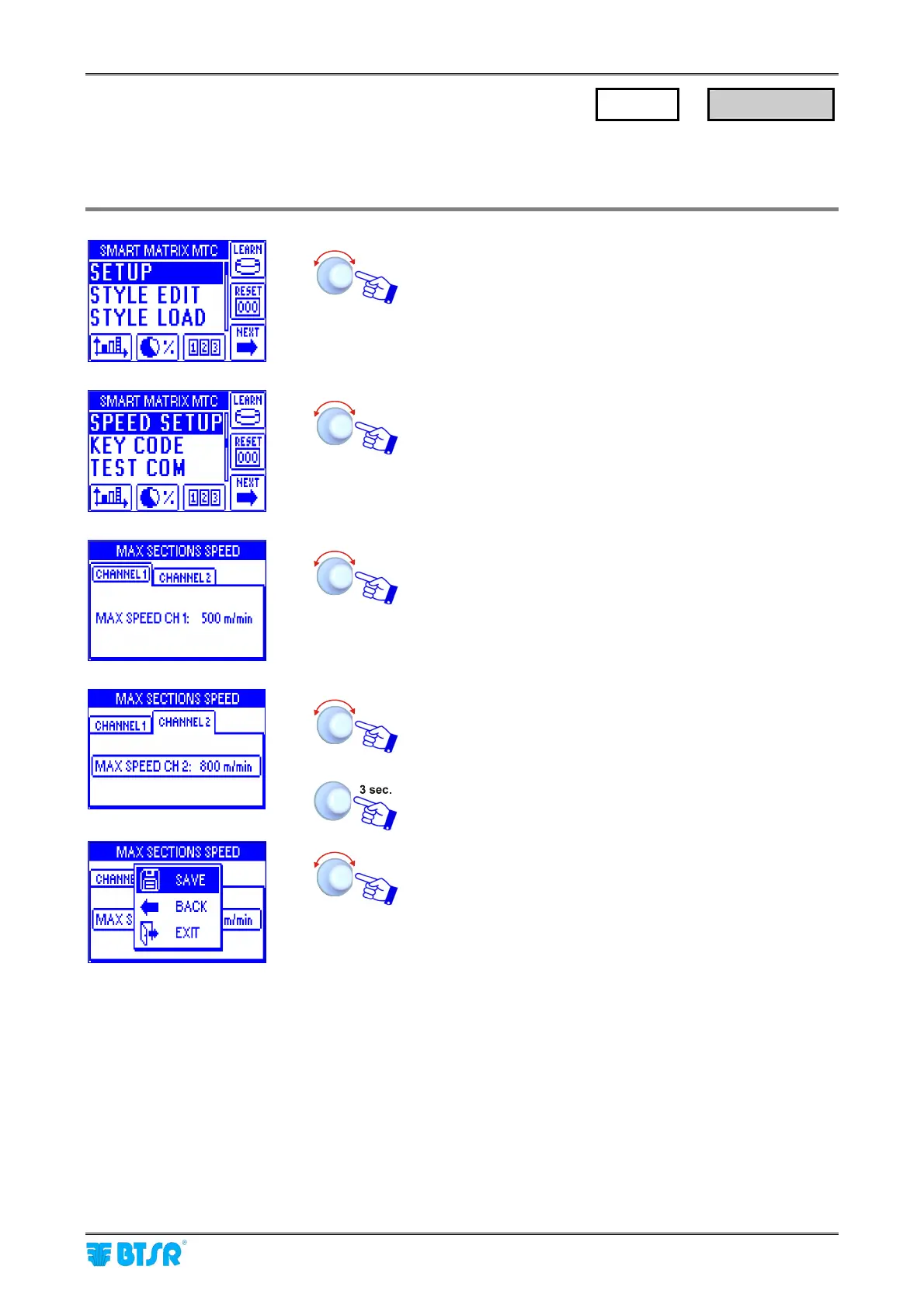
Enter the SETUP menu
Select SPEED SETUP.
In the CHANNEL 1 window set the maximum speed of
channel 1[range 1 to 2500 m/min, default 500 m/min]
Select the CHANNEL 2 window and repeat the previous
instructions. E.g. 800 m/min.
To activate the save function
SAVE to save the choice, BACK to return to the previous
screen without saving, EXIT to return to menu.
SETUP
→
SPEED SETUP












 To Next Page