Style Programming (MTC)
SMART MATRIX MTC 2 - 29
Style Programming (MTC)
This function allows you to program the operation parameters of MTC devices.
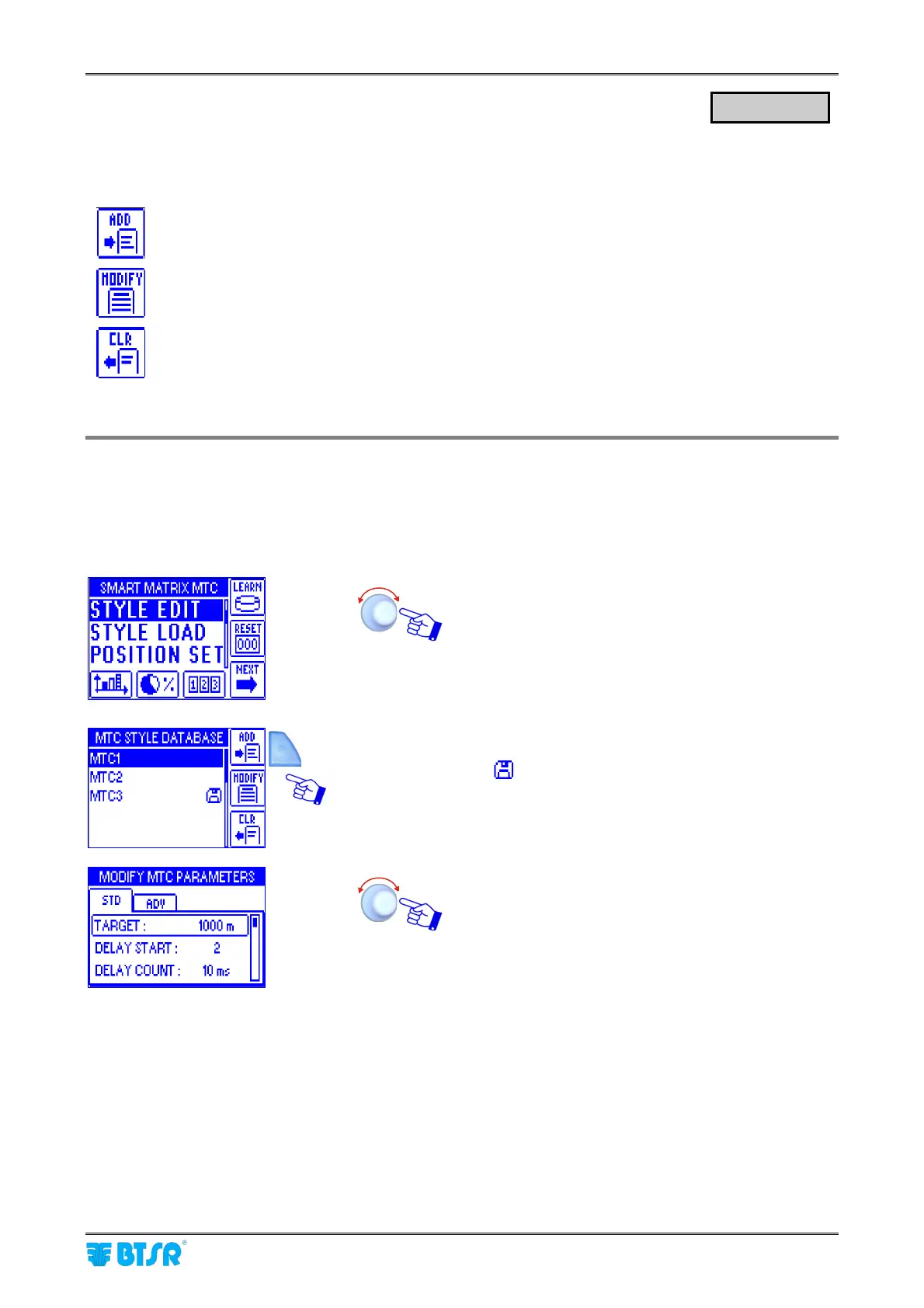
The STYLE EDIT function provides 3 options selectable using the immediate activation buttons.
To create a “new” style and add it to the style database.
To either change the parameters of an existing style, or to create a new style starting from a
similar already existing style.
To remove a style from the database.
ignalling a New Style
This example shows how to create a new style (MTC4)
Select STYLE EDIT.
Press ADD
(the
symbol indicates that MTC3 is the style currently
loaded on the devices)
Select and set the each value in the STD window.
STYLE EDIT












 To Next Page