Graphic display
SMART MATRIX MTC 2 - 44
Graphic display
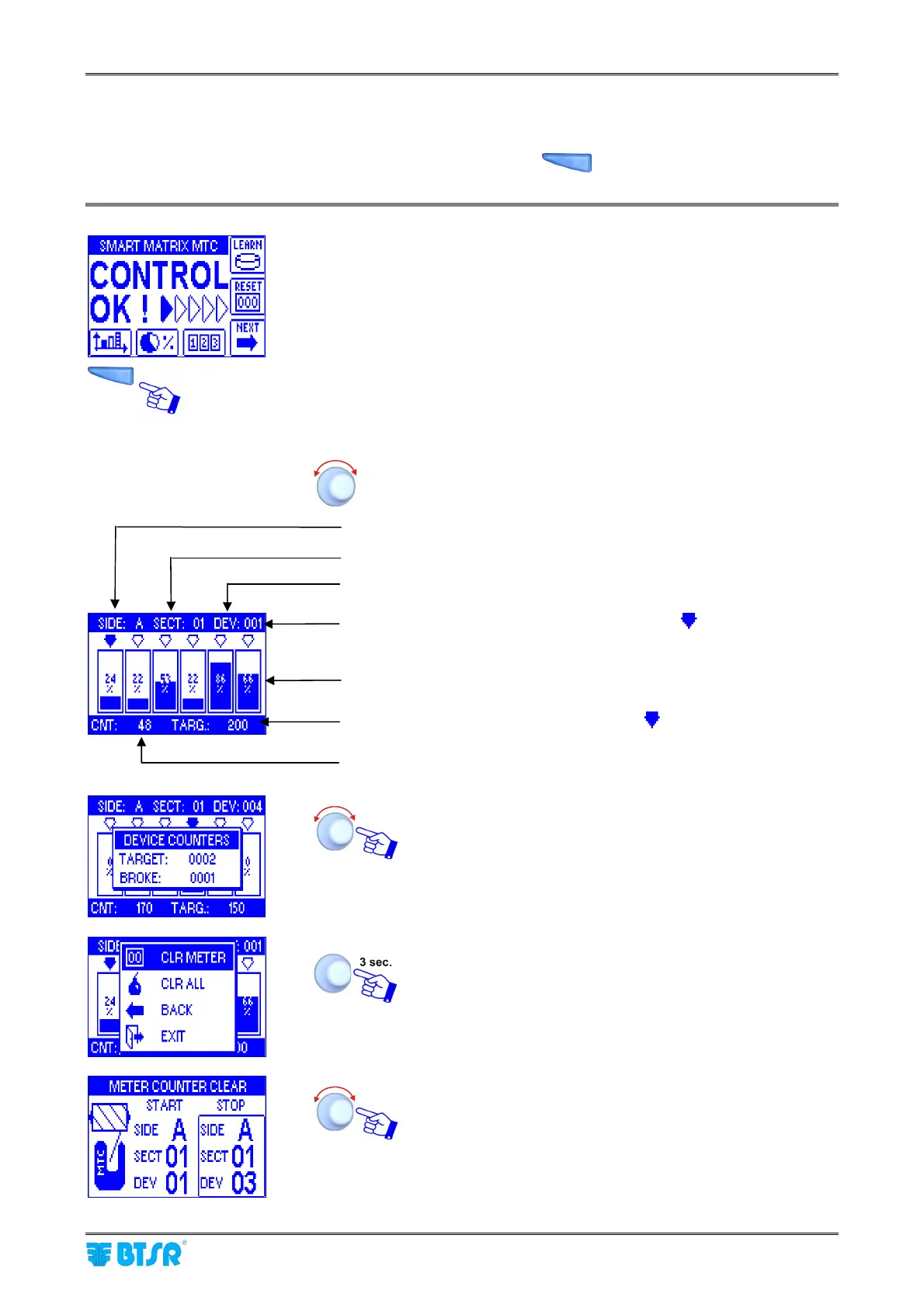
This function, which can be activated pressing the shortcut button
, allows you to display a screenshot
that indicates the yarn quantity currently measured by each sensor (percentage of target)
Press the graphics direct access button.
To select the various positions.
Press one time to display the counter of targets and the
counter of broken yarns failures of the selected sensor.
Rotate to scroll the same information of the other sensors.
The CLR METER function allows you to reset the meter
counting on one or more sensors.
To select the desired device interval.
Machine side
Section
Target of highlighted sensor (indicated with )
Number of strokes on the highlighted sensor
Number of highlighted sensor
Percentage of target
Coordinates of highlighted sensor (indicated with )












 To Next Page