Alarm Counter Display (IS3W)
SMART MATRIX MTC 2 - 48
Alarm Counter Display (MTC)
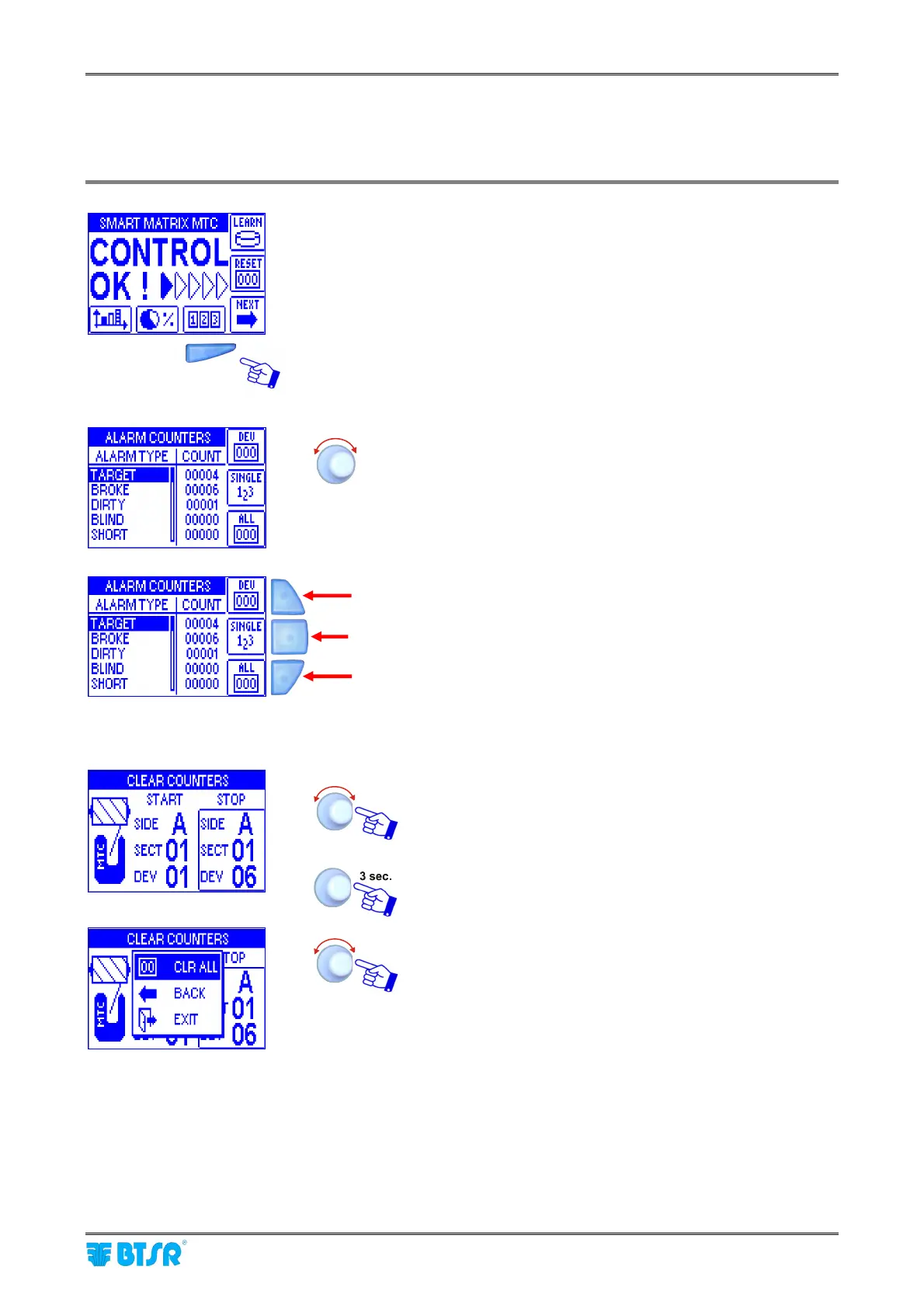
This function allows you to display the alarm counters: both at global level and at single device level.
Press the indicated button to directly access the counters.
The indicated values represent the sum of all errors
(TARGET, BROKE, DIRTY, BLIND, SHORT) referred to all
devices.
Counter clearing on a
range of devices
To select the desired device interval.
To activate the clearing operation.
CRL ALL to clear the counters of selected devices.
During the clearing operation, a CLEAR COUNTERS
message will appear.
Counter clearing on a range of devices
Displayng the counters of individual devices
Clearing all counters












 To Next Page