Keycode Setting
SMART MATRIX MTC 2 - 18
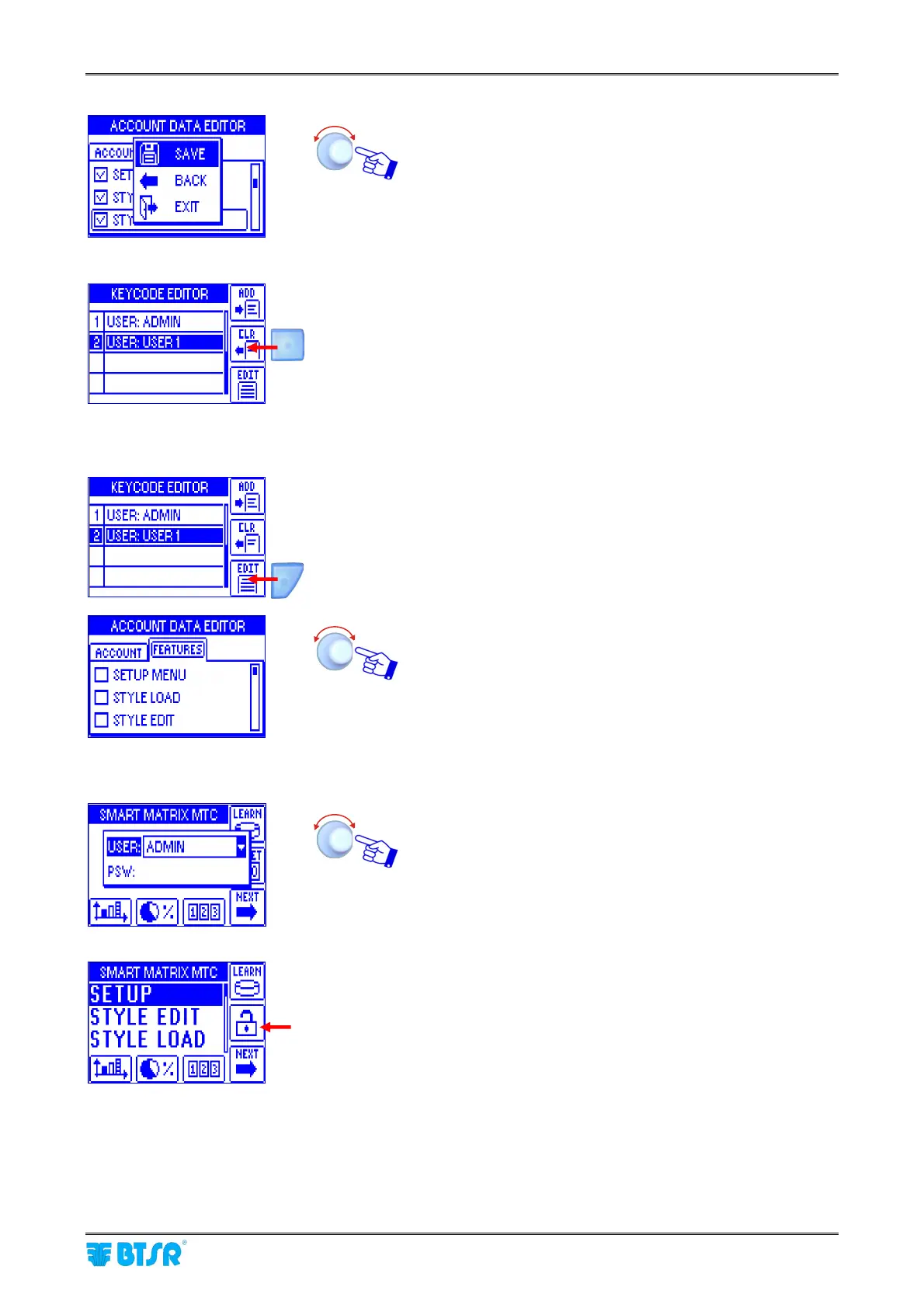
SAVE to save the choice, BACK to return to the previous
screen without saving, EXIT to return to menu.
Clear a User
Press the indicated button to remove the selected user from the list..
Change Configuration
Press the indicated button to edit (change) the access rights of selected
user.
Change the configuration of menus and options available to
the selected user (SETUP MENU, STYLE LOAD, STYLE
EDIT, DAC STYLE LOAD, DAC STYLE EDIT, POSITION
SET, METER READ, COUNTERS READ, EFFICIENCY)
When you try to access a password-protected function, the following prompt will appear:
Choose the user name and set the password to access the
selected function..
When the password is set correctly, In B5 position (as
indicated in the picture ) there’s a blinking padlock.












 To Next Page