Position setting
SMART MATRIX MTC 2 - 38
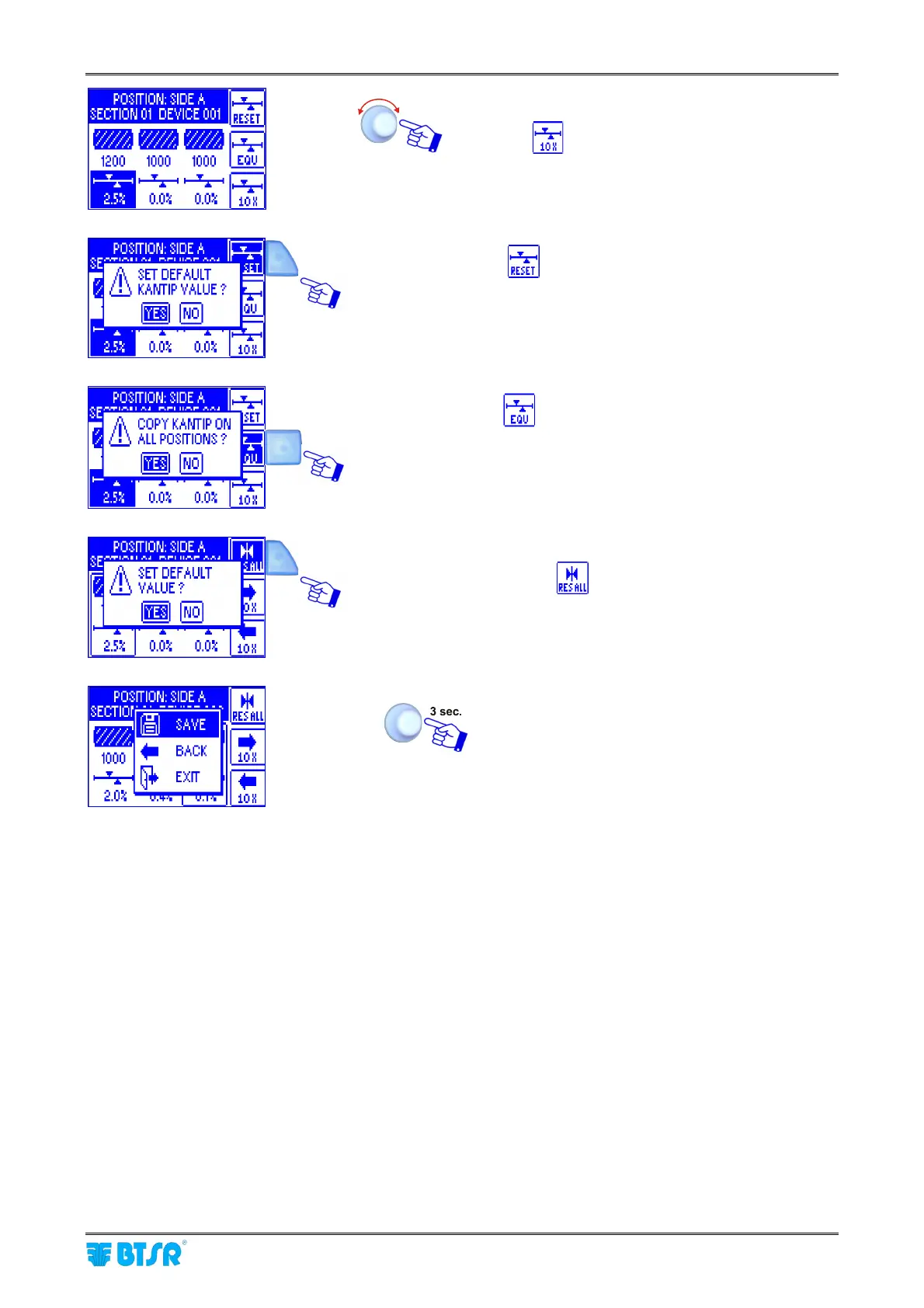
Set the correction factor (e.g.KANTIP=2,5%)
Press the
key to increase the value of 1,0% a
time
Press
to set the KANTIP default value and
confirm with YES
Press
to copy the set KANTIP value to all the
other sensors and confirm with YES
To set again the default values to the selected
sensor, press
and confirm with YES
SAVE to confirm the settings.












 To Next Page