100
Chapter 8 Advanced Features
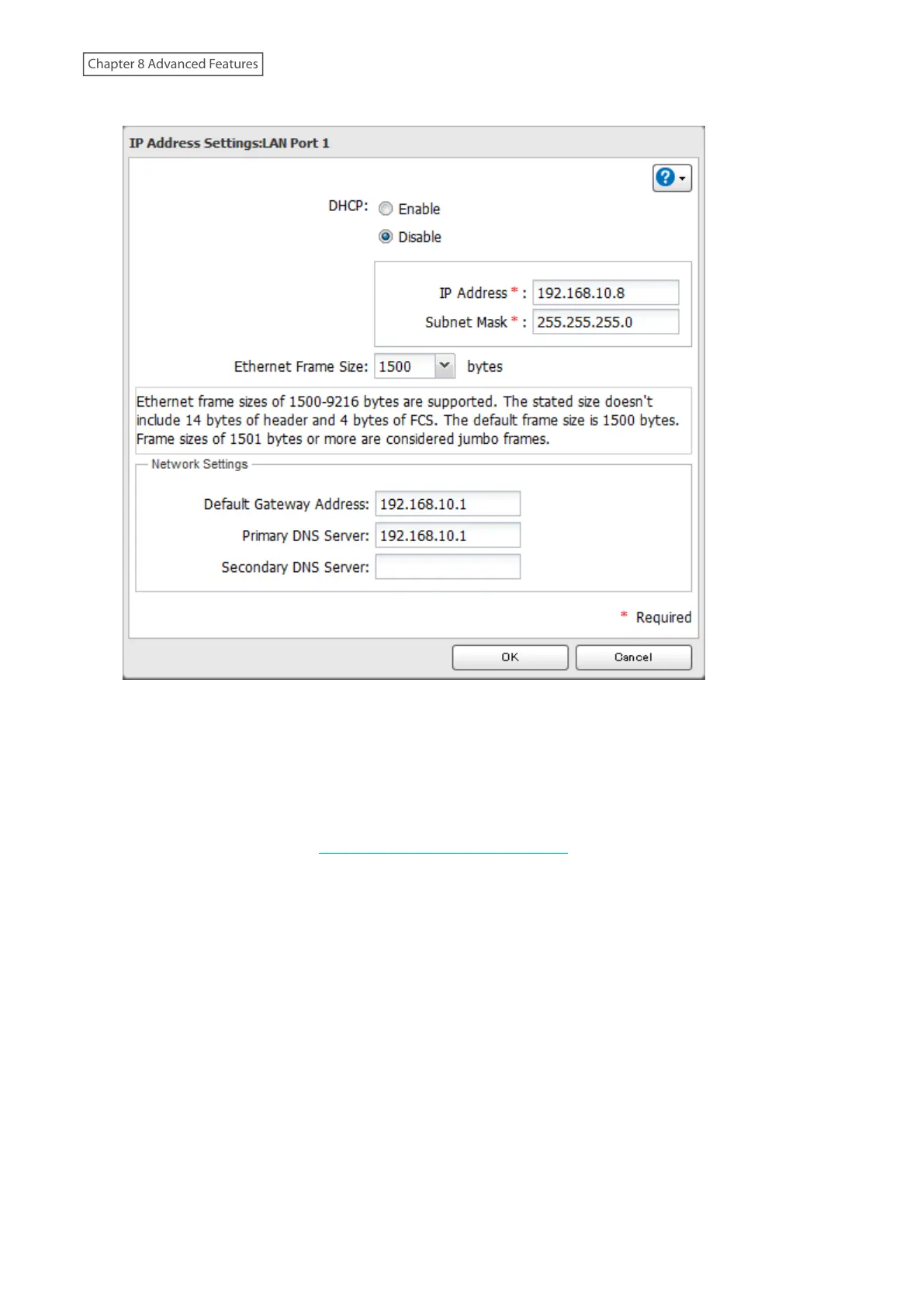
4 Disable “DHCP” and enter the desired IP address and subnet mask.
5 Under “Network Settings”, enter the default gateway and DNS server addresses. If no changes are necessaries,
keep them as is.
6 Click [OK].
Note: The following IP addresses are reserved and should not be used. If you configure one of them by accident,
initialize settings by referring to the “Initializing Using the Function Button” section above.
Local loopback address: 127.0.0.1, 255.255.255.0
Network address: 0.0.0.0, 255.255.255.0
Broadcast address: 255.255.255.255, 255.255.255.0
The IP address range from 224.0.0.0 to 255.255.255.255



 To Next Page