80
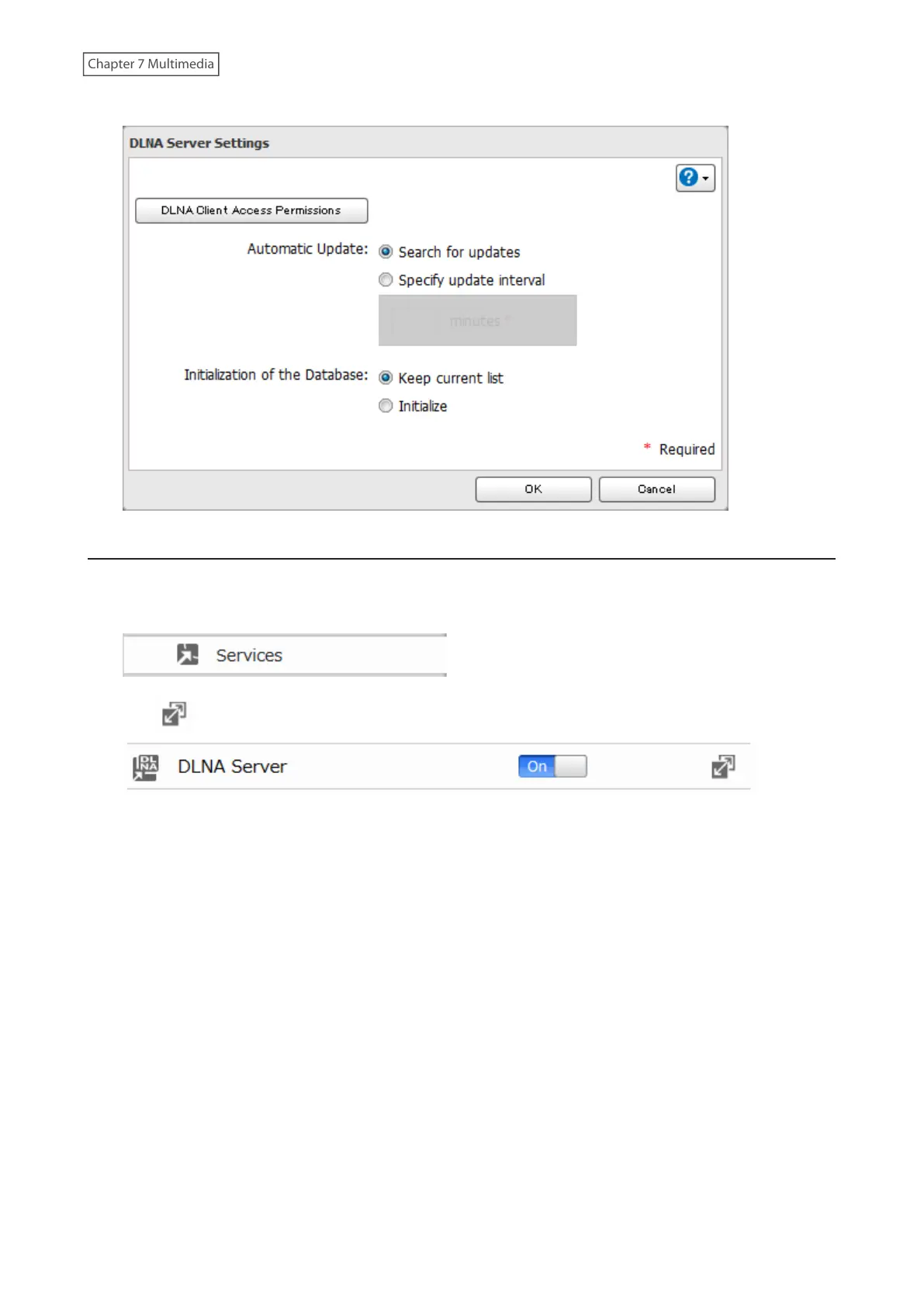
4 You may change the update interval, or select [Refresh Database] to update the database immediately.
Disabling Playback from Specific Devices
You may block specific DLNA devices from playing back media content.
1 From Advanced Settings, click [Services].
2 Click to the right of “DLNA Server”.
3 Click [DLNA Client Access Permissions].



 To Next Page