44
Chapter 4 Storage Management
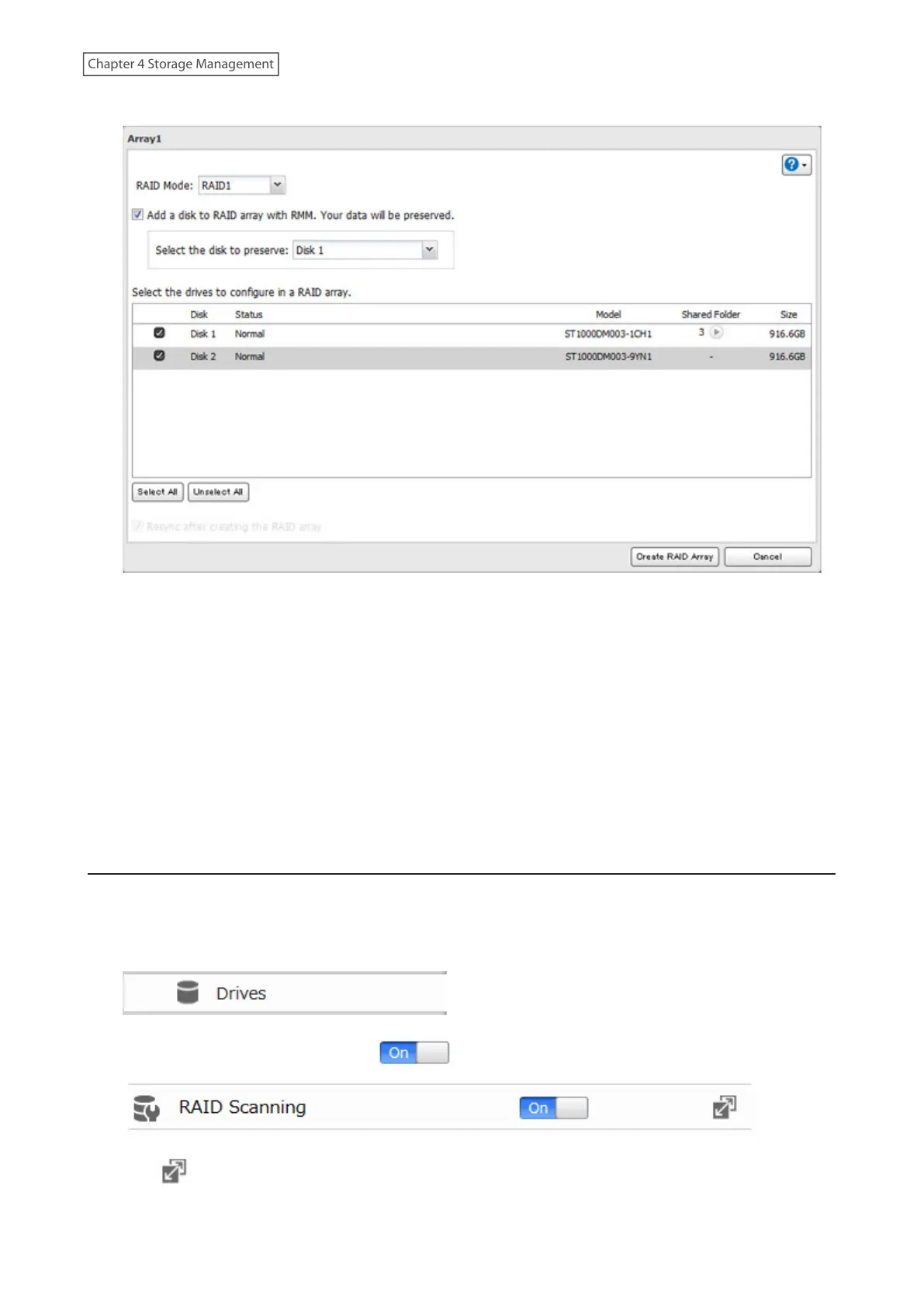
4 Set the RAID mode to “RAID 1”.
5 Select the “Add a disk to RAID array with RMM. Your data will be preserved.” checkbox.
6 Select the drive whose data will be saved from the drop-down list.
7 Select the drive to add to the RAID array.
8 Click [Create RAID Array].
9 The “Confirm Operation” screen will open. Enter the confirmation number, then click [OK].
10 Click [OK] when completed.
RAID Scanning
A RAID scan checks your RAID array for bad sectors and if it finds any, it automatically repairs them. Only RAID 1
arrays are supported. For best results, run a RAID scan regularly.
1 From Advanced Settings, click [Drives].
2 Move the RAID scanning switch to the position to enable RAID scanning.
3 Click to the right of “RAID Scanning”.














 To Next Page