53
Chapter 4 Storage Management
Replacing a Defective Drive
1 Turn the LinkStation off and remove all cables.
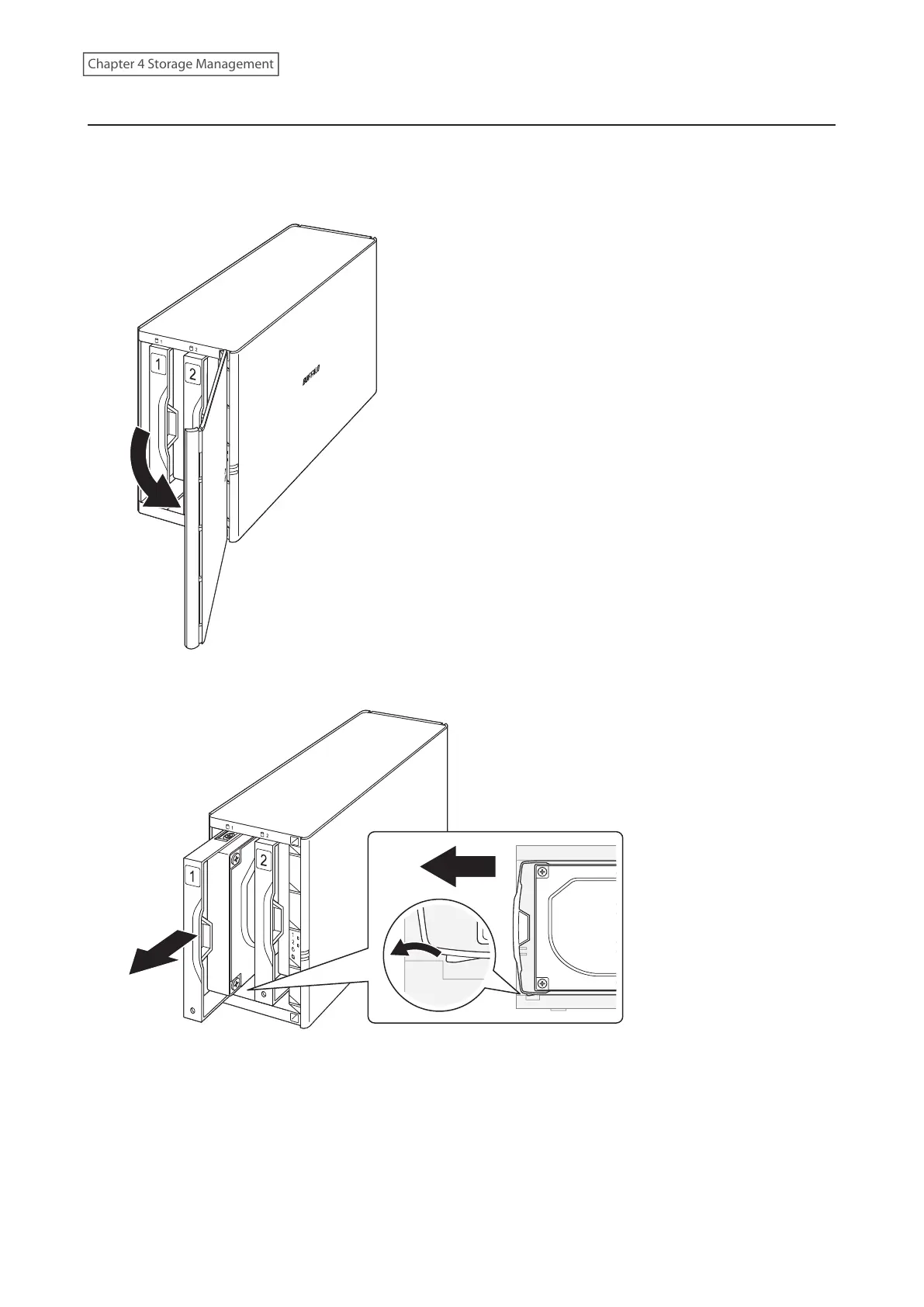
2 Squeeze the left side of the front panel and swing it open.
3 Push the failed drive’s cartridge up and remove it from the LinkStation.
Notes:
• Do not press hard on the top of the LinkStation.
• Pull the drive straight out the front of the chassis.



 To Next Page