90
Chapter 8 Advanced Features
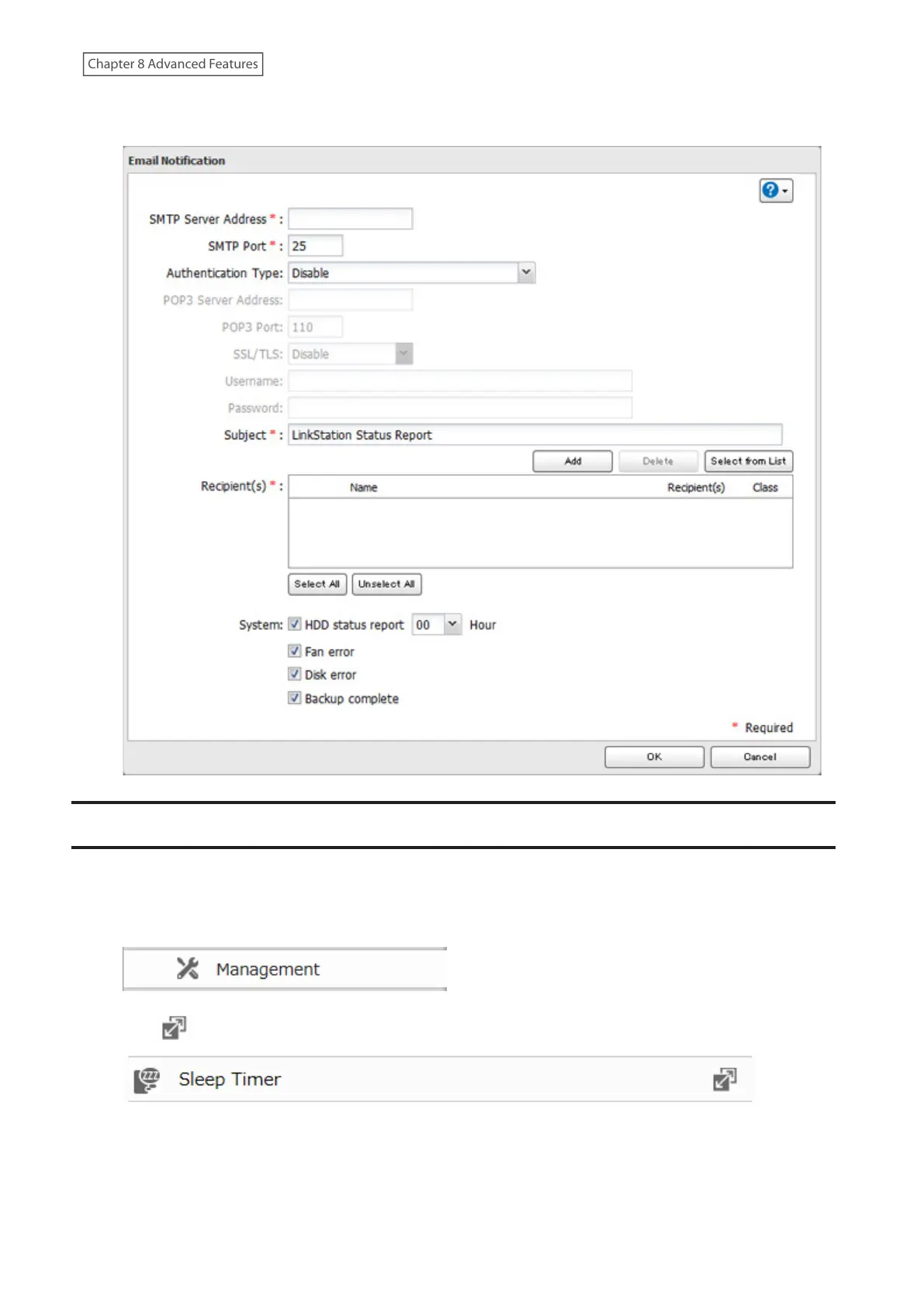
5 Enter your email server settings, notification email’s default subject, then configure recipients and the time
when email reports will be sent. Click [OK] to save the configured settings and have a test email sent.
Sleep Mode
To save energy, you can specify times to put the LinkStation into sleep (standby) mode, during which the drives and
LEDs are turned off.
1 From Advanced Settings, click [Management].
2 Click to the right of “Sleep Timer”.
3 Click [Edit].














 To Next Page