30
Notes:
• Access restrictions can be set separately for each shared folder, but not for subfolders within the shared folders.
• Configure access restrictions only through Settings. Configuring access restrictions through Windows is not
supported and may cause unexpected behavior.
Local Users and Groups
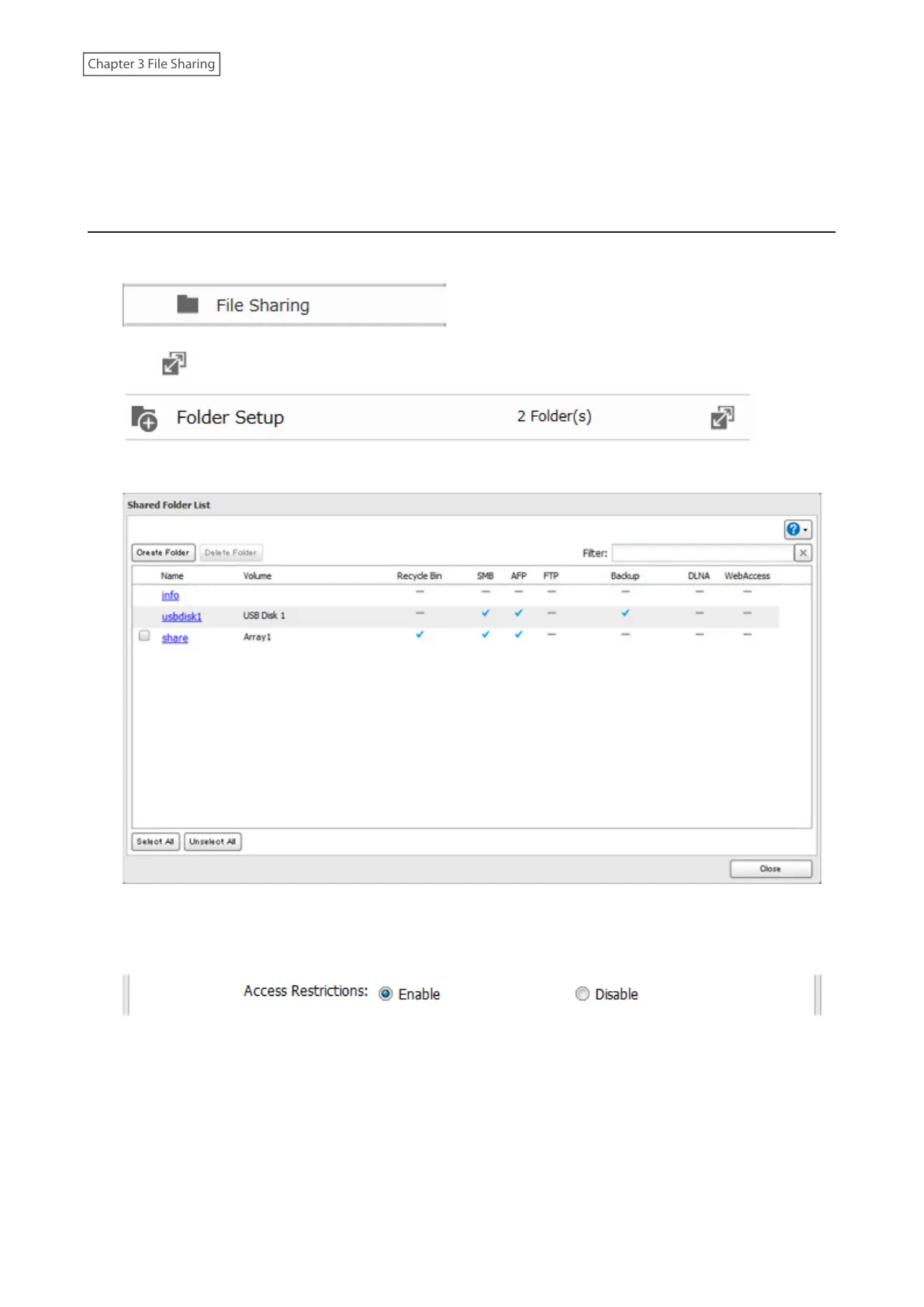
1 From Advanced Settings, click [File Sharing].
2 Click to the right of “Folder Setup”.
3 Click the shared folder that you want to set access restrictions for.
4 Click [Edit].
5 Enable “Access Restrictions”.
6 Select the level of access for the user or group.



 To Next Page