Chapter 5 Remote Access
WebAccess
WebAccess is a software utility for accessing the files in the shared folder of your LinkStation from your computer
or mobile device through the Internet. Be careful when configuring WebAccess. Certain settings can make the
files in the shared folder available to anyone on the Internet, without any access restrictions.
Follow the procedure below to configure WebAccess. To configure WebAccess from a mobile device, refer to the
“Configuring WebAccess” section in chapter 9.
Configuring from Easy Admin
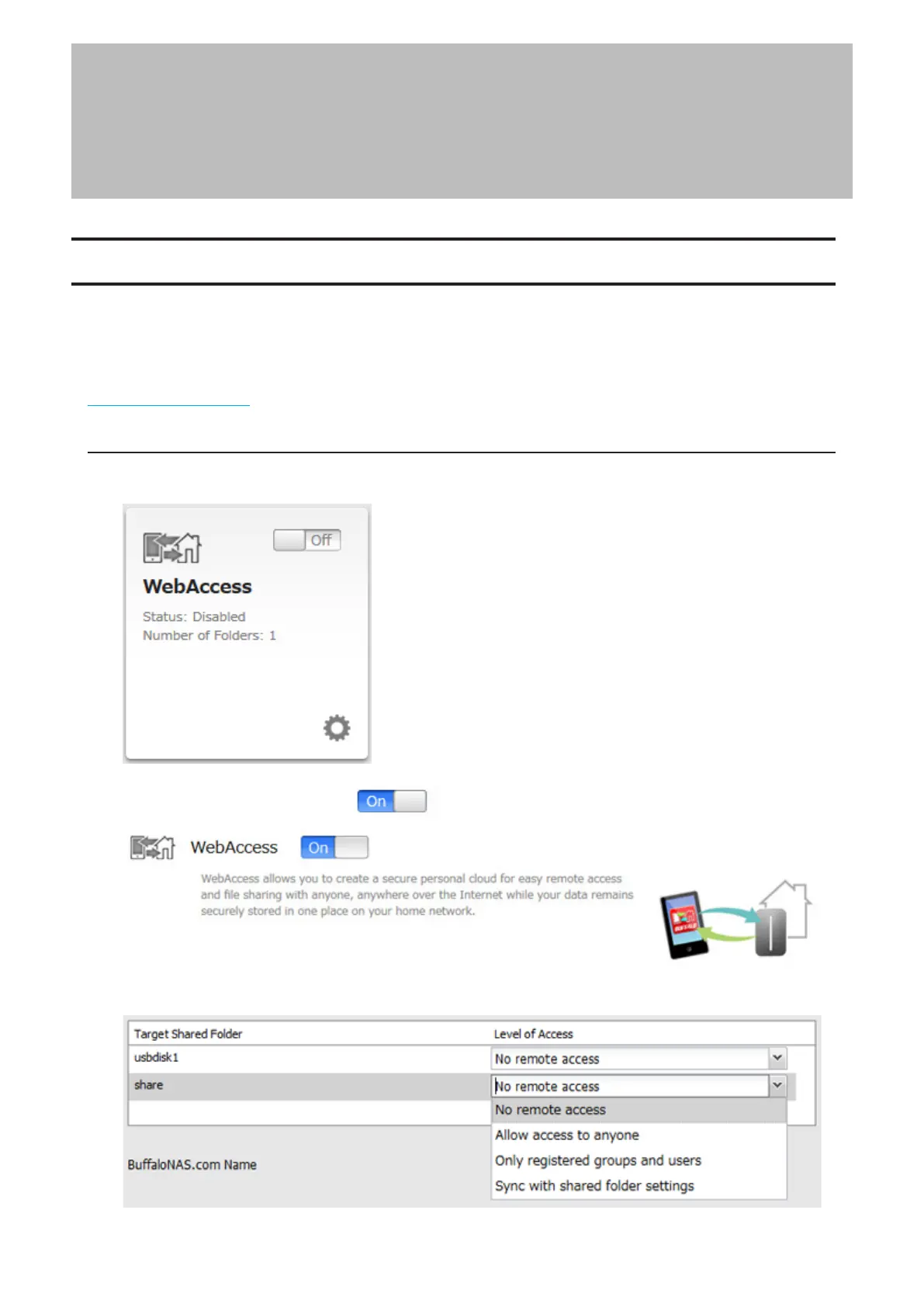
1 From Easy Admin, click [WebAccess].
2 Move the WebAccess switch to the position to enable WebAccess.
3 Select the level of access for each shared folder from the drop-down list.
57














 To Next Page