93
Chapter 8 Advanced Features
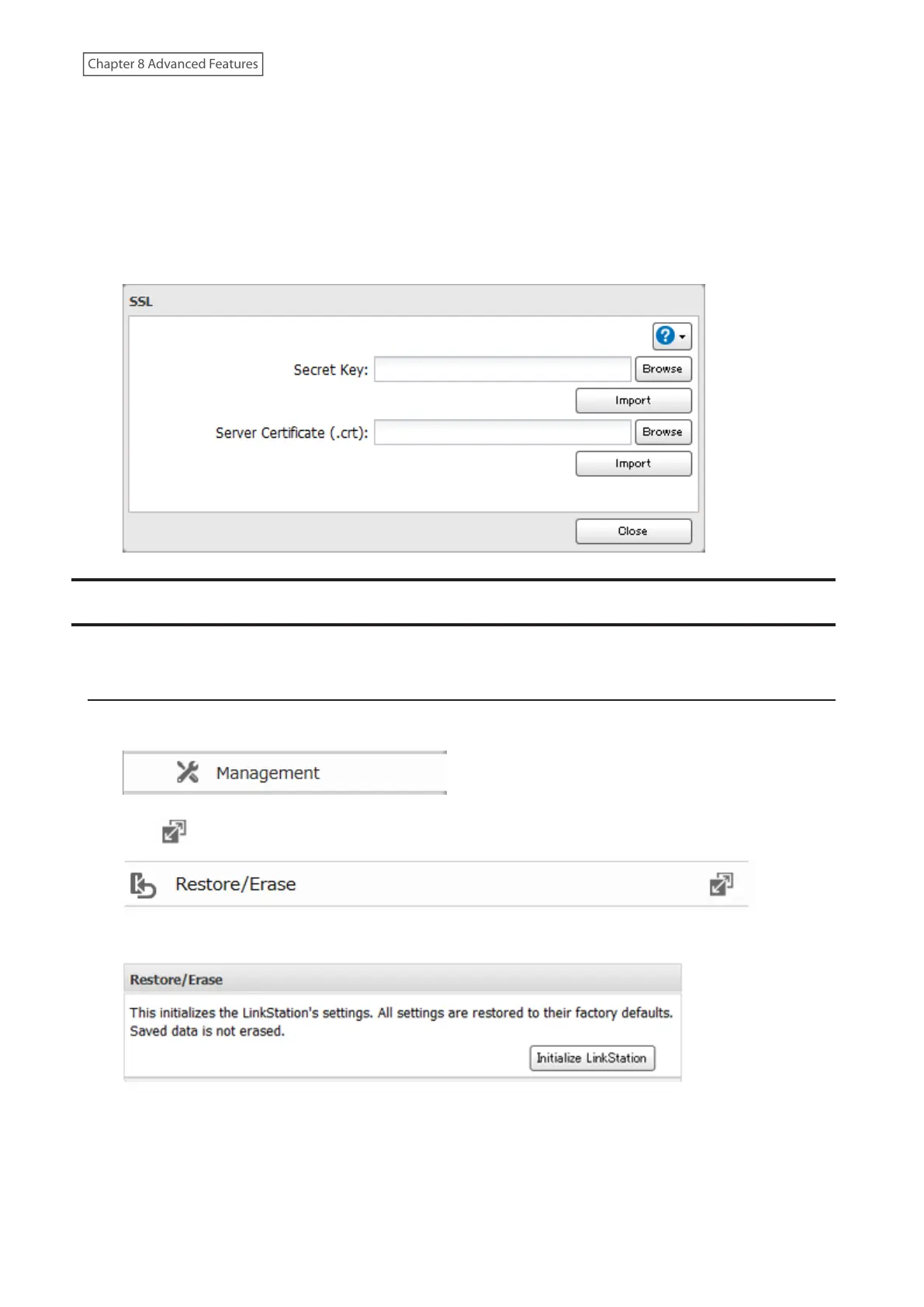
Updating SSL Key Files
To update a server certificate and a private key for SSL, follow this procedure.
1 From Advanced Settings, click [Management].
2 Click [SSL].
3 Register “server.key” for “Secret Key” and “server.crt” for “Server Certificate (.crt)”, then click [Import].
Restoring Factory Defaults
To initialize the LinkStation to its factory default settings, follow the appropriate procedure below.
Initializing from Settings
1 From Advanced Settings, click [Management].
2 Click to the right of “Restore/Erase”.
3 Click [Initialize LinkStation].
4 The “Confirm Operation” screen will open. Enter the confirmation number, then click [OK].
5 The LinkStation will restore its factory default settings.







 To Next Page