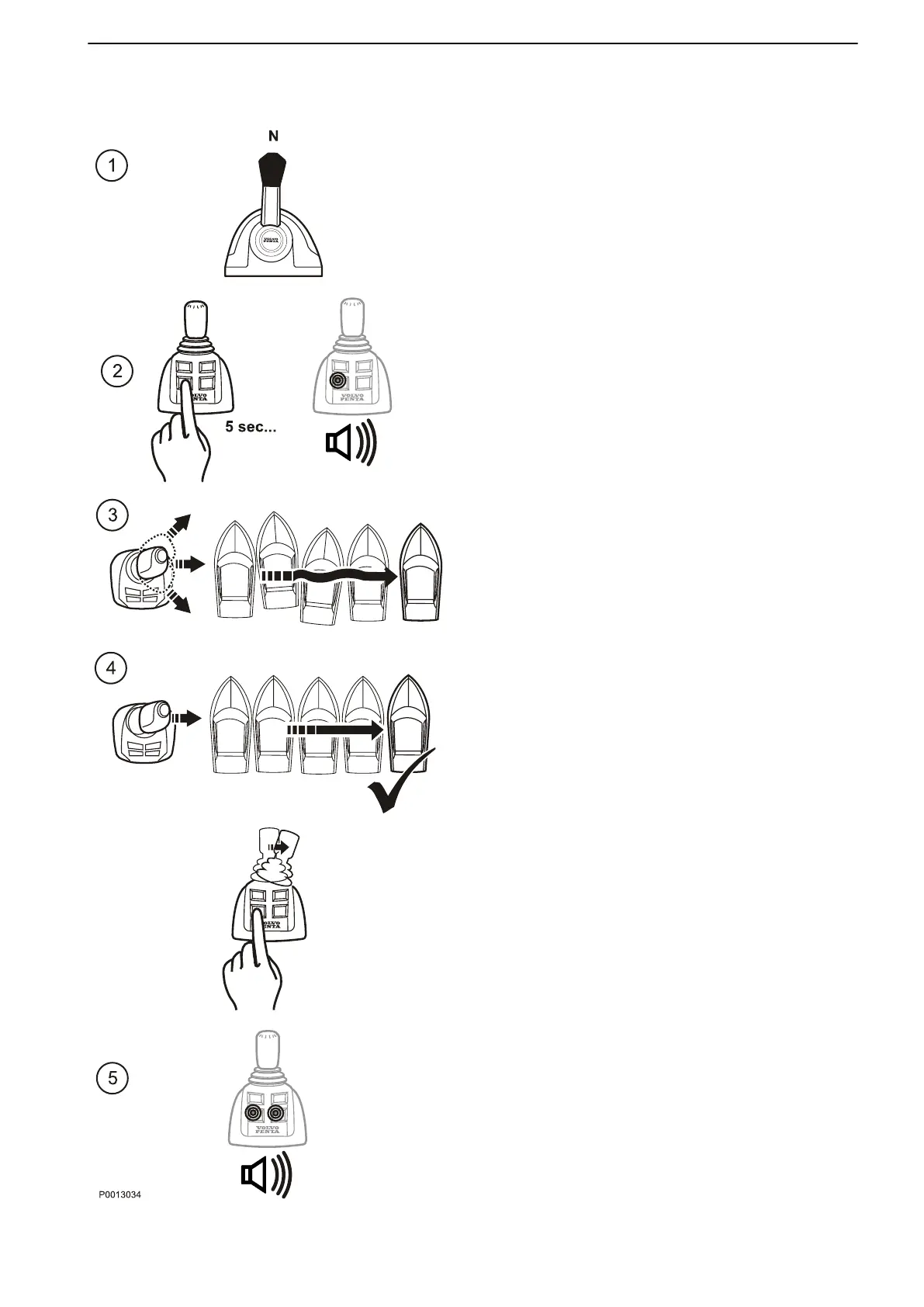
Joystick Docking calibration
NOTICE! Only available for aquamatic
installations.
1 Turn the ignition on and move the control levers
to neutral.
2 Start the engines.
Activate calibration mode by depressing the
docking button for 5 seconds.
An audible signal confirms that docking mode is
activated and the docking button lights up.
3 Move the joystick sideways as far as it will go in
one direction.
Correct boat movements by moving the joystick
up and down, and by turning it.
4 When the boat is moving straight abeam,
depress the docking button once again.
5 An audible signal will sound and both lower
button lamps on the joystick will flash to confirm
that calibration is complete and stored. The
system is now in docking mode.
When the joystick returns to the central position the
lamps will stop flashing and will instead show
continuously.
Calibration and Settings
47708085 11-2016 © Bukh 123


 To Next Page