Battery Management System
The Battery Management system helps to ensure
availability and robustness in power supply to the
starter and other power consumers on board.
Depending on installation, the local controls on the
Battery Management unit(s) or both the local controls
and the Battery Management Display can be used to
control the system.
Local Control
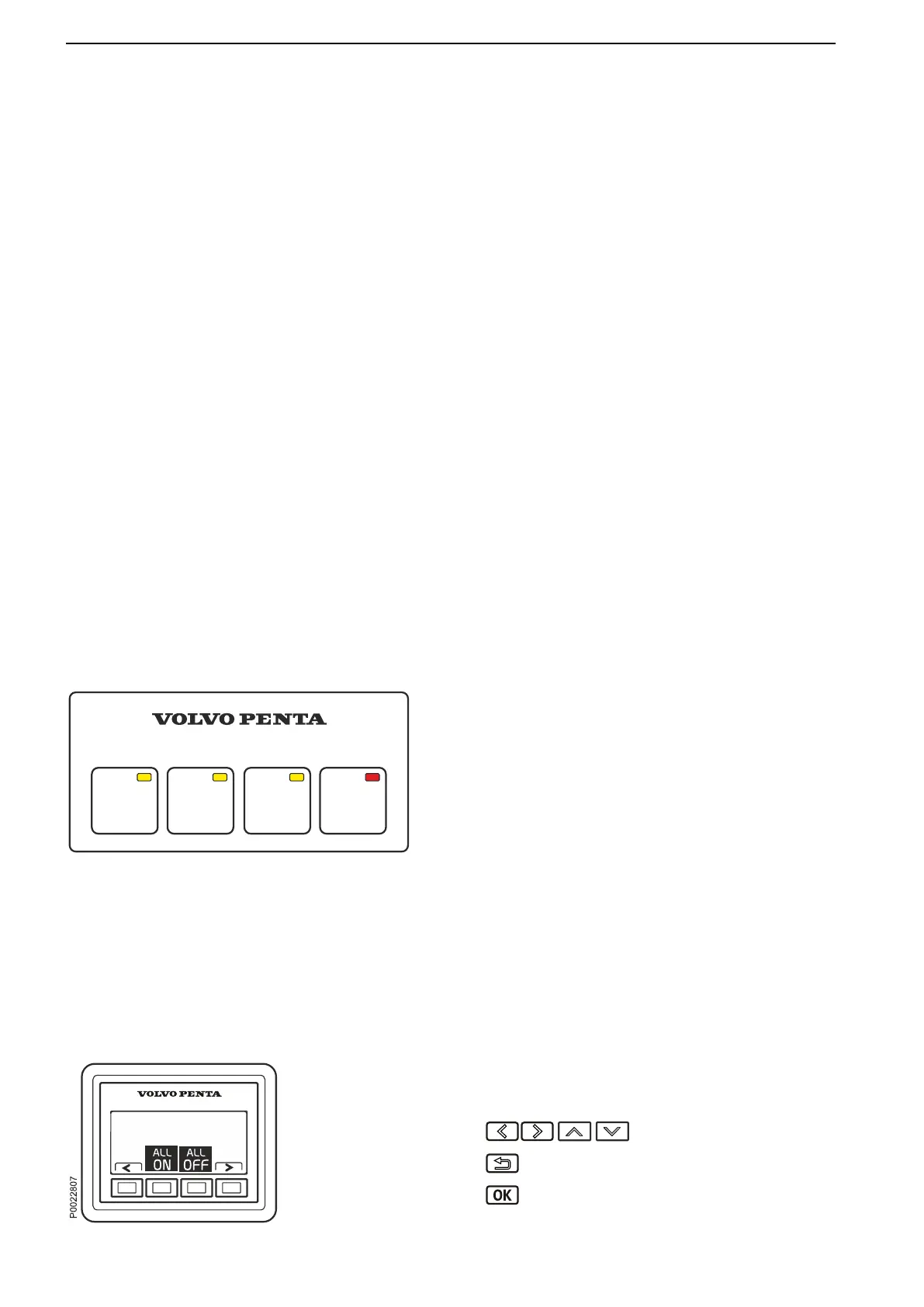
The keypad on the BCM has four buttons, 3 for
switches
and one to disable remote control of the BCM.
The switches not only switch power supply on and off
but are also able when necessary to cross connect the
service battery to the starter motor circuit when the
start battery does not provide sufficient power to the
starter motor.
- BATTERY 1: Turns off/on the power supply for start
motor and any power-user.
- BATTERY 2: Turns off/on the power supply for
selected accessories.
- CROSSOVER: Crossover function. Activates cross
over function between the batteries connected to
the BCM. To secure power-supply.
Remote disable
In order to prevent inadvertent activation of the
breakers (via the Battery Management display or
external wired switches) when working on the boat’s
electrical system, remote control of the breakers can
be deactivated.
Press REMOTE DISABLE (red LED on the button
lights up) for deactivation of remote control. The
breakers can still be controlled locally on the BCM.
Deactivation/activation is synchronized between all
BCMs in the network.
Battery Management display
The menus are dynamic depending on the installation.
Information about the battery's voltage as well as
menus for battery control and settings are shown as
standard.
Warning messages and other pop-up messages are
also shown here. At start or during standby mode the
display reverts to the view last shown.
Scroll through the menus.
Return to the previous menu.
Proceed through the menus/confirm
selection(s).
BATTERY
2
BATTERY
1
CROSS
OVER
REMOTE
DISABLE
P0021304
Remote disable.
Optional
48 47708085 11-2016 © Bukh


 To Next Page