Side mounted levers
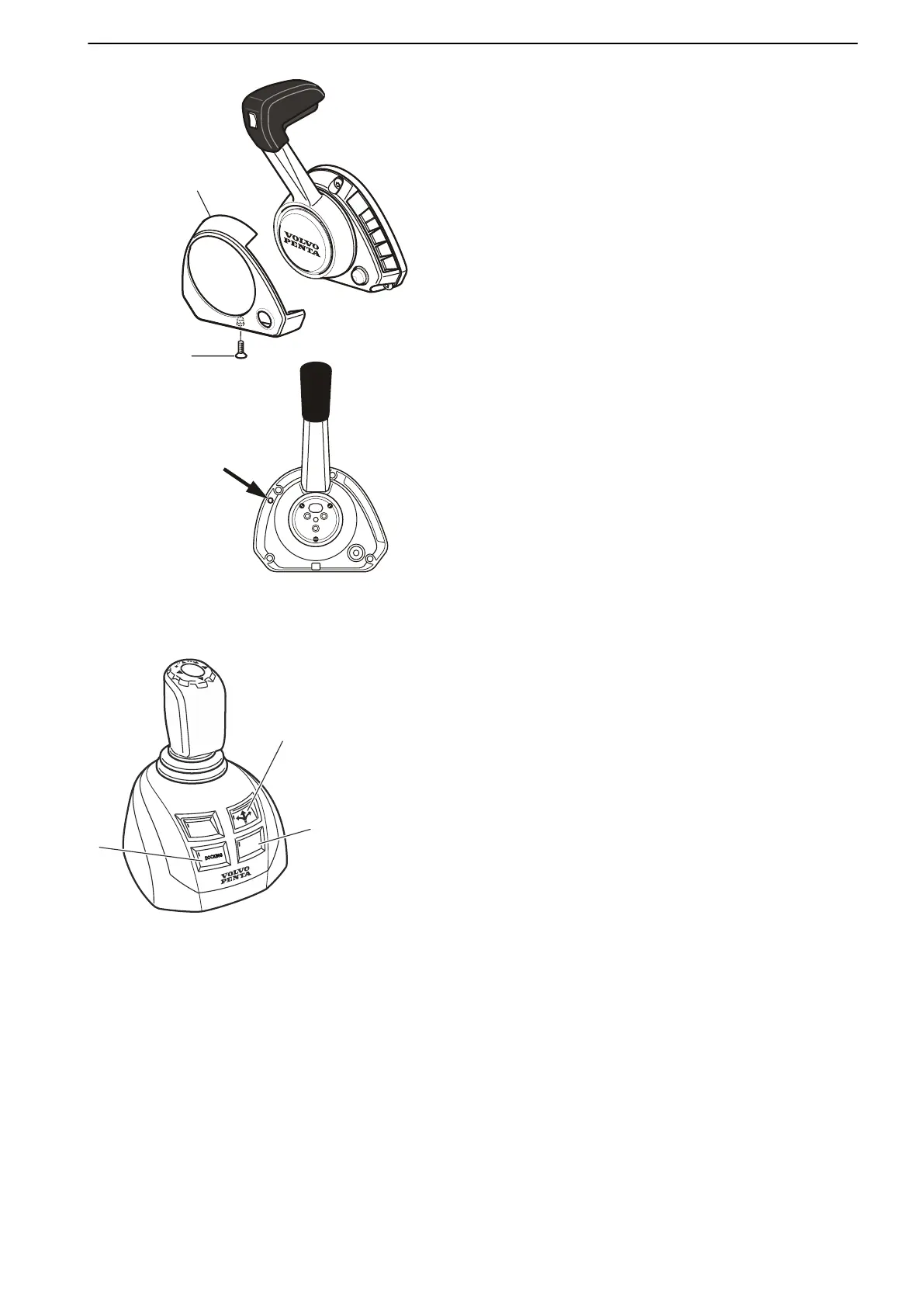
Adjust the resistance in the lever click mode.
1
Switch off the engine.
2 Unscrew the screw (1) and remove the cover (2).
3 Adjust the detention by turning the screw (3) with a
2.5 mm hex wrench. Turn the screw clockwise for
an increased detent , and counterclockwise to
decrease the detent.
4 Replace the cover.
Joystick
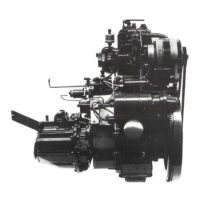
The joystick is optional. The features are controlled
with push buttons on the control. The buttons and
functions available depend on the installation.
1 Docking
For operation and further function information, refer
to Joystick for Docking, page 41.
2 Joystick Driving
For operation and further function information, refer
to Joystick Driving, page 46.
3 Thruster Mode / High Mode
Depending on installation the Thruster Mode or the
High Mode button is fitted at number 3.
For operation and further function information, refer
to Thruster Mode, page 44 or Joystick for
Docking, page 41.
Instruments and Controls
47708085 11-2016 © Bukh 39


 To Next Page