EasyManua.ls Logo

Burkert SE35 - User Manual

Burkert SE35
140 pages
Print Icon
To Next Page IconTo Next Page
Loading...
Operating Instructions
Bedienungsanleitung
Manuel d‘utilisation
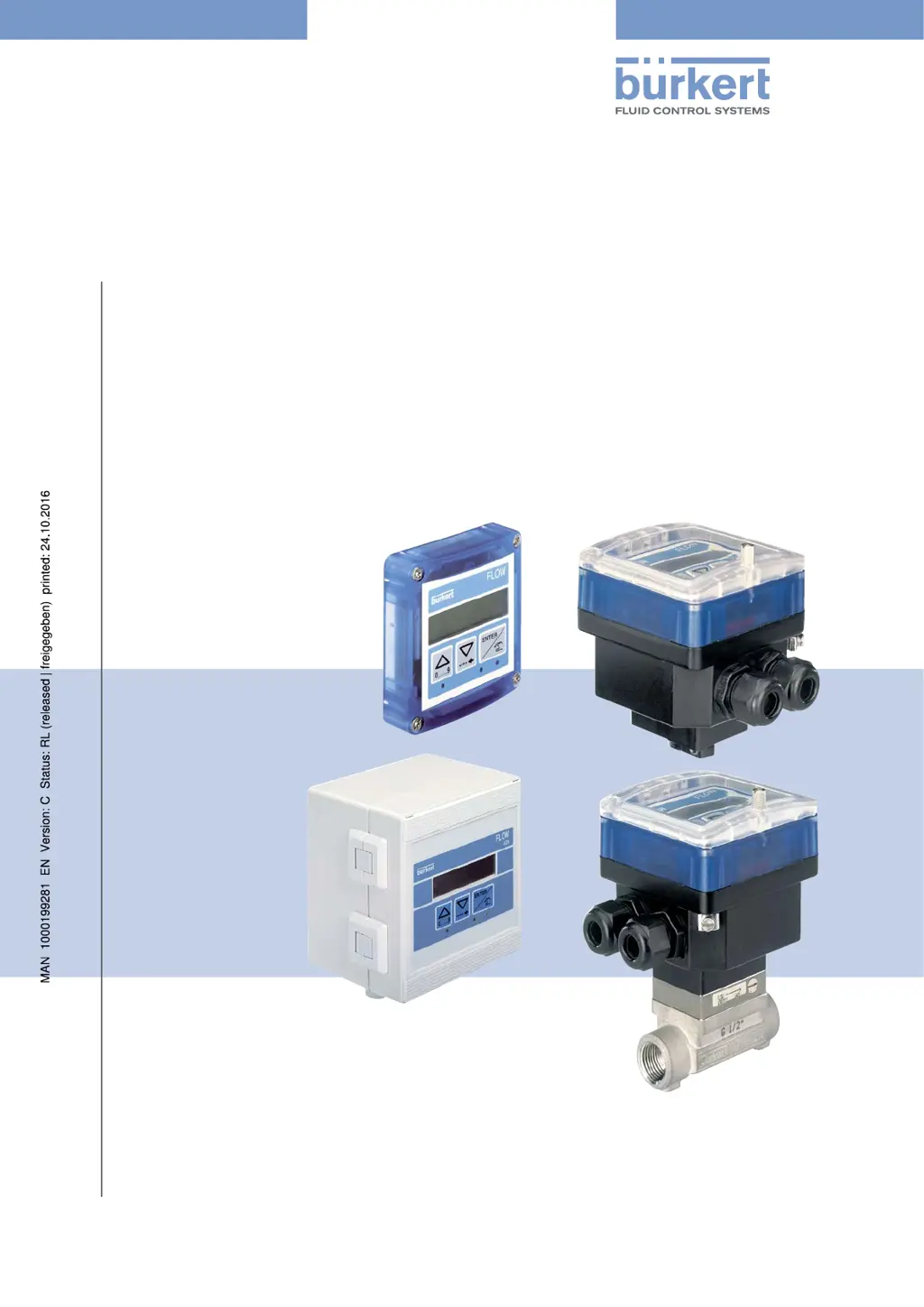
Type 8025 - 8035 - SE35
BATCH
Batch controller
Dosiergerät
Contrôleur de dosage

Table of Contents

Other manuals for Burkert SE35

Questions and Answers

  • Z
    Zachary HortonAug 23, 2025
    How to fix a Bürkert Measuring Instruments display that is OFF?
    • S
      shawn74Aug 25, 2025
      If the Bürkert Measuring Instruments display is off, ensure the red and black wires are correctly wired to the terminal block. Also, verify the power supply switch is set to ON and the batteries are correctly positioned. If it remains off, replace the batteries.
  • J
    Jennifer Johnson DDSSep 1, 2025
    What to do if my Bürkert Transmitter shows 'PWR FAIL'?
    • S
      Sandra WilliamsSep 1, 2025
      If the Bürkert Transmitter displays 'PWR FAIL', it indicates that the supply voltage is too low. This could be because the voltage at the device terminals is below 12 V or the impedance of the current measurement loop is too high. To resolve this, adjust the supply voltage to ensure the voltage at the device terminals is between 12 V and 36 V.
  • J
    John ThompsonSep 2, 2025
    What to do if my Bürkert Transmitter displays ERROR 5?
    • S
      Stuart GraySep 2, 2025
      If your Bürkert Transmitter displays 'ERROR 5', it means there's a memory read error, and both the user settings and totalizer values are lost. To address this, press the ENTER key to acknowledge the error. The device will then operate with the default settings, and the totalizer values will be set to those of the last start. You should then adjust the device again and check the totalizer values. If the message appears frequently, it is recommended to send the device back to your supplier.
  • S
    Steven HaynesSep 2, 2025
    What to do if my Bürkert Transmitter displays ERROR 3?
    • P
      Pamela BenjaminSep 2, 2025
      If your Bürkert Transmitter displays 'ERROR 3', it indicates a memory read error, meaning the user settings are lost. First, switch the device off and then on again. If the message persists, press the ENTER key to acknowledge the error, which will allow the device to operate with the default settings. Readjust the device. If the error message appears frequently, it's recommended to send the device back to your supplier.
  • A
    alyssareeseSep 3, 2025
    What to do if my Bürkert Transmitter displays ERROR 4?
    • C
      coxdonnaSep 3, 2025
      If your Bürkert Transmitter displays 'ERROR 4', it signifies a memory read error where the totalizer values are lost. To resolve this, press the ENTER key to acknowledge the error. The values of the totalizers are then set to those of the last start of the device. Make sure you check the values of the totalizers.
  • C
    Christopher GillespieSep 4, 2025
    What to do if my Bürkert Transmitter displays ERROR 7?
    • J
      John WilliamsSep 4, 2025
      If your Bürkert Transmitter displays 'ERROR 7', it indicates a memory read error where the user settings and the totalizer values are lost. To solve this, press the ENTER key to acknowledge the error: the totalizers are reset. After that send the device back to your supplier.
  • K
    Kimberly JonesSep 5, 2025
    What to do if my Bürkert Transmitter displays ERROR 6?
    • R
      Randy FitzgeraldSep 5, 2025
      If your Bürkert Transmitter displays 'ERROR 6', it means a memory read error occurred, resulting in the loss of totalizer values. To fix this, press the ENTER key to acknowledge the error. This action will reset the totalizers.
  • J
    Joseph GarzaSep 5, 2025
    Why does my Bürkert Transmitter show 'PU H LIM'?
    • R
      Rebecca WilliamsSep 5, 2025
      If the Bürkert Transmitter displays 'PU H LIM', it means that the pulse value times the K-factor of the device is greater than 1000000, indicating that the entered volume for a pulse is too high. To fix this, enter a lower volume per pulse and check the K-factor value.
  • M
    Matthew DanielSep 6, 2025
    Why does my Bürkert Transmitter show 'PU L LIM'?
    • M
      Maria McgrathSep 6, 2025
      If your Bürkert Transmitter displays 'PU L LIM', it indicates that the pulse value times the K-factor of the device is less than 1, meaning the entered volume for a pulse is too low. To resolve this, enter a higher volume per pulse and check the K-factor value.

Summary

Intended Use

Basic Safety Information

Technical Data

Technical Data: 8025 Batch Compact Version

Lists environmental, electrical, and fluid specifications for the compact model.

Technical Data: 8025 Batch Panel Version

Lists environmental, electrical, and fluid specifications for the panel model.

Technical Data: 8025 Batch Wall-Mounted Version

Lists environmental, electrical, and fluid specifications for the wall-mounted model.

Technical Data: SE35 Batch

Lists environmental, electrical, and fluid specifications for the SE35 Batch.

Technical Data: 8035 Batch

Lists environmental, electrical, and fluid specifications for the 8035 Batch.

Technical Data: SE35 Batch with S070;S077

Lists technical specs for SE35 Batch with specific sensor-fittings.

Fluid Installation

Fluid Installation Safety Instructions

Crucial safety guidelines for the fluid installation process.

Installing 8025 Batch in Compact Version

Step-by-step instructions for installing the 8025 Batch in its compact form.

Installing 8035 Batch

Step-by-step instructions for installing the 8035 Batch.

Electrical Installation and Wiring

Electrical Installation Safety Instructions

Critical safety measures for electrical connections and wiring.

Commissioning

Commissioning Safety Instructions

Safety precautions to follow before and during device commissioning.

Commissioning Procedure

Step-by-step guide for bringing the device into operation.

Operating and Functions

Operating Safety Instructions

Critical safety measures for operating the device correctly.

Parameters Menu Details

Covers configurable parameters like language, units, K-factor, outputs, and alarms.

Maintenance and Troubleshooting

Maintenance Safety Instructions

Critical safety measures for performing maintenance tasks.

Troubleshooting Problems

Guides users through resolving issues based on LED status, error messages, and warnings.

Spare Parts and Accessories

Burkert SE35 Specifications

General IconGeneral
BrandBurkert
ModelSE35
CategoryController
LanguageEnglish

Related product manuals