7.2 Replacing the cabled handset
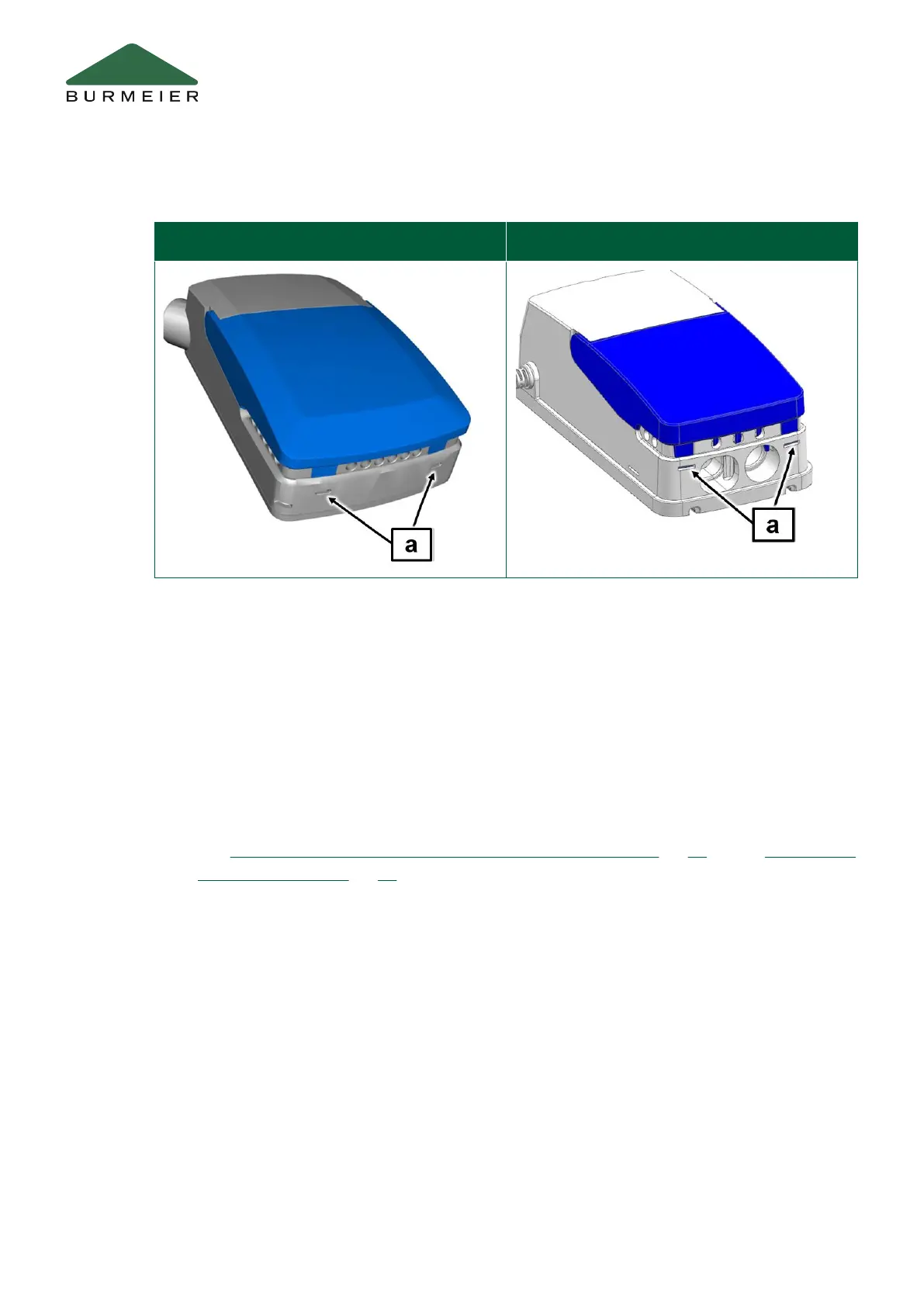
Control unit: CBSTI01V2 and CBSTI01V3 Control unit: CA 20
1. If possible, raise the bed to its highest position to make work easier.
2. Disconnect the plug with the switch mode power supply unit from the socket.
3. Open the cover of the control.
• The control is located directly on the backrest motor.
To do so, use a flat-blade screwdriver to push the securing clips on the front of
the control unit [a] (see pictures above) inwards and then open the cover.
4. Open the cover and unplug the handset plug from the socket.
5. Insert the plug of the new handset into the connection socket (for connection diagram
see
Part B: Plug assignment (CBSTI01-V2 and CBSTI01-V3) » 21 and/or Part B: Plug
assignment (CA 20) » 22).
• There is a recess on the handset plug.
Replacement of Electrical Components
42 Part B: Operator and Technical Personnel


 To Next Page