EN
82
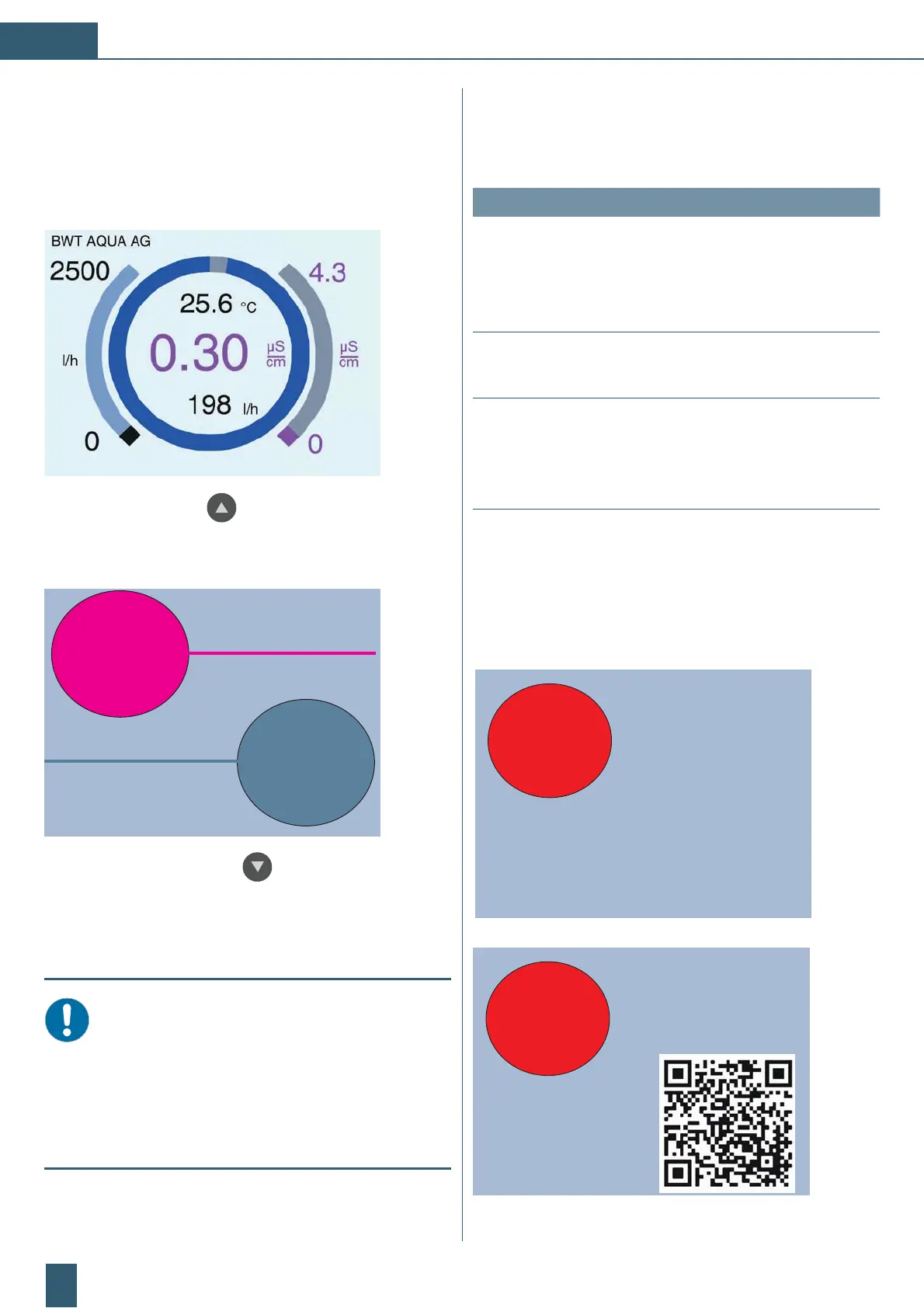
Display:
During normal operation, the buttons below the display
must be pressed for 3 seconds before they become
active.
View as barograph:
Remaining capacity
Use the up arrow key to switch between two
different classical views and bar graphs.
Classic graphic view:
Limit value
VE water
9.7
15.0
µS/cm
µS/cm
Press the down arrow key below the display for
approx. 1 second.
In the classical view, you can also switch between two
additional value pairs in a sub-display.
NOTICE:
In the current firmware, the classical view
remains in the respective sub-display. It will au-
tomatically revert to the primary display after 15
seconds. The control system recognises which
view was last selected and displays it automati-
cally after a restart.
10 Fault elimination
10.1 Troubleshooting
Fault Reasons Acknowledgement
A new or freshly
regenerated cart-
ridge produces
water with a poor
conductivity value.
The hoses
were incor-
rectly connec-
ted
Check the connec-
tions at the inlet and
outlet. Rinse the cart-
ridge for approximate-
ly 3 to 5 minutes.
No indication on
the screen
Electrical
failure
Check the electrical
connections
The device is too
quickly exhausted.
The capacity
of the cartridge
has been
exceeded.
Check the hardness
of the raw water, see
technical data.
When the fault cannot be eliminated with the advice
above, then contact our customer service.
BWT AQUA – Service
Phone: +41 061 755 84 00 or
Phone: +41 061 755 88 99
replace cartridge!
Please contact:
BWT AQUA AG
21.1
µS/cm
Alarm!
Limit was
exceeded
CH-4147 Aesch
Phone: 061 755 88 99
regeneration@
bwt-aqua.ch
Please contact:
BWT AQUA AG
21.1
µS/cm
Alarm!
Limit was
exceeded



 To Next Page