PRELIMINARY
Document type: Title: Revision date: Revision:
User's Manual (MUT) N1471 4 Channel Programmable HV Power Supply 24/03/2010 1
NPO: Filename: Number of pages: Page:
00112/07:N1471.MUTx/01 N1471_REV1.DOC 38 18
3.2.1. HV connection
Verify the channels polarity (polarity setting is explained in § 3.5) checking that the
polarity LEDs are switched on according to the programmed configuration (see § 2.4.2);
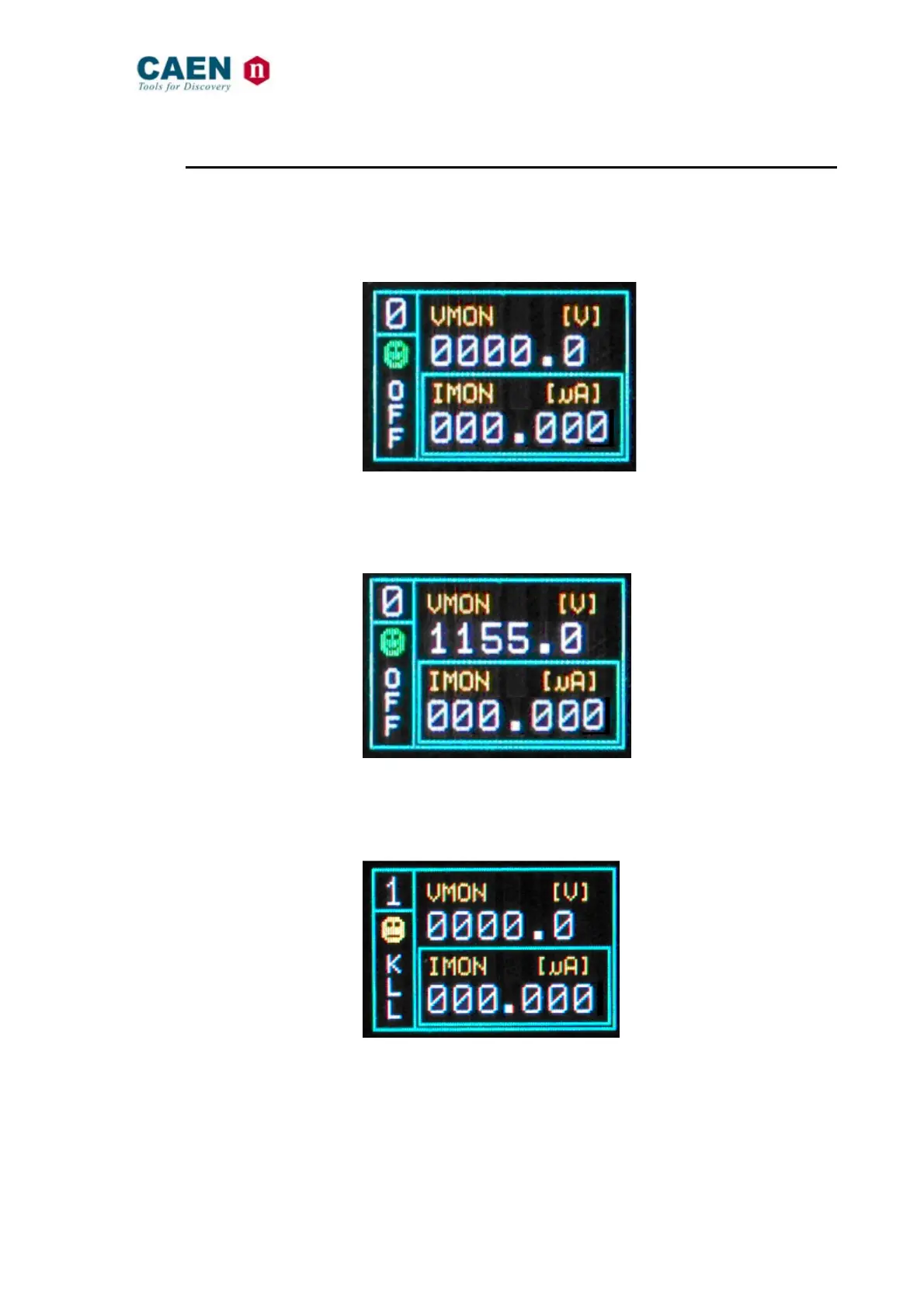
verify the HV_EN/OFF/KILL 3 POS. SWITCH of each channel is set to OFF; the Display
will show the following message in the left lower row:
Fig. 3.2: Channel OFF status screen
now connect the HV cable linking the outputs to the loads to be supplied and enable the
HV outputs switching the HV_EN/OFF/KILL 3 POS. SWITCH in the HV_EN position; the
Display will show the following message in the left lower row:
Fig. 3.3: Channel ON status screen
The KILL position of the HV_EN/OFF/KILL 3 POS. SWITCH allows to turn off the module
at the fastest available rate; the Display will show the following message in the left lower
row:
Fig. 3.4: Channel KILL status screen



 To Next Page