PRELIMINARY
Document type: Title: Revision date: Revision:
User's Manual (MUT) N1471 4 Channel Programmable HV Power Supply 24/03/2010 1
NPO: Filename: Number of pages: Page:
00112/07:N1471.MUTx/01 N1471_REV1.DOC 38 30
3.4.2. Communication Control
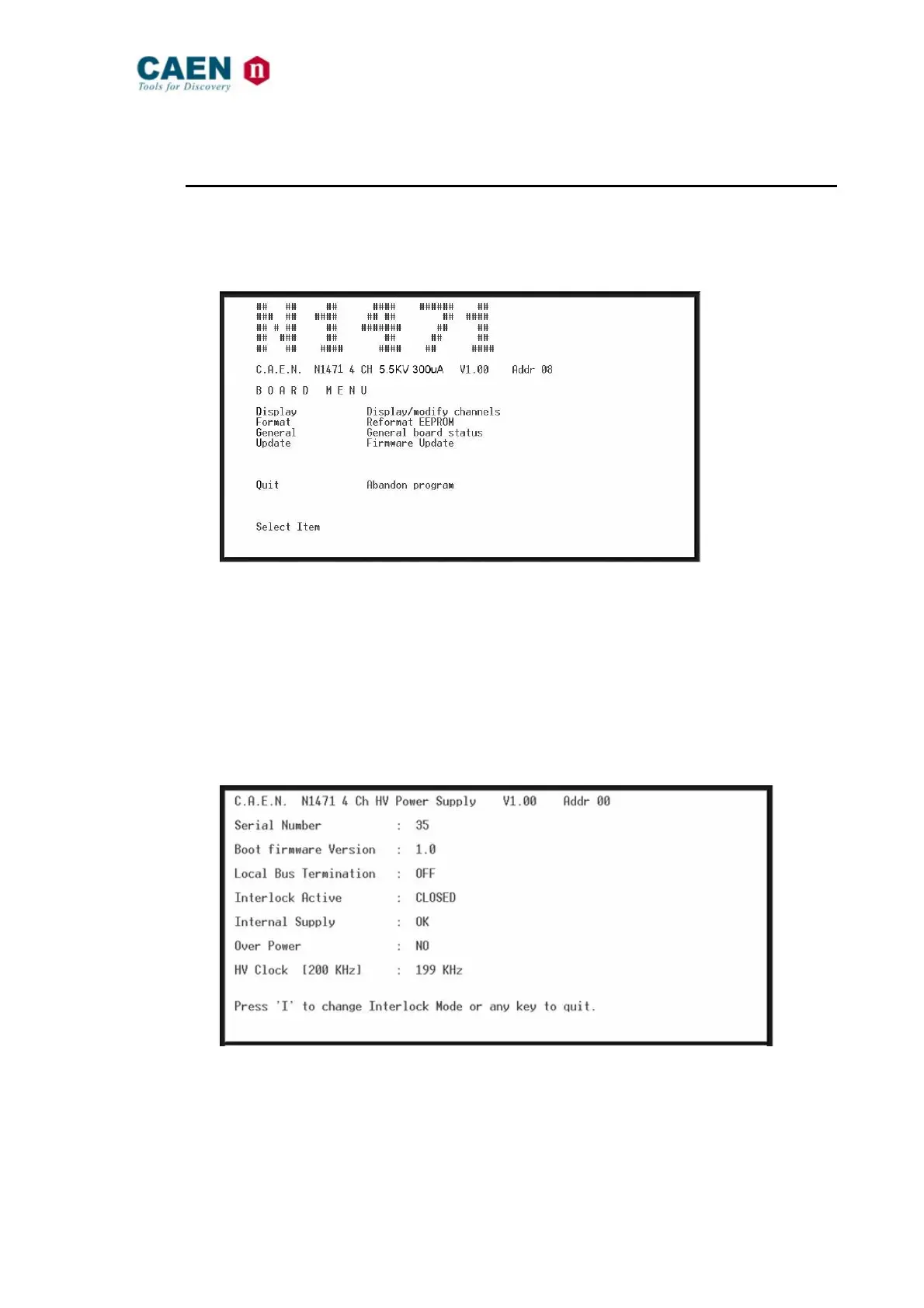
As the communication is established, the Main Menu will be displayed.
3.4.2.1. Remote Control: Main Menu
Fig. 3.33: Main Menu
Type D to set/monitor channels parameters
Type F to format the EEPROM
Type G to monitor board status
Type U to upgrade the firmware
Type Q to exit the program
3.4.2.2. Remote Control: General Menu
By typing G it is possible to access the General Menu which includes the board’s general
settings.
Fig. 3.34: Board Status Menu
3.4.2.3. Remote Control: Channels Menu
By typing D it is possible to monitor and set all the channels parameters listed in § 3.1.2



 To Next Page