PRELIMINARY
Document type: Title: Revision date: Revision:
User's Manual (MUT) N1471 4 Channel Programmable HV Power Supply 24/03/2010 1
NPO: Filename: Number of pages: Page:
00112/07:N1471.MUTx/01 N1471_REV1.DOC 38 31
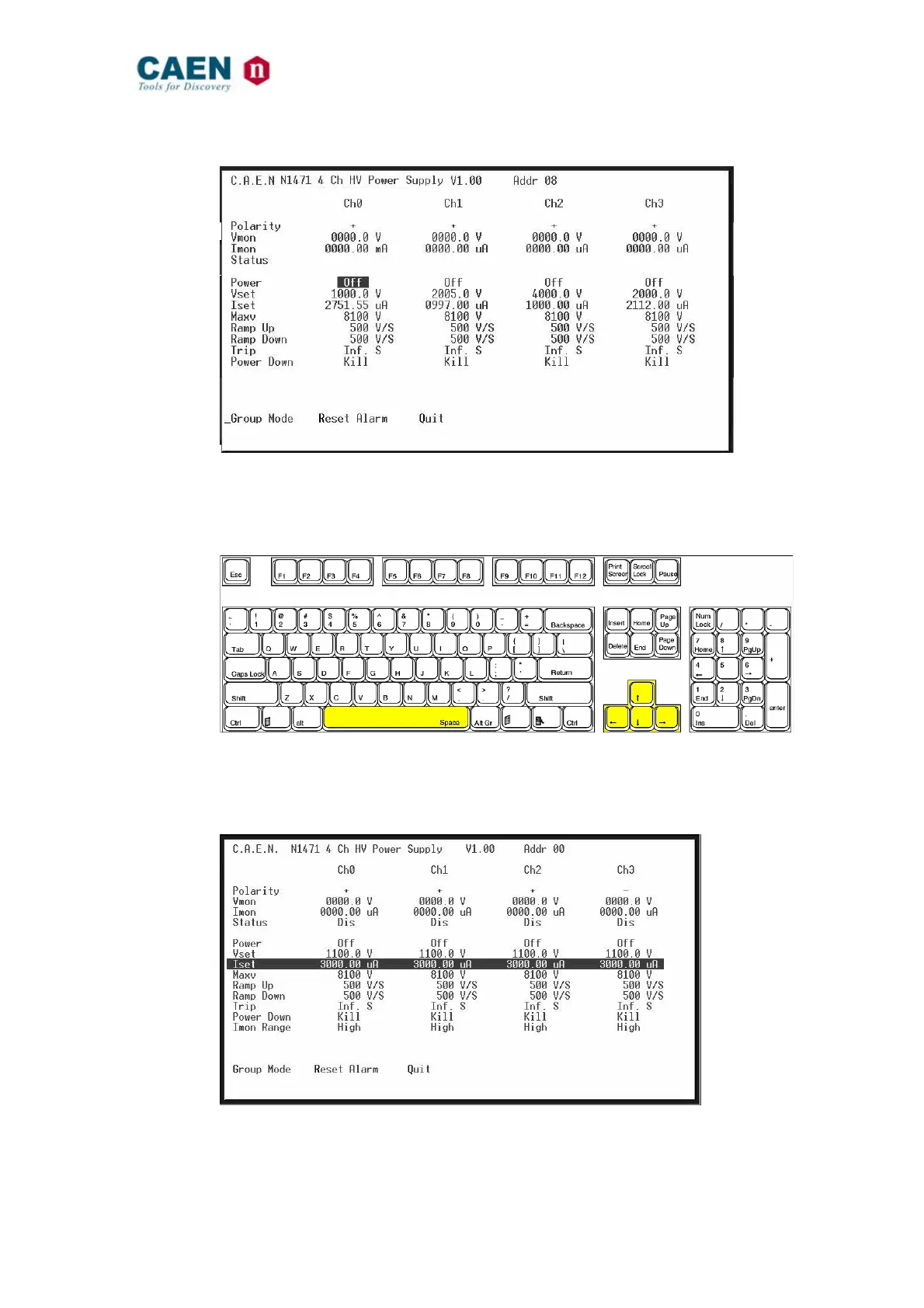
Fig. 3.35: Channels Menu
In order to change one parameter: point the parameter with the arrow keys (see figure
below), and type the desired value, confirm by pressing <Enter>; Power and Power
Down can be changed using the <Space> bar.
Fig. 3.36: PC keyboard
When one parameter is active, by typing G it is possible to make a “group setting”, i.e.
broadcast the same value to all channels (the parameter becomes active on all channels,
see figure).
Fig. 3.37: Channels group setting
Type Q to exit the Menu.



 To Next Page