PRELIMINARY
Document type: Title: Revision date: Revision:
User's Manual (MUT) N1471 4 Channel Programmable HV Power Supply 24/03/2010 1
NPO: Filename: Number of pages: Page:
00112/07:N1471.MUTx/01 N1471_REV1.DOC 38 21
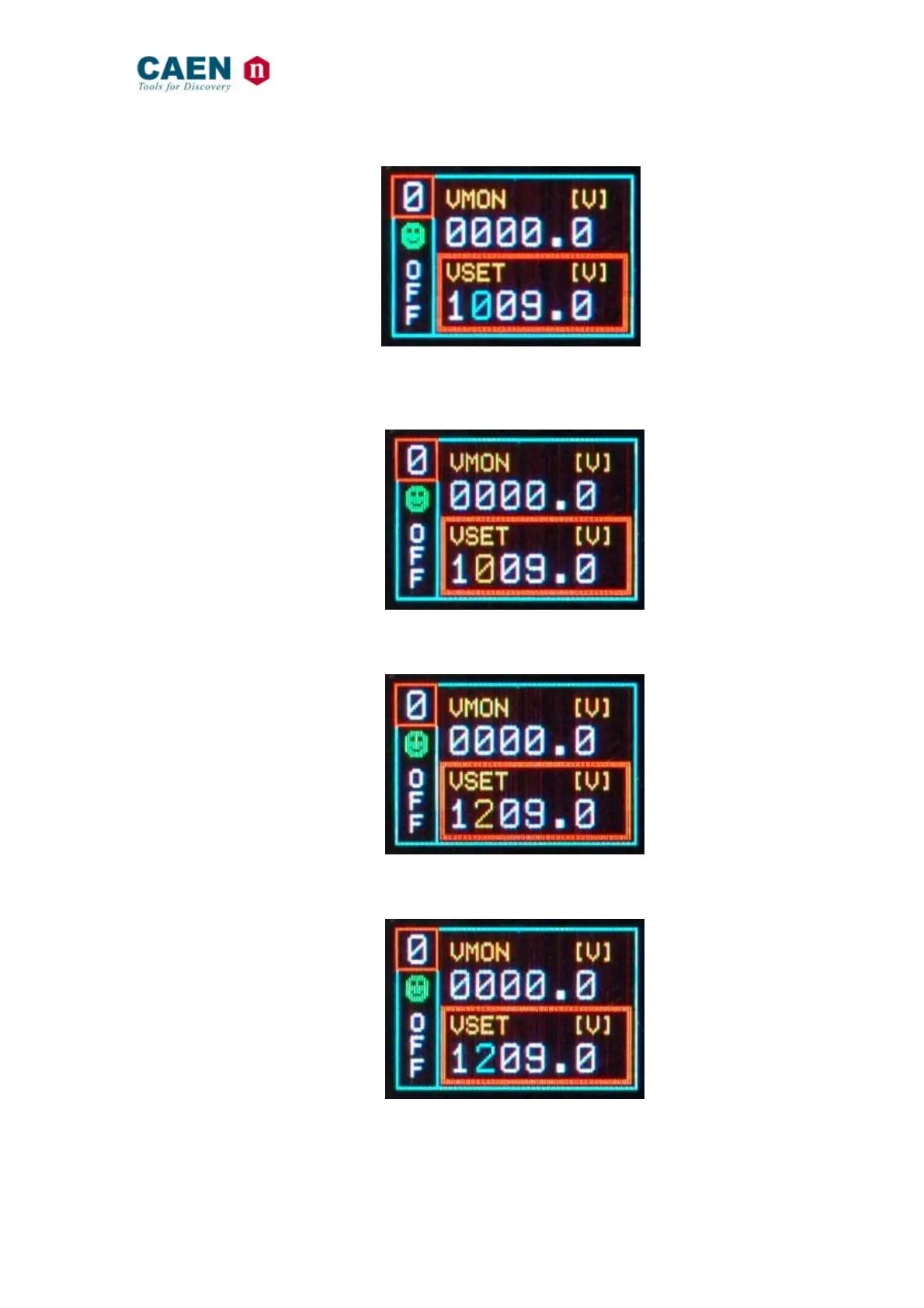
Fig. 3.11: Channel VSET digit selection screen
Push the TUNE ROTARY SWITCH: at this point the value digit becomes yellow and can
be edited
Fig. 3.12: Channel VSET digit access screen
Turn the TUNE ROTARY SWITCH until the digit reaches the desired value
Fig. 3.13: Channel VSET digit adjust screen
Confirm it by pushing the TUNE ROTARY SWITCH, the edited digit returns blue
Fig. 3.14: Channel VSET digit confirm screen



 To Next Page